artisan

All my posts about artisan.

Join 9,500+ smart developers

Get my monthly newsletter with what I learn from running Spatie, building Oh Dear, and maintaining 300+ open source packages. Practical takes on Laravel, PHP, and AI that you can actually use.

No spam. Unsubscribe anytime. You can also follow me on X.

Handling console signals in Laravel original

by Freek Van der Herten – 7 minute read

When you cancel a long-running artisan command with Ctrl+C, a SIGINT signal is sent by the operating system to the PHP process. You can use this signal to perform some cleanup quickly.

Symfony 5.2 introduced support for handling signals in commands.

We've released a package called spatie/laravel-signal-aware-commands that provides a substantial improvement to how you can use these signals in a Laravel app. In this blog post, I'd like to tell you all about it.

Read more

Improve the error output of console commands in a Laravel app

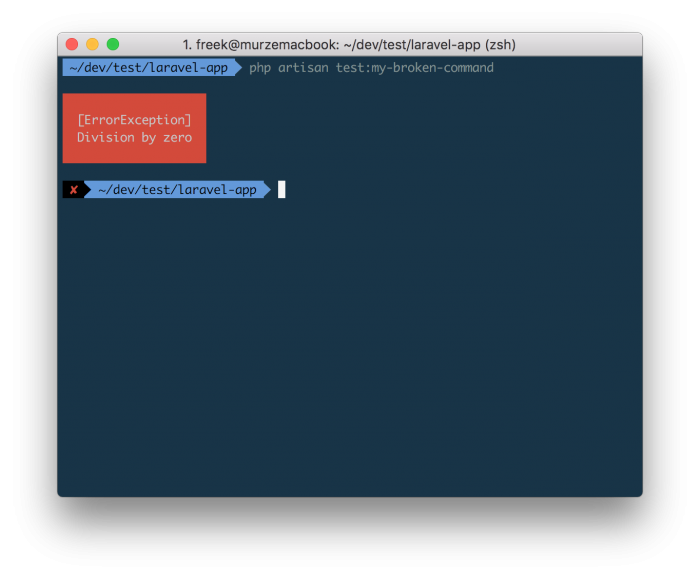
If you execute an Artisan command and something goes wrong, the error output is not terribly detailed.
You can improve the output slightly by tagging on -vvv to make to output more verbose.
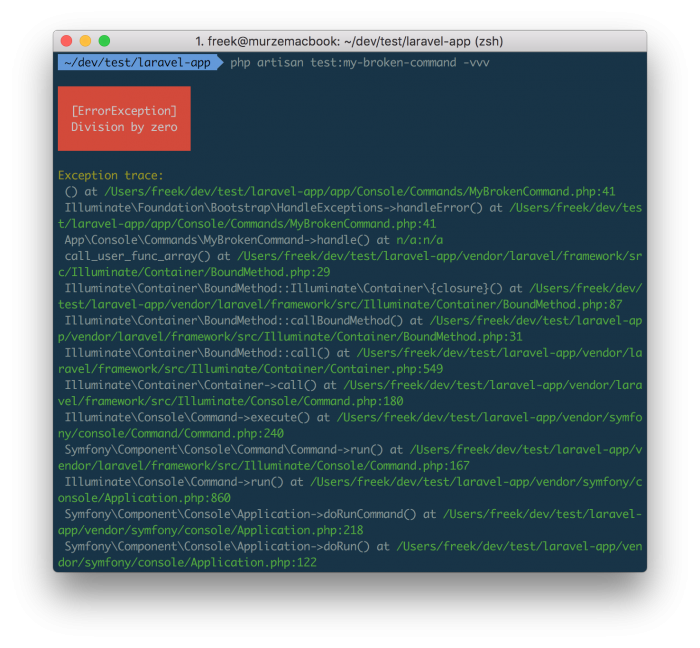
Now we already know the line that where the problem originates: there's something going wrong on line 41 of the MyBrokenCommand command.

But we can improve the error output still. Nuno Maduro coded up a fantastic package called Collision that, once installed, provides much nicer output.
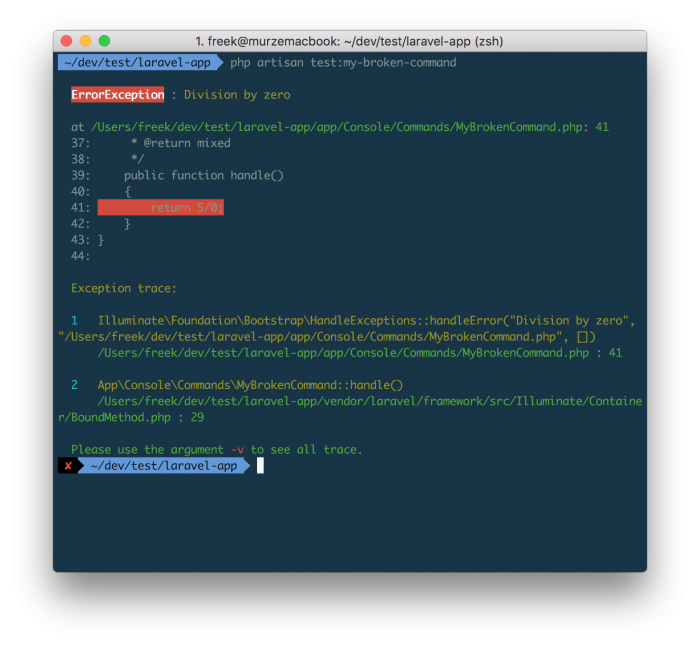
In this output we can immediately see what the silly programmer did wrong.

Let's hope that a future version of Laravel will be able to spit out these nicely formatted errors out of the box.

Read more