terminal

All my posts about terminal.

Adding a custom status line to Claude Code original

by Freek Van der Herten – 2 minute read

Claude Code has a nice little feature called the status line that lets you add a custom bar at the bottom of the terminal. I use it to show the current repo name and how much of the context window I've used. To set this up, first create a script at ~/.claude/statusline.sh: #!/bin/bash # Read JSON…

Read more

Join 9,500+ smart developers

Get my monthly newsletter with what I learn from running Spatie, building Oh Dear, and maintaining 300+ open source packages. Practical takes on Laravel, PHP, and AI that you can actually use.

No spam. Unsubscribe anytime. You can also follow me on X.

A bash function to run tests for both PHPUnit and Pest original

by Freek Van der Herten – 2 minute read

I've used this little bash alias for many years to quickly run the tests inside of a project.

alias p="vendor/bin/phpunit"

With this alias in place, I can run the tests by typing "p" on the CLI. Nice!

For a long time, everything was great! But then, Pest appeared on the scene. It's an alternative test runner for PHP with a high focus on developer experience.

Read more

Run and stop multiple long-running commands from Bash with a trap

liamhammett.com

Liam Hammett explains how you can use the trap command to stop multiple bash process in one go.

Sometimes when working on a project, I’ll always want to run a handful of commands at the same time, some of which may return when they’re done, others might be long-running, like watchers or services actively exposing ports. This is something that might seem simple to do with a basic Bash script at first, but what if your script has multiple processes running side-by-side and you want to be able to stop them all at once too?

Read more [liamhammett.com]

Replacing standard CLI tools with better ones

remysharp.com

Remy Sharp, a well known JavaScript developer, published a cool list of standard CLI tools replacements.

I'm not sure many web developers can get away without visiting the command line. As for me, I've been using the command line since 1997, first at university when I felt both super cool l33t-hacker and simultaneously utterly out of my depth. Over the years my command line habits have improved and I often search for smarter tools for the jobs I commonly do. With that said, here's my current list of improved CLI tools.

Read more [remysharp.com]

A modern text-based web browser in your terminal

Browsh is a small browser that you can run inside your terminal. If you don't want to install it locally, you can test is out by ssh'ing to it.

ssh brow.sh

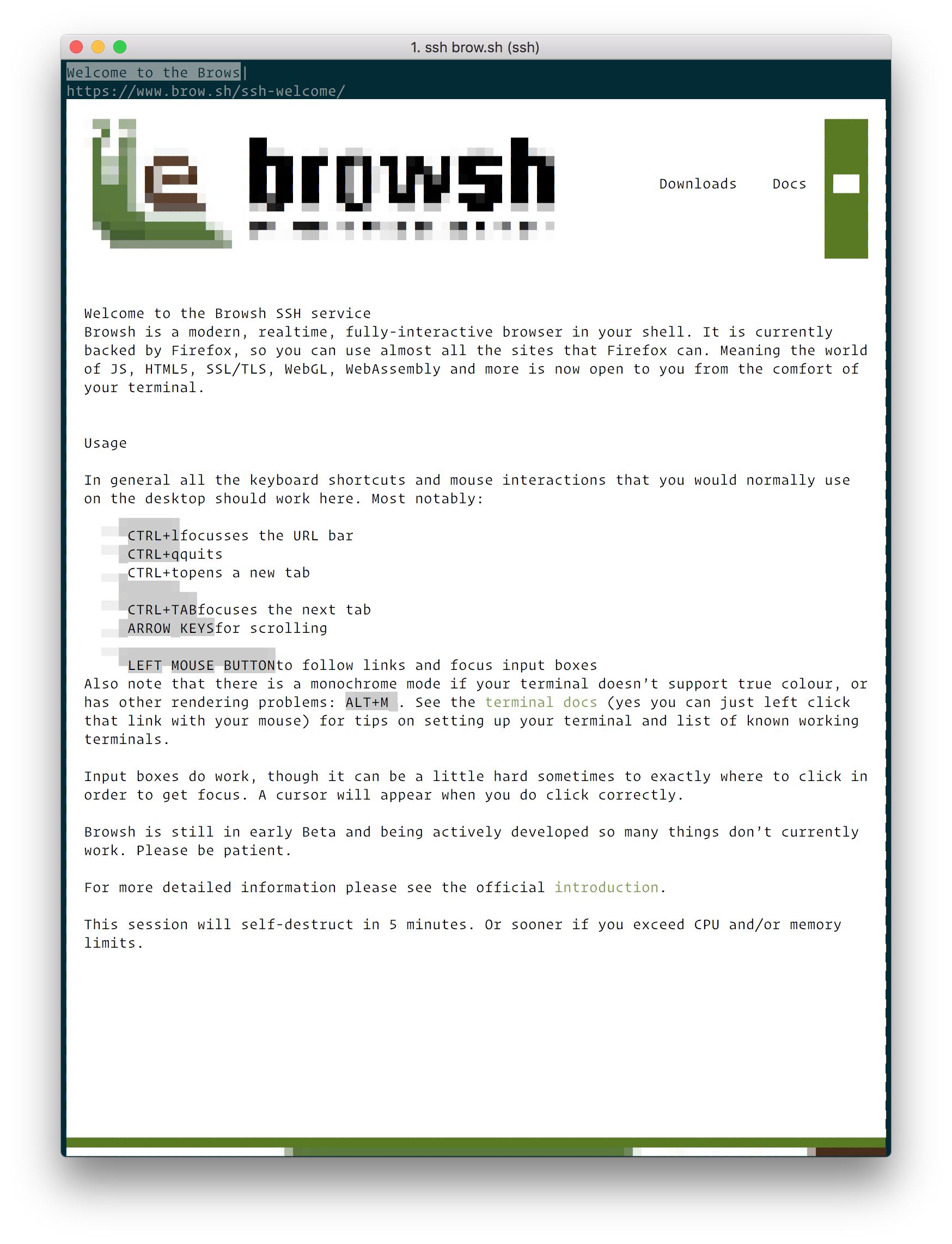
Here's a screenshot of the https://www.brow.sh/ running in Browsh.

Browsh homepage

How cool is that! I don't see myself using this as my main browser soon, but it sure is a pretty cool project. It goes without saying that you should not type any sensitive data while using it via ssh.

Read more

iTerm2 leaks everything you hover in your terminal via DNS requests

iTerm2, a populair terminal app, contained a very bad security issue. Everything you hover over was being checked if it was a clickable url. To determine if it's a valid url, the hovered over string was being checked against DNS server. So if you hover over a password, or a secret key or whatever it sent out to the internet. Obviously this is a big problem. It's fixed in the latest version. So if you use iTerm2 and haven't updated it recently, be sure to do it now! The problem is fixed in version 3.1.1.

iTerm2's leak issue was first discovered ten months ago. iTerm2's creator initially reacted by adding an option to iTerm 3.0.13 that allowed users to disable DNS lookups. The feature remained turned on by default for new and existing installations.

Dutch developer Peter van Dijk, software engineer for PowerDNS, a supplier of open-source DNS software and DNS management service, re-reported this feature and this time around, he pointed out some of the severe privacy leaks not included in the first bug report.

"iTerm sent various things (including passwords) in plain text to my ISP's DNS server," van Dijk wrote flabbergasted in a bug report he filed earlier today.

This time around, George Nachman, iTerm2's maintainer, understood the severity of the issue right away and released iTerm2 3.1.1 to fix the problem within hours. He also apologized for enabling this feature by default without analyzing possible consequences in more depth.

https://www.bleepingcomputer.com/news/security/iterm2-leaks-everything-you-hover-in-your-terminal-via-dns-requests/

Read more
Make git work better with GitHub original

by Freek Van der Herten – 1 minute read

A few months ago I installed a command line utility called hub. I'm really fond of it. It's aim is to make it easier to interact with GitHub from the commandline. It's a wrapper around the standard git command. Once it's installed you can do stuff like this (take from the manual page) # clone your…

Read more

Quickly open a GitHub page from your terminal

At Spatie we use GitHub for both our client projects as our open source code. So in our day to day work we often have to open the browser to view issues of a repo or review pull requests.

Paul Irish, a well known developer and part of the Google Chrome team at Google, made a nice bash script to quickly open up a GitHub page from your terminal. If you're on a path inside a git repo and type "git open" that'll open up the corresponding page on GitHub.

The command also supports, amongst others, repos hosted on GitLab.com and Bitbucket.

https://github.com/paulirish/git-open

Read more