Adding a custom status line to Claude Code original
by Freek Van der Herten – 2 minute read – Edit
Claude Code has a nice little feature called the status line that lets you add a custom bar at the bottom of the terminal. I use it to show the current repo name and how much of the context window I've used.
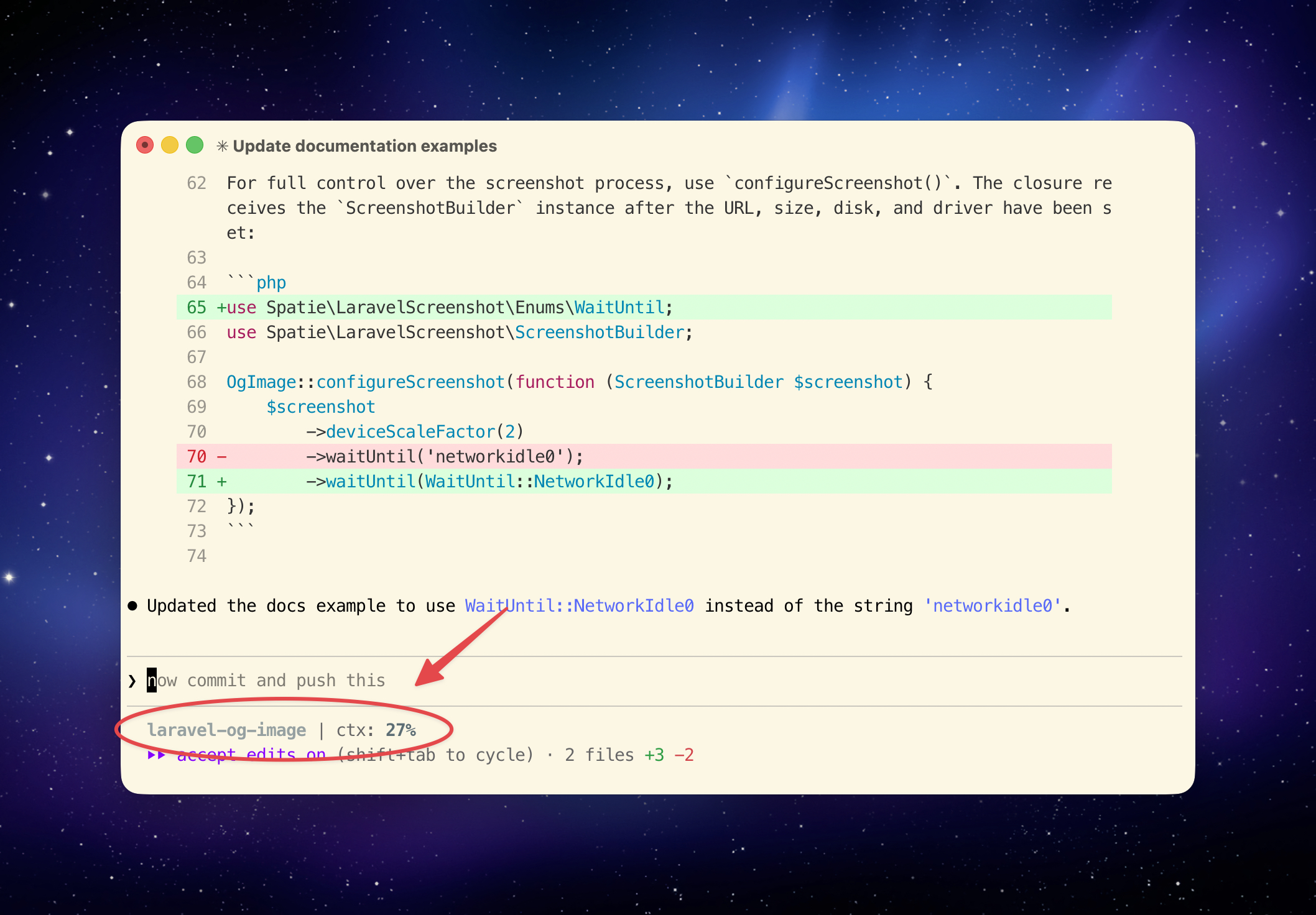
To set this up, first create a script at ~/.claude/statusline.sh:
#!/bin/bash

# Read JSON input once
input=$(cat)

# Extract current directory
cwd=$(echo "$input" | jq -r '.workspace.current_dir')

# Extract context percentage
ctx_pct=$(echo "$input" | jq -r '.context_window.used_percentage // 0' | cut -d. -f1)

# Git information
if git -C "$cwd" rev-parse --git-dir > /dev/null 2>&1; then
  # Get repo name (just the directory name)
  repo_name=$(basename "$cwd")

  # Color the context percentage based on usage
  if [ "$ctx_pct" -ge 60 ]; then
    ctx_color='\033[01;31m' # red
  elif [ "$ctx_pct" -ge 40 ]; then
    ctx_color='\033[01;33m' # yellow
  else
    ctx_color='\033[01;32m' # green
  fi

  printf '\033[01;36m%s\033[00m | ctx: %b%s%%\033[00m' \
    "$repo_name" "$ctx_color" "$ctx_pct"
else
  printf '\033[01;36m%s\033[00m | ctx: %s%%' "$cwd" "$ctx_pct"
fi
Make it executable with chmod +x ~/.claude/statusline.sh.
Then, in your ~/.claude/settings.json, add this:
{
  "statusLine": {
    "type": "command",
    "command": "~/.claude/statusline.sh"
  }
}
Claude Code pipes a JSON object with context about the current session into your script via stdin. The script reads that, pulls out the directory and context percentage, and formats it with some ANSI colors: green when you're under 40%, yellow up to 60%, and red above that.
You can find these files, along with the rest of my Claude Code config, in my dotfiles repo.