tools

All my posts about tools.

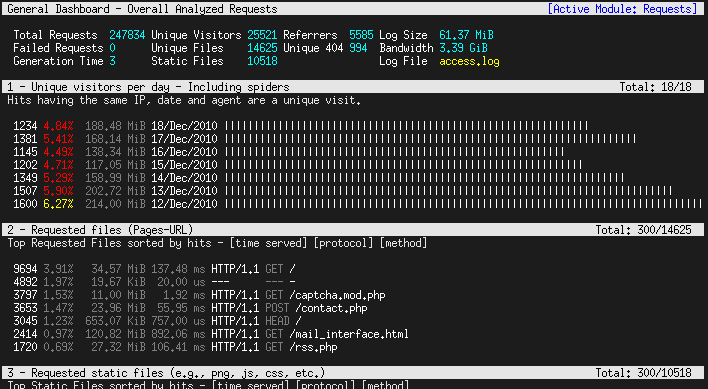
The Art of Command Line

Fluency on the command line is a skill often neglected or considered arcane, but it improves your flexibility and productivity as an engineer in both obvious and subtle ways. This is a selection of notes and tips on using the command-line that we've found useful when working on Linux. Some tips are elementary, and some are fairly specific, sophisticated, or obscure. This page is not long, but if you can use and recall all the items here, you know a lot.
https://github.com/jlevy/the-art-of-command-line/blob/master/README.md
Read more

Identify the software used on sites you visit

Every webdeveloper has probably at some point wondered which technologies a particular site is using. Sure, you could browse the source of a page to find any hints on for instance what cms is being used. Or you could inspect the response headers to see what version of php is used.

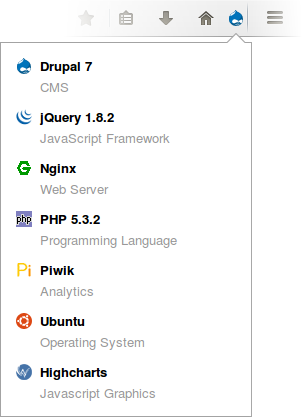
Instead of hunting down those clues yourself, you could use the Wappalyzer plugin. Once installed it shows an extra icon in your browser. It indicates what sort of framework or cms is used. Clicking on the icon reveals even more info such as which JavaScript libraries are embedded on the site. It's a great tool.

installed_firefox

Read more

Join 9,500+ smart developers

Get my monthly newsletter with what I learn from running Spatie, building Oh Dear, and maintaining 300+ open source packages. Practical takes on Laravel, PHP, and AI that you can actually use.

No spam. Unsubscribe anytime. You can also follow me on X.