Monitoring Laravel Vapor metrics with Grafana Cloud
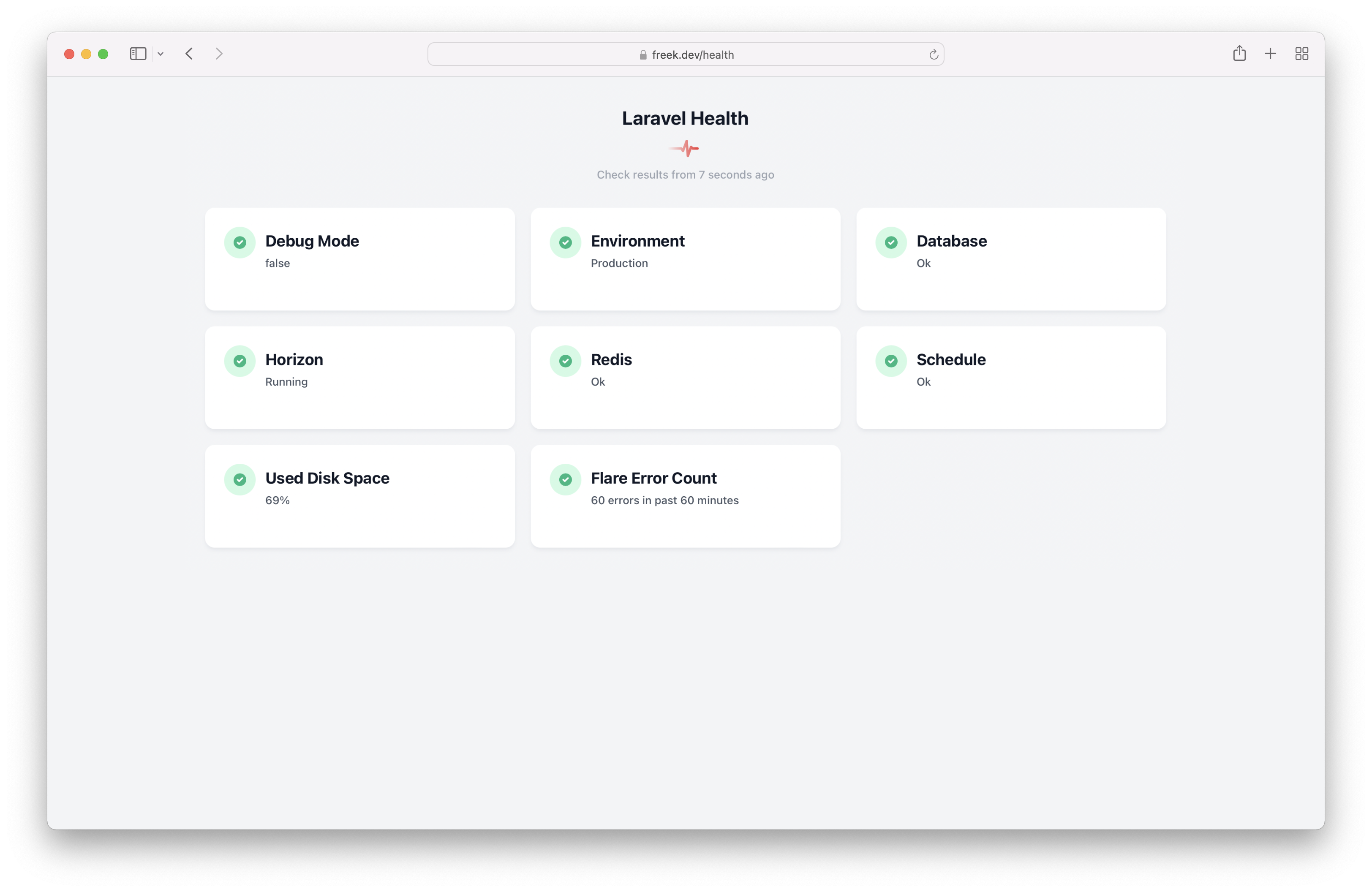
Once configured, you can see all of the metrics you need to ensure your Vapor app is healthy on one screen.
Read more [dyrynda.com.au]
Posts tagged with monitoring
Once configured, you can see all of the metrics you need to ensure your Vapor app is healthy on one screen.
Read more [dyrynda.com.au]
Flare runs on a few different servers that each produce their own logs. In this post, you'll learn how you can combine multiple logs in a single stream.
Read more [flareapp.io]
Join thousands of developers
Every two weeks, I share practical tips, tutorials, and behind-the-scenes insights from maintaining 300+ open source packages.
No spam. Unsubscribe anytime. You can also follow me on X.
We've already covered a lot of ground in this series. Let's finish by highlighting some miscellaneous interesting tidbits.
Oh Dear is the monitoring SaaS that my buddy Mattias and I are running. As you might suspect, our service can monitor the uptime of sites and SSL certificates' health. What sets Oh Dear apart from the competition is that it can also monitor performance and detect broken links and mixed content on any of the pages of your site.
Today, we added a new type of monitoring: scheduled tasks monitoring. Oh Dear can now notify you whenever one of your scheduled tasks has not run or is running too late.
You can get started monitoring your schedule today. We have a free ten-day trial. And when using this coupon code, you'll get 30% off on the first three months when subscribing: MONITOR-ALL-THE-THINGS.
In this blog post, I'd like to introduce how you can use scheduled task monitoring in Oh Dear, and how it works under the hood. There were a lot of interesting challenges we had to solve. I hope you're ready to dig it.
Since version 5, Laravel has a built-in scheduler to perform tasks at regular intervals. In normal circumstances, these scheduled tasks will run just fine.
Out of the box, Laravel doesn't offer a way to see the status of the scheduled tasks. When did they run, how long did a task run, which tasks did throw an exception?
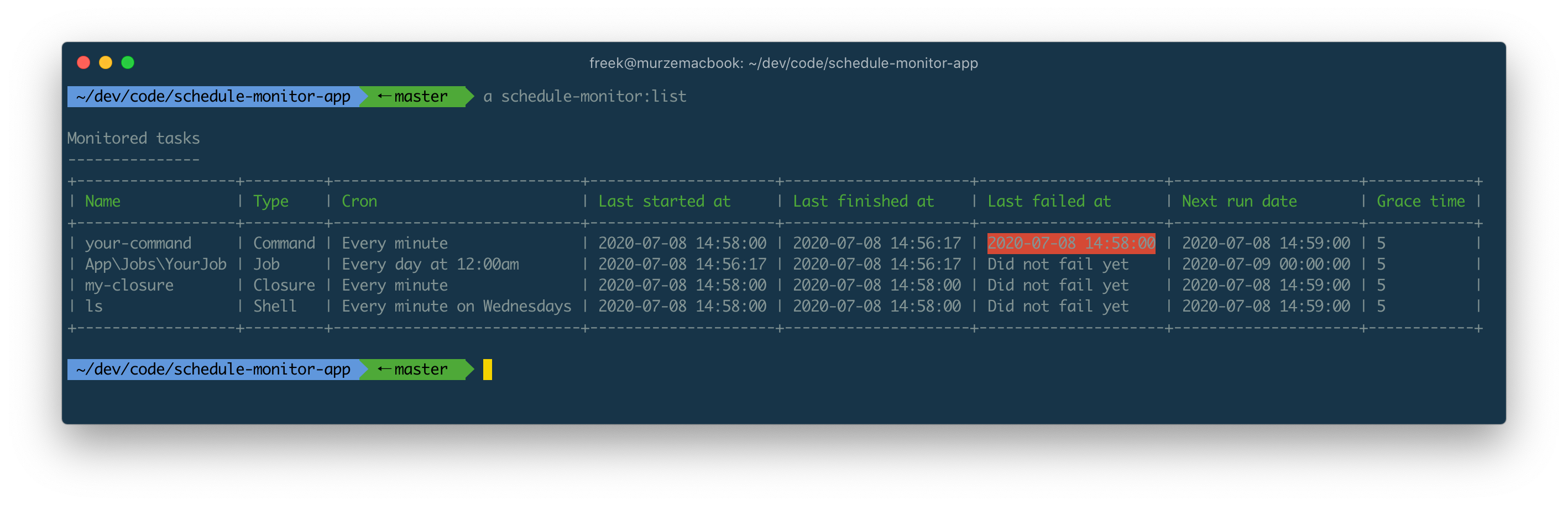
Laravel Schedule Monitor is a new Spatie package that monitors all schedule tasks in a Laravel app. In this blog post, I'd like to introduce the package to you.

We're excited to announce all Oh Dear users now have access to detailed performance metrics for all of their websites!
Read more [ohdear.app]
Oh Dear performs SSL certificate monitoring in a slightly different than other services, which is why it was able to detect a problem with the SSL certificates of a very large, commercial, CDN provider.
Read more [ohdear.app]
On the Oh Dear blog, Mattias Geniar shares how he found all certificates that were affected by Let's Encrypt mass revocation of SSL certificates.
Read more [ohdear.app]
– www.websitecarbon.com - submitted by Brent
How is your website impacting the planet?
Read more [www.websitecarbon.com]
Mathias Hansen shares how API response time data is used at Geocodio and how to work with this kind of data in MySQL.
The API is the backbone of our business, so over the years we have continously worked to improve and ensure consistent performance. We look at many parameters such as uptime and error rates, but one of the key metrics is API response time. This is how we use this data.
Read more [www.codemonkey.io]
You can use the Oh Dear! API to automatically perform health checks on your app after a deploy.
You can use our API to trigger an on demand run of both the uptime check and the broken links checker. If you add this to, say, your deploy script, you can have near-instant validation that your deploy succeeded and didn't break any links & pages.
Read more [ohdear.app]
At the Oh Dear blog, my colleague Mattias explains how to use our service to verify that your site is still online after a deploy.
You can use our API to trigger an on demand run of both the uptime check and the broken links checker. If you add this to, say, your deploy script, you can have near-instant validation that your deploy succeeded and didn't break any links & pages.
Read more [ohdear.app]
On the Oh Dear! blog, Mattias Geniar explains how you can use our service to keep your Varnish cache warm.
Slow websites are annoying, right? We sure think so. One common solution is to introduce a caching proxy like Varnish to help cache pages and reduce your server load. The good news is, if you have Oh Dear!, you can let those 2 work together.
Read more [ohdear.app]
Oh Dear!, the monitoring service that my buddy Mattias and I run, now has the ability to auto import sites from Forge.
Forge recently introduced a feature called tags, whichs allows you to add custom tags to any server or site in Forge. We use those tags to determine which sites we should automatically add to your Oh Dear! Account. Every site or server tagged with oh-dear will be added. This allows you to still pick which sites should - or should not - get monitored.
Read more [ohdear.app]
Marcel Pociot recently created a Nova tool for Honeybadger. On their blog Marcel gives some interesting details on how it was created.
In the last weeks, I've been working with the team from Honeybadger on a custom resource tool to add Honeybadger error tracking output to Laravel Nova. It's a great addition to Nova and allows the developer to easily get access to error tracking information that, for example, is associated with specific users.
Read more [blog.honeybadger.io]
In a post on IndieHackers my buddy Mattias Geniar shares the backstory behind our SaaS called Oh Dear!. He touches upon how we started out, how we use the cool stuff in the Laravel ecosystem, how we try to grow the service, what are future goals are and much more!
We both got fed up with existing tools that didn't fit our needs precisely. Most came close, but there was always something — whether settings or design choices — that we just didn't like. Being engineers, the obvious next step was to just build it ourselves! Oh Dear! launched in private beta earlier this year and has been running in production for a few months now. It's already generating over $1,500 per month.
Read more [www.indiehackers.com]
Scott Helme, creator of securityheaders.io, wrote a good introduction to certificate transparency.
Certificate Transparency is an open framework for monitoring and auditing the certificates issued by Certificate Authorities in near real-time. By requiring a CA to log all certificates they generate, site owners can quickly identify mis-issued certificates and it becomes much easier to detect a rogue CA.
https://scotthelme.co.uk/certificate-transparency-an-introduction/
Oh Dear!, my side project leverages certificate transparency logs to send you a notification as soon as a new certificate is issued for your domain.
At Spatie we have a dashboard against the wall that displays a lot of information useful for our company. One of the things it shows are the urls of client sites that are down. Behind the scenes it leverages the webhooks from Oh Dear!, a website monitoring service that Mattias Geniar and I launched…
Together with Mattias I've been working on Oh Dear! for the last couple months. We launched it last week. If you want to try it out, just register and you'll get a trial period of 10 days. No credit card is needed.
I plan on writing a few technical posts on the whole project in the next couple of months. Right now you can already read this excellent article written by Paul Redmond about what Oh Dear! can do for you.
What differentiates Oh Dear from other uptime monitoring solutions, in my opinion, is the mixed content detection and SSL certificate monitoring. The web is moving to HTTPS, and your site’s availability can be affected by modern browsers when things go awry with your certificate.
https://laravel-news.com/oh-dear-app