How to automatically generate a commit message using Claude original
by Freek Van der Herten – 5 minute read – Edit
For years, my git history contains "wip" commit messages. I don't really often use git history myself, but my colleagues do. And when they're trying to understand a change I made six months ago, "wip" tells them absolutely nothing. Might as well not have commit messages at all.
I knew I should write better commit messages, but the friction was real. Stopping to think about how to summarize my changes felt like it broke my flow. So I kept typing "wip".
Now, I have a bash function in my dotfiles that uses Claude to generate commit messages for me.
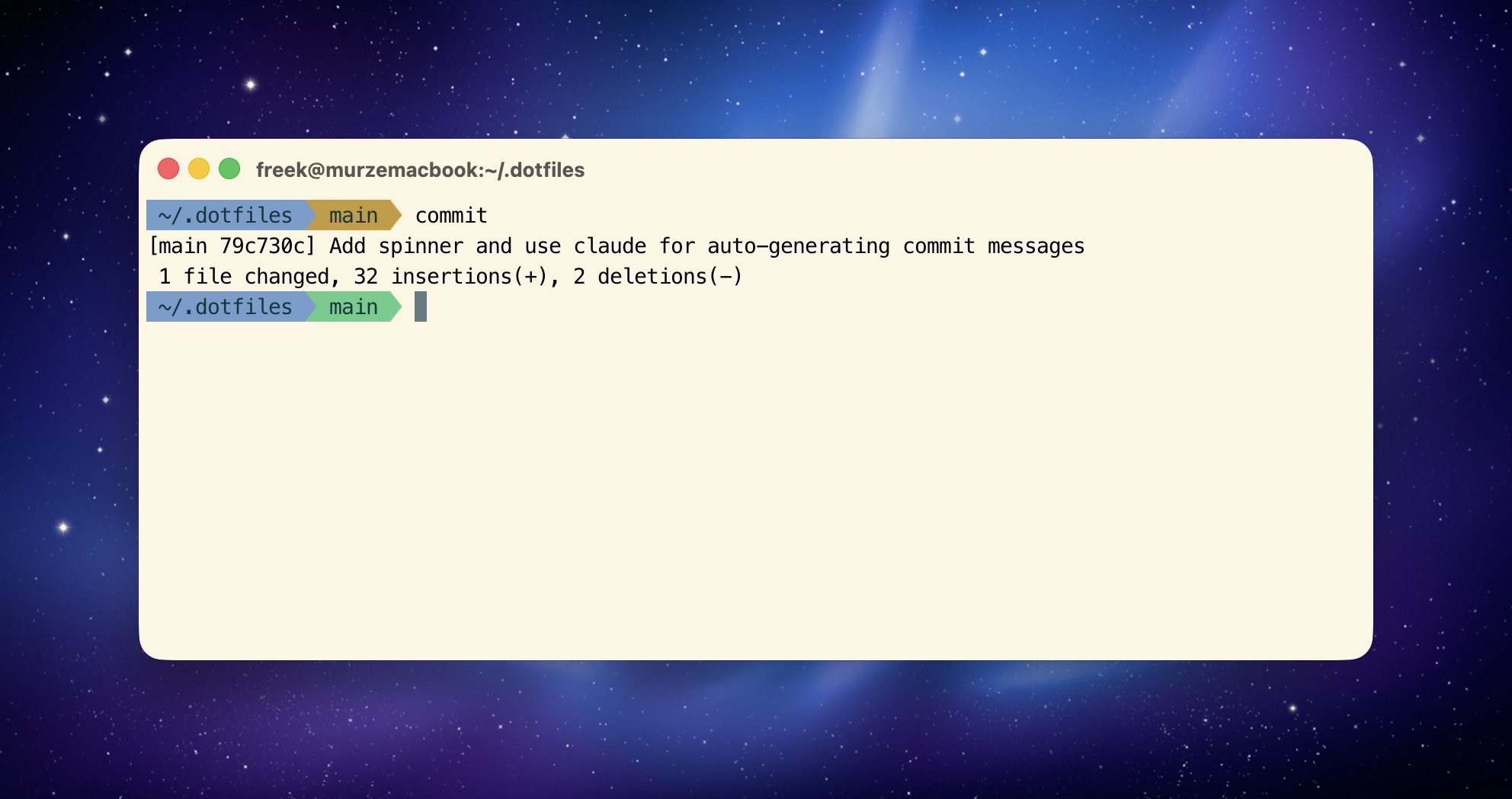
My commit function
Here's the core of it the function:
function commit() {
  commitMessage="$*"

  git add .

  if [ "$commitMessage" = "" ]; then
     diff_input=$(echo "=== Summary ===" && git diff --cached --stat && echo -e "\n=== Diff (truncated if large) ===" && git diff --cached | head -c 50000)
     commitMessage=$(echo "$diff_input" | claude -p "Write a single-line commit message for this diff. Output ONLY the message, no quotes, no explanation, no markdown.")

     git commit -m "$commitMessage"
     return
  fi

  eval "git commit -a -m '${commitMessage}'"
}
If I call commit with no arguments, it stages everything and asks Claude to generate a commit message based on the diff. If I pass in a message like commit "Fix bug in auth", it uses that instead.
What are dotfiles anyway?
Quick sidebar: "dotfiles" are configuration files that live in your home directory and typically start with a dot (like .zshrc or .bashrc). They control how your terminal, shell, and various command-line tools behave.
Many developers (myself included) keep their dotfiles in a git repository so they can sync their entire development environment across machines. If I get a new laptop, I just clone my dotfiles repo and I'm back to my familiar setup in minutes.
In my case, I have a .functions file in my dotfiles that contains custom bash functions like this commit function. My .zshrc sources that file, so these functions are available in every terminal session.
How the AI generation works
The interesting part is what gets sent to Claude. I don't just send the raw diff - that could be huge and contain too much noise. Instead, I send two things:
- A summary:
git diff --cached --statshows which files changed and how many lines were added/removed - The actual diff: But truncated to 50,000 characters to avoid overwhelming the AI with massive diffs
Then I pass it to the claude CLI with a simple prompt: "Write a single-line commit message for this diff. Output ONLY the message, no quotes, no explanation, no markdown."
The result? Commit messages that actually describe what changed:
Add caching layer to user repositoryFix N+1 query in post indexRemove deprecated payment gateway integration
Instead of:
wipwipwip
Still fast, still flexible
The whole thing takes maybe 2-3 seconds. I type commit, and my changes are committed with a descriptive message.
If I want to override it with my own message, I just pass it as an argument: commit "Fix authentication bug". The function detects that I've provided a message and uses that instead of generating one. Best of both worlds.
Adding a spinner for nicer output
The function works fine as-is, but waiting 2-3 seconds staring at a blank terminal feels longer than it actually is. So I added a spinner animation to give some visual feedback.
Here's the full version with the spinner:
function commit() {
  commitMessage="$*"

  git add .

  if [ "$commitMessage" = "" ]; then
     # Start spinner in background
     {
       spinner="⠋⠙⠹⠸⠼⠴⠦⠧⠇⠏"
       while true; do
         for (( i=0; i<${#spinner}; i++ )); do
           printf "\r${spinner:$i:1} Generating commit message..."
           sleep 0.1
         done
       done
     } &!
     spinner_pid=$!

     # Cleanup function for interrupt
     cleanup() {
       { kill $spinner_pid; wait $spinner_pid; } 2>/dev/null
       printf "\r\033[K"
       trap - INT
       return 1
     }
     trap cleanup INT

     # Get diff and generate message
     diff_input=$(echo "=== Summary ===" && git diff --cached --stat && echo -e "\n=== Diff (truncated if large) ===" && git diff --cached | head -c 50000)
     commitMessage=$(echo "$diff_input" | claude -p "Write a single-line commit message for this diff. Output ONLY the message, no quotes, no explanation, no markdown.")

     # Stop spinner and clear line
     trap - INT
     { kill $spinner_pid; wait $spinner_pid; } 2>/dev/null
     printf "\r\033[K"

     git commit -m "$commitMessage"
     return
  fi

  eval "git commit -a -m '${commitMessage}'"
}
Now when I run commit, I see:
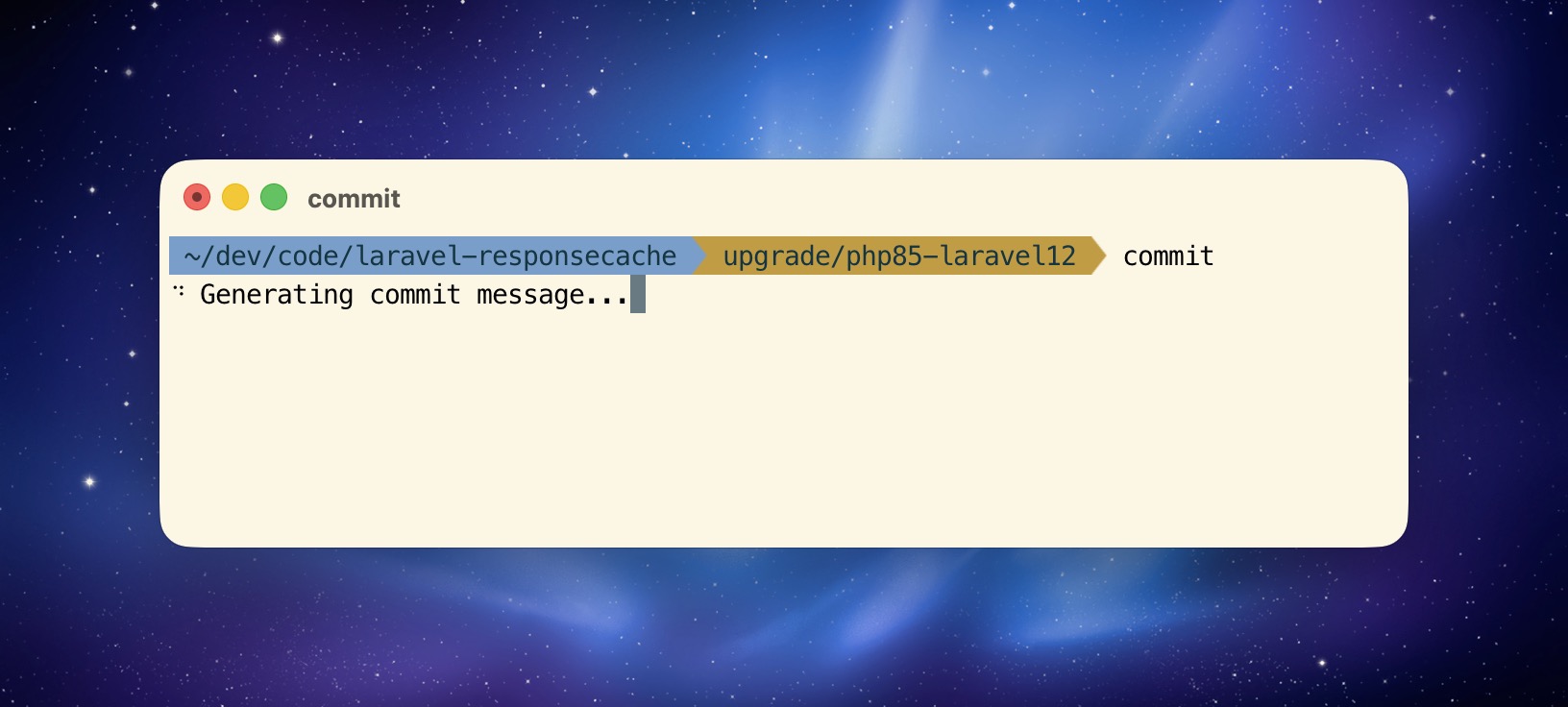
It's purely aesthetic, but it makes the tool feel more polished. Little details like this turn a script into something that feels good to use.
In closing
This is a small automation, but it's made me a better teammate. My commit history is now actually useful for the people who do read it. When my colleagues are tracking down when a feature was added or trying to understand why something changed, they can scan through my commits and find what they're looking for.
And I never have to type "wip" again.
If you want to use this yourself, you can find the full commit function in my dotfiles. You'll need the Claude CLI installed, but once you have that, just drop the function into your shell config and you're good to go.