Using Laravel Tinker in Chrome DevTools
– amitmerchant.com – Edit
Tony Lea created a new Chrome extension that will add a PHP tab in Chrome DevTools. Nice!
Read more [amitmerchant.com]
Posts tagged with tinker
– amitmerchant.com – Edit
Tony Lea created a new Chrome extension that will add a PHP tab in Chrome DevTools. Nice!
Read more [amitmerchant.com]
Join 9,500+ smart developers
Get my monthly newsletter with what I learn from running Spatie, building Oh Dear, and maintaining 300+ open source packages. Practical takes on Laravel, PHP, and AI that you can actually use.
No spam. Unsubscribe anytime. You can also follow me on X.
"As a Laravel developer, this is the one newsletter I most look forward to. Freek has a talent for distilling packages or techniques down to something immediately useful - one tip can save you hours and even weeks. It's concise and practical and highly relevant."
– twitter.com – Edit
? laravel-web-tinker now has an auto theme. Currently it only works in Safari Technology preview. Hopefully support for this will come to the stable editions of all major browsers. Thanks @willemvbockstal for the PR! ?https://t.co/gbUvh4nIIwhttps://t.co/jwDKHsgtur
— Freek Van der Herten (@freekmurze) February 12, 2019
Read more [twitter.com]
by Freek Van der Herten – 2 minute read – Edit
Laravel comes with a very handy tinker command out of the box. Unfortunately running multiple lines of code on the command line, or editing the code you just executed, can be a bit bothersome. That's why we created a new package called laravel-web-tinker that allows you to run arbitrary code in your…
– Edit
I ❤️ Laravel's tinker command and use it everyday. Caleb Porzio, an engineer at Tighten Co, wrote a good post on the that command, containing lots of cool stuff I didn't knew tinker could do.
Although some of the value Tinker provides is clear at first glance, it also has loads of hidden and exciting features available out-of-the-box. Let’s walk through and take a look at some ways you can super-charge your Tinker workflow.
https://blog.tighten.co/supercharge-your-laravel-tinker-workflow
– Edit
Tinker is probably one of my most used Artisan commands. A minor annoyance is that it can be quite bothersome having to type the fully qualified classname to do something simple.
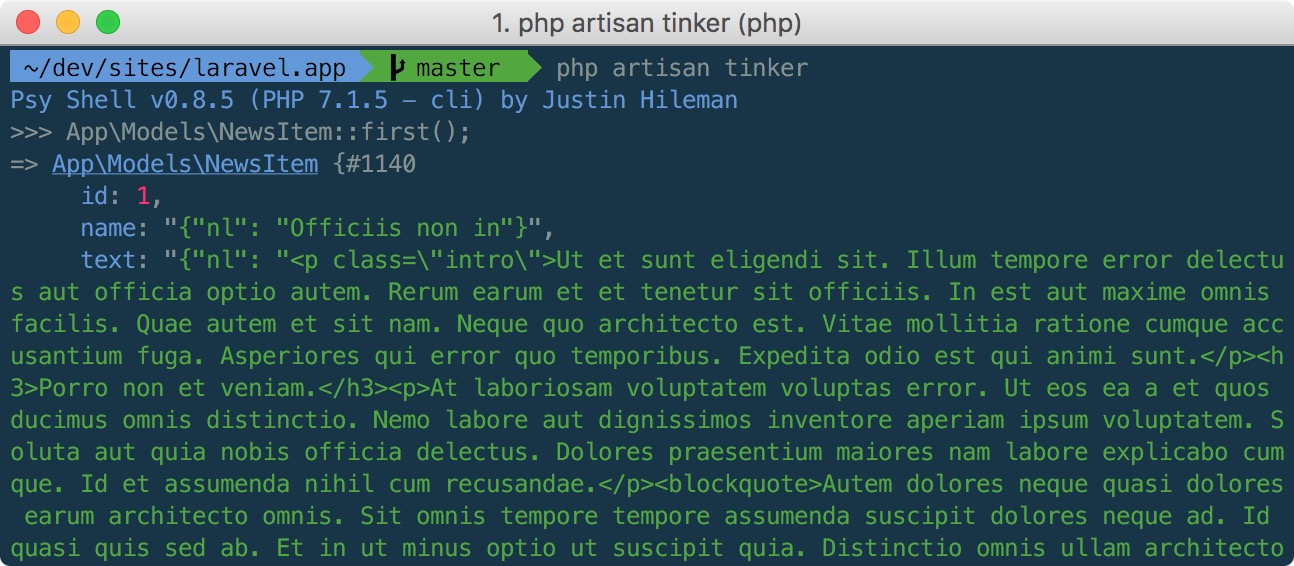
Today we release a new package called laravel-tinker-tools. When fully installed let's you use the short class names in a tinker session:
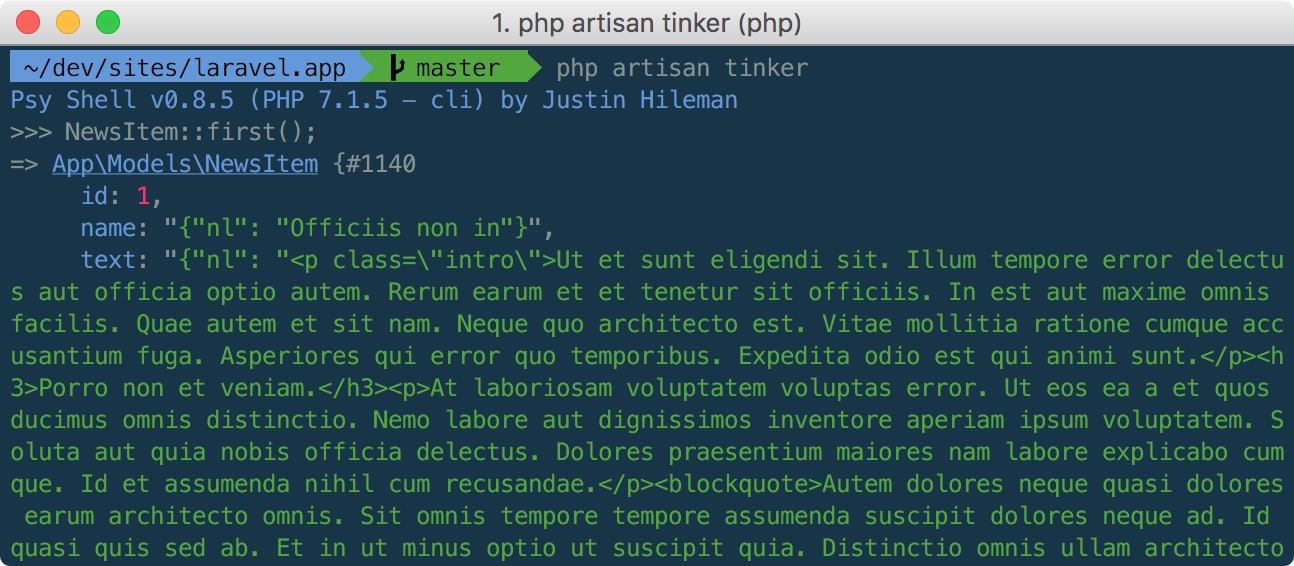
This magic does not only work with models but with every class in your Laravel app.
There are a few non standard steps you need to take in order to install the package.
First, pull in the package like you normally would:
composer require spatie/laravel-tinker-tools
Next, create a file named .psysh.php in the root of your Laravel app with this content:
<?php

\Spatie\TinkerTools\ShortClassNames::register();
Finally, dump the optimized version of the autoloader so autoload_classmap.php gets created.
composer dump-autoload -o
And with that all out of the way you can use short class names in your tinker session.
When you use a class that hasn't been loaded in yet, PHP will call the registered autoloader functions. Such autoloader functions are responsible for loading up the requested class. In a typical project Composer will register an autoloader function that can include the file where the class is stored in.
Composer has a few ways to locate the right files. In most cases it will convert the fully qualified class name to a path. For example, when using a class App\Models\NewsItem Composer will load the file in app/Models/NewsItem.php. It's a bit more complicated behind the scenes but that's the gist of it. To make the process of finding a class fast, Composer caches all the fully qualified classnames and their paths in the generated autoload_classmap.php, which can be found in vendor/composer.
Now, to make this package work, \Spatie\TinkerTools\ShortClassNames will read Composer's autoload_classmap.php and convert the fully qualified class names to short class names. The result is a collection that's being kept in the $classes property
Our class will also register an autoloader. When you use NewsItem in your code. PHP will first call Composer's autoloader. But of course that autoloader can't find the class. So the autoloader from this package comes next. Our autoloader will use the aforementioned $classes collection to find to fully qualified class name. It will then use class_alias to alias NewsItem to App\Models\NewsItem.
Now you might wonder what'll happen it there are more classes with the same name in different namespaces? E.g. App\Models\NewsItem, Vendor\PackageName\NewsItem. Well, autoload_classmap.php is sorted alphabetically on the fully qualified namespace. So App\Models\NewsItem will be used and not Vendor\PackageName\NewsItem.
Because App starts with an "A" there's a high chance that, in case of a collision, a class inside your application will get picked. Currently there are no ways to alter this. I'd accept PRs that make this behaviour customizable.
There are a lot of other options that can be set in tinker.config.php. Learn all the options by reading the official psysh configuration documentation. Caleb Porzio's excellent blogpost "Supercharge Your Laravel Tinker Workflow" is an excellent read as well. This package was inspired by that blogpost
If you want to run a single line of code tinker can be a bit of overkill. You must start up tinker, type the code, press enter, and quit tinker. Our laravel-artisan-dd package contains an Artisan command that can dump anything from the commandline. No need to start and quit tinker anymore.
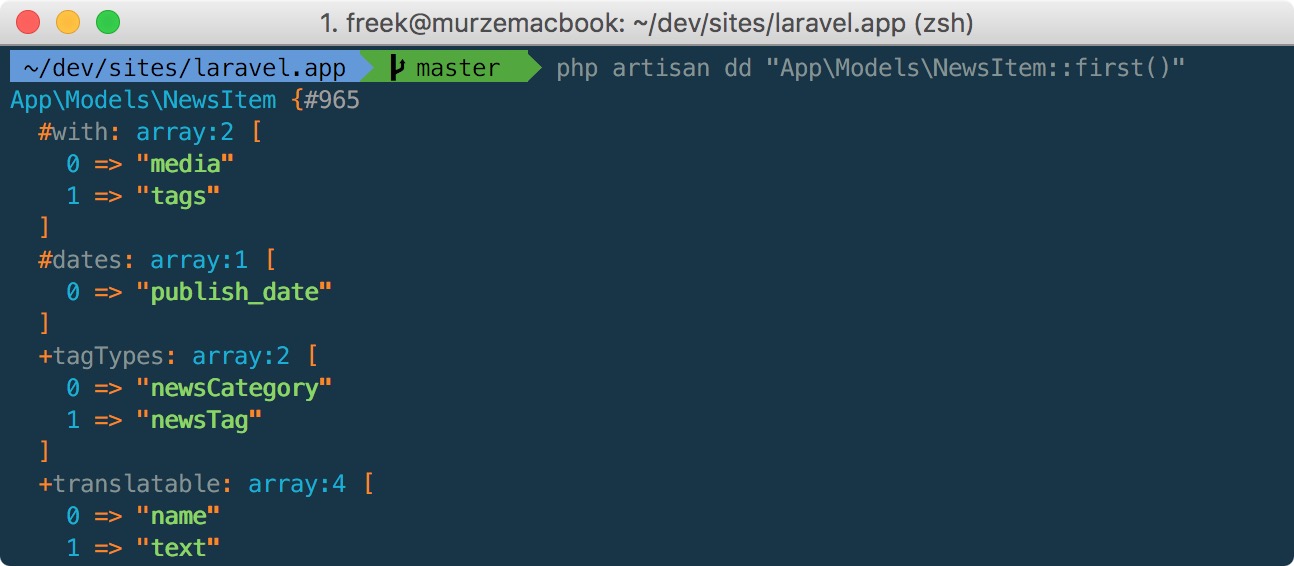
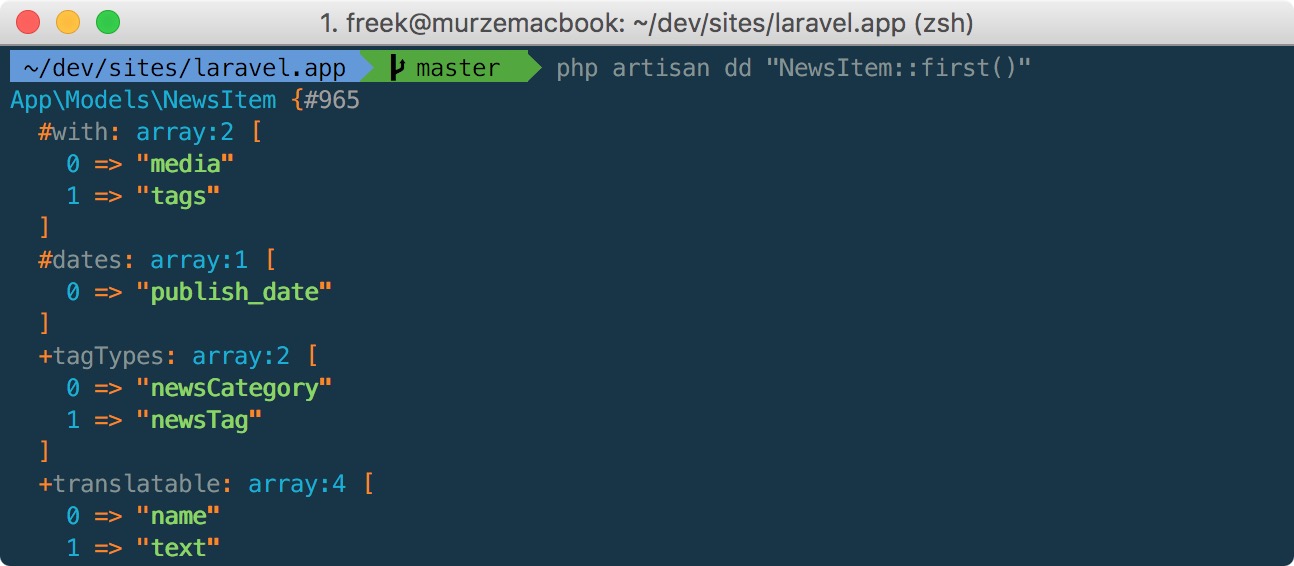
We've updated the package so you can make use of short class names too. Here's how you can dump a model using a minimal amount of keystrokes:
laravel-tinker-tools and laravel-artisan-dd aren't the only packages we've made that make developing Laravel apps easier.
Be sure to take a look at these ones at well:
Need even more stuff? The open source section on our company website lists everything we've released previously: https://spatie.be/en/opensource
