<?xml version="1.0" encoding="UTF-8"?>
<?xml-stylesheet href="/vendor/feed/atom.xsl" type="text/xsl"?>
<feed xmlns="http://www.w3.org/2005/Atom" xml:lang="en-US">
                        <id>https://freek.dev/feed/originals</id>
                                <link href="https://freek.dev/feed/originals" rel="self"></link>
                                <title><![CDATA[freek.dev - all originally written blogposts]]></title>
                    
                                <subtitle>All originally written blogposts on freek.dev</subtitle>
                                                    <updated>2026-04-13T11:57:13+02:00</updated>
                        <entry>
            <title><![CDATA[★ Instant view switches with Inertia v3 prefetching]]></title>
            <link rel="alternate" href="https://freek.dev/3087-instant-view-switches-with-inertia-v3-prefetching" />
            <id>https://freek.dev/3087</id>
            <author>
                <name><![CDATA[Freek Van der Herten]]></name>
                <email><![CDATA[freek@spatie.be]]></email>

            </author>
            <summary type="html">
                <![CDATA[<p>Over the past few months we've been building <a href="https://there-there.app">There There</a> at Spatie, a support tool shaped by the two decades we've spent running our own customer support. The goal is simple: the helpdesk we always wished we had.</p>
<p>We care about using AI in a particular way. It should help support agents write better replies, not substitute for them. The human stays in charge of the conversation, and the model does the unglamorous work of drafting, rephrasing, and suggesting links. There There is in private beta right now, and you can apply for early access at <a href="https://there-there.app">there-there.app</a>.</p>
<p>We're building There There with Laravel and Inertia, and we lean heavily on the latest features Inertia v3 brings. This post is about another one: prefetching on hover.</p>
<!--more-->
<h2 id="using-prefetch-on-hover">Using prefetch on hover</h2>
<p>In a helpdesk, a support agent flips between views constantly. My open tickets, unassigned, waiting, spam, team views, custom filters. Every switch triggers a fresh page load against a different filter. If each switch blocks on a round-trip, the sidebar starts to feel like dead weight.</p>
<p><a href="https://inertiajs.com/docs/v3/data-props/prefetching">Inertia v3 has a built-in prefetching API</a> that covers this neatly. Instead of waiting for the click, we fetch the view's data as soon as the cursor hovers over the link, and keep the result in a short-lived cache so the actual navigation feels instant.</p>
<p>Here's the core of our sidebar view link.</p>
<pre data-lang="js" class="notranslate">&lt;Link
    href={<span class="hl-property">buildViewUrl</span>(view)}
    prefetch=<span class="hl-value">&quot;hover&quot;</span>
    cacheFor=<span class="hl-value">&quot;30s&quot;</span>
    preserveState={isOnTickets}
    preserveScroll={isOnTickets}
&gt;
    &lt;Icon className=<span class="hl-value">&quot;size-4&quot;</span> /&gt;
    &lt;span&gt;{view.<span class="hl-property">label</span>}&lt;/span&gt;
&lt;/Link&gt;
</pre>
<p><code>prefetch=&quot;hover&quot;</code> is the whole mechanism. After the cursor sits on the link for 75ms, Inertia fires the underlying request in the background. When the agent actually clicks, the response is already in memory, and the page swaps without a network wait.</p>
<p><code>cacheFor</code> is where the real tuning happens. The default is 30 seconds. For our ticket views, that's a sweet spot: long enough that flipping back and forth feels free, short enough that the counts don't go visibly stale. You can push it higher for more static lists, or drop it to <code>&quot;0&quot;</code> for views where freshness matters more than speed.</p>
<p>Here it is in action. The cursor hovers, Inertia warms the cache in the background, and the click lands on data that's already there.</p>
<p><video src="https://freek.dev/admin-uploads/prefetch.mp4" autoplay loop muted playsinline style="max-width: 125%; margin-left: -12.5%;"></video></p>
<p>One small gotcha is worth flagging. When an agent navigates away from a view, you often want to cancel any in-flight requests so you don't paint stale data. The obvious call is <code>router.cancelAll()</code>, but that also cancels prefetches that are happily warming the cache for views the agent is about to visit.</p>
<p>Inertia v3 lets you scope that. Here's how we cancel the active visit without touching prefetches.</p>
<pre data-lang="js" class="notranslate">router.<span class="hl-property">cancelAll</span>({ <span class="hl-keyword">async</span>: <span class="hl-keyword">false</span>, <span class="hl-property">prefetch</span>: <span class="hl-keyword">false</span> });
</pre>
<p>The flags tell Inertia to keep background prefetches and async visits (like an infinite scroll) alive, while cancelling the normal page visit. The agent gets an immediate navigation and the sidebar stays primed for the next move.</p>
<h2 id="in-closing">In closing</h2>
<p>Prefetching on hover is one of those features that costs almost nothing to turn on and changes how the app feels. One prop, a cache duration, and you're done. The cancellation scoping is the one detail worth knowing about, because without it you'll undo your own optimisation the first time you navigate away from a view.</p>
<p>You can read more in the <a href="https://inertiajs.com/docs/v3/data-props/prefetching">Inertia v3 prefetching guide</a>. And if you'd like to try There There yourself, we're in private beta right now and you can apply for early access at <a href="https://there-there.app">there-there.app</a>.</p>
]]>
            </summary>
                                    <updated>2026-04-13T11:57:13+02:00</updated>
        </entry>
            <entry>
            <title><![CDATA[★ How we use Inertia v3 optimistic updates in There There]]></title>
            <link rel="alternate" href="https://freek.dev/3085-how-we-use-inertia-v3-optimistic-updates-in-there-there" />
            <id>https://freek.dev/3085</id>
            <author>
                <name><![CDATA[Freek Van der Herten]]></name>
                <email><![CDATA[freek@spatie.be]]></email>

            </author>
            <summary type="html">
                <![CDATA[<p>A few months ago we started building <a href="https://there-there.app">There There</a>, a helpdesk we're making at Spatie. The premise is simple. After two decades of running customer support for our open source work and our SaaS apps, we wanted the tool we always wished existed.</p>
<p>One thing we care about in particular is using AI to help humans craft better responses, not to replace them. The agent stays in charge of the conversation. The model just helps them reply faster and a little sharper. There There is in private beta right now, and you can apply for early access at <a href="https://there-there.app">there-there.app</a>.</p>
<p>We're building There There with Laravel and Inertia, and we lean heavily on the latest features Inertia v3 brings. In this post I'd like to give one example: optimistic updates.</p>
<!--more-->
<h2 id="using-optimistic-updates">Using optimistic updates</h2>
<p>A support agent toggles a lot of small things in the course of a day. Adding a tag to a ticket, granting a teammate access to a channel, flipping a workflow on or off. Each of those is a single click that triggers a server round-trip.</p>
<p>If the UI waits for that round-trip before showing the change, the app feels sluggish. Not broken, just slow. And in a tool you live in all day, that compounds.</p>
<p><a href="https://inertiajs.com/docs/v3/the-basics/optimistic-updates">Inertia v3 ships with a first-class optimistic updates API</a> that handles this nicely. Instead of waiting on a response, we immediately update the UI to reflect the change and let Inertia roll it back if the request fails.</p>
<p>Here's how it looks on our member detail page. An admin can toggle whether a teammate belongs to a team. The list of teams comes in as a prop, and we render a switch next to each one.</p>
<pre data-lang="js" class="notranslate">{teams.<span class="hl-property">map</span>((team) =&gt; (
    &lt;div key={team.<span class="hl-property">id</span>}&gt;
        &lt;span&gt;{team.<span class="hl-property">name</span>}&lt;/span&gt;
        &lt;Switch
            checked={team.<span class="hl-property">is_member</span>}
            onCheckedChange={() =&gt; <span class="hl-property">handleToggleTeam</span>(team)}
        /&gt;
    &lt;/div&gt;
))}
</pre>
<p>When the switch is flipped, <code>handleToggleTeam</code> runs.</p>
<pre data-lang="js" class="notranslate"><span class="hl-keyword">function</span> <span class="hl-property">handleToggleTeam</span>(team) {
    <span class="hl-keyword">const</span> optimistic = router.<span class="hl-property">optimistic</span>((props) =&gt; ({
        <span class="hl-property">teams</span>: props.<span class="hl-property">teams</span>.<span class="hl-property">map</span>((t) =&gt;
            t.<span class="hl-property">id</span> === team.<span class="hl-property">id</span> ? { ...<span class="hl-property">t</span>, <span class="hl-property">is_member</span>: !t.<span class="hl-property">is_member</span> } : t,
        ),
    }));

    <span class="hl-keyword">if</span> (team.<span class="hl-property">is_member</span>) {
        optimistic.<span class="hl-property">delete</span>(removeTeamMember.<span class="hl-property">url</span>({
            <span class="hl-property">team</span>: team.<span class="hl-property">ulid</span>,
            <span class="hl-property">user</span>: member.<span class="hl-property">ulid</span>,
        }), { <span class="hl-property">preserveScroll</span>: <span class="hl-keyword">true</span> });

        <span class="hl-keyword">return</span>;
    }

    optimistic.<span class="hl-property">post</span>(addTeamMember.<span class="hl-property">url</span>({
        <span class="hl-property">team</span>: team.<span class="hl-property">ulid</span>,
        <span class="hl-property">user</span>: member.<span class="hl-property">ulid</span>,
    }), {}, { <span class="hl-property">preserveScroll</span>: <span class="hl-keyword">true</span> });
}
</pre>
<p>The function we pass to <code>router.optimistic</code> receives the current props and returns the keys we want to patch. Inertia applies that patch immediately, so the toggle in the UI flips before the request leaves the browser. When the response comes back, Inertia merges the real server props on top.</p>
<p>I like the chained style here because the same optimistic patch can lead to either a <code>post</code> or a <code>delete</code>. We capture the optimistic builder once and pick the verb after.</p>
<p>Here it is in action. The toggle flips immediately, and the request happens in the background.</p>
<p><video src="https://freek.dev/admin-uploads/optimistic.mp4" autoplay loop muted playsinline style="max-width: 125%; margin-left: -12.5%;"></video></p>
<p>For simpler cases there's a second style. You pass <code>optimistic</code> straight as an option to the verb. Here's our workflow toggle:</p>
<pre data-lang="js" class="notranslate"><span class="hl-keyword">function</span> <span class="hl-property">handleToggle</span>(workflow) {
    router.<span class="hl-property">patch</span>(workflowToggle.<span class="hl-property">url</span>(workflow.<span class="hl-property">ulid</span>), {}, {
        <span class="hl-property">optimistic</span>: (props) =&gt; ({
            <span class="hl-property">workflows</span>: props.<span class="hl-property">workflows</span>.<span class="hl-property">map</span>((w) =&gt;
                w.<span class="hl-property">id</span> === workflow.<span class="hl-property">id</span> ? { ...<span class="hl-property">w</span>, <span class="hl-property">is_enabled</span>: !w.<span class="hl-property">is_enabled</span> } : w,
            ),
        }),
    });
}
</pre>
<p>Same idea. You describe the patched shape, hand it to Inertia, and let it deal with the rest.</p>
<p>If the server returns a non-2xx response, Inertia reverts the optimistic change automatically. There's no manual restore code to write. Validation errors land where you'd expect, and only the keys you touched in the callback are snapshotted, so unrelated state stays untouched. Concurrent requests each carry their own snapshot, which means a slow request won't undo a faster one that already returned.</p>
<h2 id="in-closing">In closing</h2>
<p>Optimistic updates used to mean keeping a parallel copy of state, reverting it on rejection, and reasoning carefully about race conditions. With Inertia v3, you describe the next state and that's it. The whole interaction is about ten lines.</p>
<p>You can read the official documentation in the <a href="https://inertiajs.com/docs/v3/the-basics/optimistic-updates">Inertia v3 optimistic updates guide</a>. And if you'd like to try There There yourself, we're in private beta right now and you can apply for early access at <a href="https://there-there.app">there-there.app</a>.</p>
]]>
            </summary>
                                    <updated>2026-04-13T11:24:11+02:00</updated>
        </entry>
            <entry>
            <title><![CDATA[★ Scotty: a beautiful SSH task runner]]></title>
            <link rel="alternate" href="https://freek.dev/3064-scotty-a-beautiful-ssh-task-runner" />
            <id>https://freek.dev/3064</id>
            <author>
                <name><![CDATA[Freek Van der Herten]]></name>
                <email><![CDATA[freek@spatie.be]]></email>

            </author>
            <summary type="html">
                <![CDATA[<p>We just released <a href="https://github.com/spatie/scotty">Scotty</a>, a beautiful SSH task runner. It lets you define deploy scripts and other remote tasks, run them from your terminal, and watch every step as it happens. It supports both Laravel Envoy's Blade format and a new plain bash format.</p>
<p><img src="https://github.com/spatie/scotty/blob/main/docs/images/scotty-run-deploy.jpg?raw=true" alt="Deploy output" /></p>
<h2 id="why-we-built-scotty">Why we built Scotty</h2>
<p>Even though services like Laravel Cloud make it possible to never think about servers again, I still prefer deploying to my own servers for some projects. I know my way around them, I can pick whichever server provider I want, and I have full control over the environment.</p>
<p>Tools like <a href="https://forge.laravel.com">Laravel Forge</a> have built-in deploy functionality, and it works well. But I've always preferred running deploy scripts manually from my terminal. I want to see exactly what's happening while it runs, and when something goes wrong, I want to be staring at the output the moment it happens, not clicking through a web UI to find a log.</p>
<p>For years, I used <a href="https://laravel.com/docs/envoy">Laravel Envoy</a> for this. It does the job, but I wanted nicer output while tasks are running, and the ability to pause execution mid-deploy. Envoy uses a Blade-based file format, which works fine for us. But not everyone wants to write Blade syntax for their deploy scripts. So Scotty also offers a plain bash format for people who prefer that.</p>
<p>Scotty was built with the help of AI, using the <a href="https://github.com/laravel/envoy">Envoy codebase</a> as a source. Even though Scotty is a rebuild from scratch, in spirit it is a fork of Envoy. Credits to Laravel for providing the foundation. You can read the <a href="https://github.com/spatie/scotty#acknowledgements">full acknowledgement in the Scotty repo</a>.</p>
<h2 id="using-scotty">Using Scotty</h2>
<h3 id="defining-tasks-and-deploying">Defining tasks and deploying</h3>
<p>You define your tasks in a <code>Scotty.sh</code> file. It's just plain bash with some annotation comments. Your editor highlights it correctly, you get full shell support out of the box. Here's what that looks like:</p>
<pre data-lang="bash" class="notranslate"><span class="hl-comment">#!/usr/bin/env scotty</span>

<span class="hl-comment"># @servers remote=deployer@your-server.com</span>

<span class="hl-comment"># @task on:remote</span>
deploy() {
    cd /var/www/my-app
    git pull origin main
    php artisan migrate --force
}
</pre>
<p>Deploy with a single command:</p>
<pre data-lang="bash" class="notranslate">scotty run deploy
</pre>
<p>Scotty connects to your server, runs each task in order, and shows you what's happening in real time. Each task displays its name, a step counter, elapsed time, and the command currently being executed. When everything finishes, you get a summary table with timing for each step.</p>
<p>These screenshots are from deploying this very blog. You can find the <a href="https://github.com/spatie/freek.dev/blob/main/Envoy.blade.php">deploy file on GitHub</a>.</p>
<p><img src="https://github.com/spatie/scotty/blob/main/docs/images/scotty-run-deploy.jpg?raw=true" alt="Deploy output" /></p>
<p>If a task fails, its output is shown and execution stops right there so you can investigate.</p>
<p><img src="https://github.com/spatie/scotty/blob/main/docs/images/scotty-failure.jpg?raw=true" alt="Task failure" /></p>
<h3 id="writing-plain-bash-instead-of-blade">Writing plain bash instead of Blade</h3>
<p>In addition to being able to read <code>Envoy.blade.php</code> files, Scotty introduces a new <code>Scotty.sh</code> format. Every line is real bash. Tasks are just bash functions with a <code># @task</code> annotation that tells Scotty which server to run them on. Macros group tasks into a sequence. Variables are plain bash variables, available everywhere.</p>
<p>Because it's all valid bash, you can use helper functions, computed values like <code>$(date +%Y%m%d-%H%M%S)</code>, and any shell construct you'd normally use. No Blade directives, no PHP <code>@setup</code> blocks, no <code>{{ $variable }}</code> interpolation.</p>
<p>You can also pass variables from the command line. Running <code>scotty run deploy --branch=develop</code> makes <code>$BRANCH</code> available in your tasks. The key is automatically uppercased.</p>
<p>You can list all available tasks and macros with <code>scotty tasks</code>:</p>
<p><img src="https://github.com/spatie/scotty/blob/main/docs/images/scotty-tasks.jpg?raw=true" alt="scotty tasks" /></p>
<h3 id="pausing-resuming-and-pretending">Pausing, resuming, and pretending</h3>
<p>You can press <code>p</code> at any time during execution to pause after the current task finishes. Press <code>Enter</code> to resume, or <code>Ctrl+C</code> to cancel. This is handy when you want to check something on the server mid-deploy before continuing.</p>
<p><img src="https://github.com/spatie/scotty/blob/main/docs/images/scotty-pause.jpg?raw=true" alt="Pause and resume" /></p>
<p>There's also a pretend mode (<code>scotty run deploy --pretend</code>) that shows you exactly which SSH commands would be executed without actually running them. And a summary mode (<code>scotty run deploy --summary</code>) that hides task output and only shows results.</p>
<h3 id="validating-your-setup-with-doctor">Validating your setup with doctor</h3>
<p>Before your first deploy to a new server, you can run <code>scotty doctor</code> to validate your setup. It checks that your file parses correctly, verifies SSH connectivity to each server, and confirms that tools like <code>php</code>, <code>composer</code>, <code>node</code>, and <code>git</code> are available on the remote machine.</p>
<p><img src="https://github.com/spatie/scotty/blob/main/docs/images/scotty-doctor.jpg?raw=true" alt="scotty doctor" /></p>
<h3 id="migrating-from-envoy">Migrating from Envoy</h3>
<p>If you're already using Laravel Envoy, Scotty can read your <code>Envoy.blade.php</code> file directly. No changes needed. Just run <code>scotty run deploy</code> and it works. From there, you can gradually migrate to the <code>Scotty.sh</code> format if you want to, or keep using Blade.</p>
<p>If you're new to all of this, the <a href="https://spatie.be/docs/scotty/v1/basic-usage/your-first-deploy-script">Your first deploy script</a> page in the docs walks you through everything step by step.</p>
<h2 id="in-closing">In closing</h2>
<p>Scotty gives you a clean, modern way to run deploy scripts and other SSH tasks from your terminal. Plain bash, beautiful output, and full control over every step.</p>
<p>You can find <a href="https://spatie.be/docs/scotty/v1/introduction">the full documentation on our docs site</a> and the source code <a href="https://github.com/spatie/scotty">on GitHub</a>. This is one of the many tools and packages we've created at <a href="https://spatie.be">Spatie</a>. If you want to support our open source work, consider picking up one of <a href="https://spatie.be/products">our paid products</a>.</p>
]]>
            </summary>
                                    <updated>2026-03-30T09:44:16+02:00</updated>
        </entry>
            <entry>
            <title><![CDATA[★ What's new in laravel-activitylog v5]]></title>
            <link rel="alternate" href="https://freek.dev/3058-whats-new-in-laravel-activitylog-v5" />
            <id>https://freek.dev/3058</id>
            <author>
                <name><![CDATA[Freek Van der Herten]]></name>
                <email><![CDATA[freek@spatie.be]]></email>

            </author>
            <summary type="html">
                <![CDATA[<p>We just released v5 of <a href="https://spatie.be/docs/laravel-activitylog">laravel-activitylog</a>, our package for logging user activity and model events in Laravel.</p>
<p>In <a href="https://flareapp.io">Flare</a>, <a href="https://mailcoach.app">Mailcoach</a>, and <a href="https://ohdear.app">Oh Dear</a> we use it to build audit logs, so we can track what users are doing: who changed a setting, who deleted a project, who invited a team member. If you need something similar in your app, this package makes it easy.</p>
<p>This major release requires PHP 8.4+ and Laravel 12+, and brings a cleaner API, a better database schema, and customizable internals. Let me walk you through what the package can do and what's new in v5.</p>
<!--more-->
<h2 id="using-the-package">Using the package</h2>
<p>At its core, the package lets you log what happens in your application. The simplest usage looks like this:</p>
<pre data-lang="php" class="notranslate"><span class="hl-property">activity</span>()-&gt;<span class="hl-property">log</span>(<span class="hl-value">'Look mum, I logged something'</span>);
</pre>
<p>You can retrieve all logged activities using the <code>Activity</code> model:</p>
<pre data-lang="php" class="notranslate"><span class="hl-keyword">use</span> <span class="hl-type">Spatie\Activitylog\Models\Activity</span>;

<span class="hl-variable">$lastActivity</span> = <span class="hl-type">Activity</span>::<span class="hl-property">all</span>()-&gt;<span class="hl-property">last</span>();

<span class="hl-comment">// returns 'Look mum, I logged something'</span>
<span class="hl-variable">$lastActivity</span>-&gt;<span class="hl-property">description</span>;
</pre>
<p>Most of the time you want to know two things: what was affected, and who did it. The package calls these the subject and the causer. You can also attach custom properties for any extra context you need:</p>
<pre data-lang="php" class="notranslate"><span class="hl-property">activity</span>()
   -&gt;<span class="hl-property">performedOn</span>(<span class="hl-variable">$article</span>)
   -&gt;<span class="hl-property">causedBy</span>(<span class="hl-variable">$user</span>)
   -&gt;<span class="hl-property">withProperties</span>([<span class="hl-value">'via'</span> =&gt; <span class="hl-value">'admin-panel'</span>])
   -&gt;<span class="hl-property">log</span>(<span class="hl-value">'edited'</span>);

<span class="hl-variable">$lastActivity</span> = <span class="hl-type">Activity</span>::<span class="hl-property">all</span>()-&gt;<span class="hl-property">last</span>();

<span class="hl-comment">// the article that was edited</span>
<span class="hl-variable">$lastActivity</span>-&gt;<span class="hl-property">subject</span>;

<span class="hl-comment">// the user who edited it</span>
<span class="hl-variable">$lastActivity</span>-&gt;<span class="hl-property">causer</span>;

<span class="hl-comment">// 'admin-panel'</span>
<span class="hl-variable">$lastActivity</span>-&gt;<span class="hl-property">getProperty</span>(<span class="hl-value">'via'</span>);
</pre>
<p>The <code>Activity</code> model provides query scopes to filter your activity log:</p>
<pre data-lang="php" class="notranslate"><span class="hl-type">Activity</span>::<span class="hl-property">forSubject</span>(<span class="hl-variable">$newsItem</span>)-&gt;<span class="hl-property">get</span>();
<span class="hl-type">Activity</span>::<span class="hl-property">causedBy</span>(<span class="hl-variable">$user</span>)-&gt;<span class="hl-property">get</span>();
<span class="hl-type">Activity</span>::<span class="hl-property">forEvent</span>(<span class="hl-value">'updated'</span>)-&gt;<span class="hl-property">get</span>();
<span class="hl-type">Activity</span>::<span class="hl-property">inLog</span>(<span class="hl-value">'payment'</span>)-&gt;<span class="hl-property">get</span>();

<span class="hl-comment">// or combine them</span>
<span class="hl-type">Activity</span>::<span class="hl-property">forSubject</span>(<span class="hl-variable">$newsItem</span>)
    -&gt;<span class="hl-property">causedBy</span>(<span class="hl-variable">$user</span>)
    -&gt;<span class="hl-property">forEvent</span>(<span class="hl-value">'updated'</span>)
    -&gt;<span class="hl-property">get</span>();
</pre>
<h3 id="automatic-model-event-logging">Automatic model event logging</h3>
<p>Imagine you want to track whenever a model is created, updated, or deleted. Just add the <code>LogsActivity</code> trait to your model. In v5, that's all you need for basic logging:</p>
<pre data-lang="php" class="notranslate"><span class="hl-keyword">use</span> <span class="hl-type">Illuminate\Database\Eloquent\Model</span>;
<span class="hl-keyword">use</span> <span class="hl-type">Spatie\Activitylog\Models\Concerns\LogsActivity</span>;

<span class="hl-keyword">class</span> <span class="hl-type">NewsItem</span> <span class="hl-keyword">extends</span> <span class="hl-type">Model</span>
{
    <span class="hl-keyword">use</span> <span class="hl-type">LogsActivity</span>;
}
</pre>
<p>That's it. No <code>getActivitylogOptions()</code> method needed. Now imagine you also want to track which attributes changed. Override the method and tell it what to watch:</p>
<pre data-lang="php" class="notranslate"><span class="hl-keyword">use</span> <span class="hl-type">Spatie\Activitylog\Support\LogOptions</span>;

<span class="hl-keyword">class</span> <span class="hl-type">NewsItem</span> <span class="hl-keyword">extends</span> <span class="hl-type">Model</span>
{
    <span class="hl-keyword">use</span> <span class="hl-type">LogsActivity</span>;

    <span class="hl-keyword">protected</span> <span class="hl-property">$fillable</span> = [<span class="hl-value">'name'</span>, <span class="hl-value">'text'</span>];

    <span class="hl-keyword">public</span> <span class="hl-keyword">function</span> <span class="hl-property">getActivitylogOptions</span>(): <span class="hl-type">LogOptions</span>
    {
        <span class="hl-keyword">return</span> <span class="hl-type">LogOptions</span>::<span class="hl-property">defaults</span>()
            -&gt;<span class="hl-property">logOnly</span>([<span class="hl-value">'name'</span>, <span class="hl-value">'text'</span>]);
    }
}
</pre>
<p>Now when you update a news item, the package tracks exactly what changed:</p>
<pre data-lang="php" class="notranslate"><span class="hl-variable">$newsItem</span>-&gt;<span class="hl-property">name</span> = <span class="hl-value">'updated name'</span>;
<span class="hl-variable">$newsItem</span>-&gt;<span class="hl-property">save</span>();

<span class="hl-variable">$activity</span> = <span class="hl-type">Activity</span>::<span class="hl-property">all</span>()-&gt;<span class="hl-property">last</span>();
<span class="hl-variable">$activity</span>-&gt;<span class="hl-property">attribute_changes</span>;
<span class="hl-comment">// [</span>
<span class="hl-comment">//     'attributes' =&gt; [</span>
<span class="hl-comment">//         'name' =&gt; 'updated name',</span>
<span class="hl-comment">//         'text' =&gt; 'Lorem',</span>
<span class="hl-comment">//     ],</span>
<span class="hl-comment">//     'old' =&gt; [</span>
<span class="hl-comment">//         'name' =&gt; 'original name',</span>
<span class="hl-comment">//         'text' =&gt; 'Lorem',</span>
<span class="hl-comment">//     ],</span>
<span class="hl-comment">// ]</span>
</pre>
<p>You can log all fillable attributes with <code>logFillable()</code>, all unguarded attributes with <code>logUnguarded()</code>, or use <code>logAll()</code> combined with <code>logExcept()</code> to log everything except sensitive fields like passwords.</p>
<p>If you only want to see what actually changed rather than all tracked attributes, chain <code>logOnlyDirty()</code>.</p>
<h3 id="running-code-before-an-activity-is-saved">Running code before an activity is saved</h3>
<p>When a model event is logged, you can hook into the process by defining a <code>beforeActivityLogged()</code> method on your model:</p>
<pre data-lang="php" class="notranslate"><span class="hl-keyword">class</span> <span class="hl-type">NewsItem</span> <span class="hl-keyword">extends</span> <span class="hl-type">Model</span>
{
    <span class="hl-keyword">use</span> <span class="hl-type">LogsActivity</span>;

    <span class="hl-keyword">public</span> <span class="hl-keyword">function</span> <span class="hl-property">beforeActivityLogged</span>(<span class="hl-injection"><span class="hl-type">Activity</span> $activity, <span class="hl-type">string</span> $eventName</span>): <span class="hl-type">void</span>
    {
        <span class="hl-variable">$activity</span>-&gt;<span class="hl-property">properties</span> = <span class="hl-variable">$activity</span>-&gt;<span class="hl-property">properties</span>-&gt;<span class="hl-property">merge</span>([
            <span class="hl-value">'ip_address'</span> =&gt; <span class="hl-property">request</span>()-&gt;<span class="hl-property">ip</span>(),
        ]);
    }
}
</pre>
<p>This runs right before the activity is persisted, giving you a chance to enrich it with extra data.</p>
<h3 id="customizable-action-classes">Customizable action classes</h3>
<p>The core operations of the package (logging activities and cleaning old records) are now handled by action classes. You can extend these and swap them in via config.</p>
<p>For example, say you want to save activities to the queue instead of writing them to the database during the request. Extend the action and override the <code>save()</code> method:</p>
<pre data-lang="php" class="notranslate"><span class="hl-keyword">use</span> <span class="hl-type">Spatie\Activitylog\Actions\LogActivityAction</span>;

<span class="hl-keyword">class</span> <span class="hl-type">QueuedLogAction</span> <span class="hl-keyword">extends</span> <span class="hl-type">LogActivityAction</span>
{
    <span class="hl-keyword">protected</span> <span class="hl-keyword">function</span> <span class="hl-property">save</span>(<span class="hl-injection"><span class="hl-type">Model</span> $activity</span>): <span class="hl-type">void</span>
    {
        <span class="hl-property">dispatch</span>(<span class="hl-keyword">new</span> <span class="hl-type">SaveActivityJob</span>(<span class="hl-variable">$activity</span>-&gt;<span class="hl-property">toArray</span>()));
    }
}
</pre>
<p>Then tell the package to use your custom action in <code>config/activitylog.php</code>:</p>
<pre data-lang="php" class="notranslate"><span class="hl-value">'actions'</span> =&gt; [
    <span class="hl-value">'log_activity'</span> =&gt; <span class="hl-type">QueuedLogAction</span>::<span class="hl-keyword">class</span>,
],
</pre>
<p>You can also override <code>transformChanges()</code> to manipulate the changes array before saving. Here's an example that redacts password changes so they never end up in your activity log:</p>
<pre data-lang="php" class="notranslate"><span class="hl-keyword">use</span> <span class="hl-type">Illuminate\Database\Eloquent\Model</span>;
<span class="hl-keyword">use</span> <span class="hl-type">Illuminate\Support\Arr</span>;
<span class="hl-keyword">use</span> <span class="hl-type">Spatie\Activitylog\Actions\LogActivityAction</span>;

<span class="hl-keyword">class</span> <span class="hl-type">RedactSensitiveFieldsAction</span> <span class="hl-keyword">extends</span> <span class="hl-type">LogActivityAction</span>
{
    <span class="hl-keyword">protected</span> <span class="hl-keyword">function</span> <span class="hl-property">transformChanges</span>(<span class="hl-injection"><span class="hl-type">Model</span> $activity</span>): <span class="hl-type">void</span>
    {
        <span class="hl-variable">$changes</span> = <span class="hl-variable">$activity</span>-&gt;<span class="hl-property">attribute_changes</span>?-&gt;<span class="hl-property">toArray</span>() ?? [];

        <span class="hl-type">Arr</span>::<span class="hl-property">forget</span>(<span class="hl-variable">$changes</span>, [<span class="hl-value">'attributes.password'</span>, <span class="hl-value">'old.password'</span>]);

        <span class="hl-variable">$activity</span>-&gt;<span class="hl-property">attribute_changes</span> = <span class="hl-property">collect</span>(<span class="hl-variable">$changes</span>);
    }
}
</pre>
<h3 id="buffering-activities">Buffering activities</h3>
<p>Say you have an endpoint that updates product prices in bulk. Each product update triggers a model event, and each model event logs an activity. With 200 products, that's 200 <code>INSERT</code> queries just for activity logging.</p>
<pre data-lang="php" class="notranslate"><span class="hl-keyword">foreach</span> (<span class="hl-variable">$products</span> <span class="hl-keyword">as</span> <span class="hl-variable">$product</span>) {
    <span class="hl-comment">// each update triggers an activity INSERT query</span>
    <span class="hl-variable">$product</span>-&gt;<span class="hl-property">update</span>([<span class="hl-value">'price'</span> =&gt; <span class="hl-variable">$newPrices</span>[<span class="hl-variable">$product</span>-&gt;<span class="hl-property">id</span>]]);
}
</pre>
<p>With buffering enabled, the package collects all those activities in memory during the request and inserts them in a single bulk query after the response has been sent to the client. Your user gets a fast response, and the database does one insert instead of 200.</p>
<p>Buffering is off by default. You can enable it in the <code>config/activitylog.php</code> config file. No other code changes needed. All existing logging code (both automatic model event logging and manual <code>activity()-&gt;log()</code> calls) will be buffered automatically.</p>
<p>Under the hood, the <code>ActivityBuffer</code> class collects activities in an array and inserts them all at once when flushed:</p>
<pre data-lang="php" class="notranslate"><span class="hl-keyword">class</span> <span class="hl-type">ActivityBuffer</span>
{
    <span class="hl-keyword">protected</span> <span class="hl-type">array</span> <span class="hl-property">$pending</span> = [];

    <span class="hl-keyword">public</span> <span class="hl-keyword">function</span> <span class="hl-property">add</span>(<span class="hl-injection"><span class="hl-type">Model</span> $activity</span>): <span class="hl-type">void</span>
    {
        <span class="hl-variable">$this</span>-&gt;<span class="hl-property">pending</span>[] = <span class="hl-variable">$this</span>-&gt;<span class="hl-property">prepareForInsert</span>(<span class="hl-variable">$activity</span>);
    }

    <span class="hl-keyword">public</span> <span class="hl-keyword">function</span> <span class="hl-property">flush</span>(): <span class="hl-type">void</span>
    {
        <span class="hl-keyword">if</span> (<span class="hl-keyword">empty</span>(<span class="hl-variable">$this</span>-&gt;<span class="hl-property">pending</span>)) {
            <span class="hl-keyword">return</span>;
        }

        <span class="hl-variable">$modelClass</span> = <span class="hl-type">Config</span>::<span class="hl-property">activityModel</span>();
        <span class="hl-variable">$modelClass</span>::<span class="hl-property">query</span>()-&gt;<span class="hl-property">insert</span>(<span class="hl-variable">$this</span>-&gt;<span class="hl-property">pending</span>);

        <span class="hl-variable">$this</span>-&gt;<span class="hl-property">pending</span> = [];
    }
}
</pre>
<p>The service provider takes care of flushing the buffer at the right time:</p>
<pre data-lang="php" class="notranslate"><span class="hl-keyword">protected</span> <span class="hl-keyword">function</span> <span class="hl-property">registerActivityBufferFlushing</span>(): <span class="hl-type">void</span>
{
    <span class="hl-comment">// flush after the response has been sent</span>
    <span class="hl-variable">$this</span>-&gt;<span class="hl-property">app</span>-&gt;<span class="hl-property">terminating</span>(<span class="hl-keyword">fn</span> () =&gt; <span class="hl-property">app</span>(<span class="hl-type">ActivityBuffer</span>::<span class="hl-keyword">class</span>)-&gt;<span class="hl-property">flush</span>());

    <span class="hl-comment">// flush after each queued job</span>
    <span class="hl-variable">$this</span>-&gt;<span class="hl-property">app</span>[<span class="hl-value">'events'</span>]-&gt;<span class="hl-property">listen</span>(
        [<span class="hl-type">JobProcessed</span>::<span class="hl-keyword">class</span>, <span class="hl-type">JobFailed</span>::<span class="hl-keyword">class</span>],
        <span class="hl-keyword">fn</span> () =&gt; <span class="hl-property">app</span>(<span class="hl-type">ActivityBuffer</span>::<span class="hl-keyword">class</span>)-&gt;<span class="hl-property">flush</span>(),
    );

    <span class="hl-comment">// safety net if the application terminates unexpectedly</span>
    <span class="hl-property">register_shutdown_function</span>(<span class="hl-injection">function (</span>) {
        <span class="hl-keyword">try</span> {
            <span class="hl-property">app</span>(<span class="hl-type">ActivityBuffer</span>::<span class="hl-keyword">class</span>)-&gt;<span class="hl-property">flush</span>();
        } <span class="hl-keyword">catch</span> (\Throwable) {
        }
    });
}
</pre>
<p>One thing to be aware of: buffered activities won't have a database ID until the buffer is flushed. If you need to read back the activity ID immediately after logging, don't enable buffering.</p>
<p>This works with Octane (the buffer is a scoped binding, so it resets between requests) and queues out of the box.</p>
<h2 id="in-closing">In closing</h2>
<p>v5 doesn't bring a lot of new features, but it modernizes the package, cleans up the internals, and makes the things that were hard to customize in v4 easy to swap out. If you're upgrading from v4, be aware that there are quite a few breaking changes. Check the <a href="https://github.com/spatie/laravel-activitylog/blob/v5/UPGRADING.md">upgrade guide</a> for the full list.</p>
<p>You can find the complete documentation at <a href="https://spatie.be/docs/laravel-activitylog">spatie.be/docs/laravel-activitylog</a> and the source code <a href="https://github.com/spatie/laravel-activitylog">on GitHub</a>.</p>
<p>This is one of the many packages we've created at <a href="https://spatie.be/open-source">Spatie</a>. If you want to support our open source work, consider picking up one of our <a href="https://spatie.be/products">paid products</a>.</p>
]]>
            </summary>
                                    <updated>2026-03-25T11:39:31+01:00</updated>
        </entry>
            <entry>
            <title><![CDATA[★ Laravel Query Builder v7: a must-have package for building APIs in Laravel]]></title>
            <link rel="alternate" href="https://freek.dev/3052-laravel-query-builder-v7-a-must-have-package-for-building-apis-in-laravel" />
            <id>https://freek.dev/3052</id>
            <author>
                <name><![CDATA[Freek Van der Herten]]></name>
                <email><![CDATA[freek@spatie.be]]></email>

            </author>
            <summary type="html">
                <![CDATA[<p>We just released v7 of <a href="https://github.com/spatie/laravel-query-builder">spatie/laravel-query-builder</a>, our package that makes it easy to build flexible API endpoints. If you're building an API with Laravel, you'll almost certainly need to let consumers filter results, sort them, include relationships and select specific fields. Writing that logic by hand for every endpoint gets repetitive fast, and it's easy to accidentally expose columns or relationships you didn't intend to.</p>
<p>Our query builder takes care of all of that. It reads query parameters from the URL, translates them into the right Eloquent queries, and makes sure only the things you've explicitly allowed can be queried.</p>
<pre data-lang="php" class="notranslate"><span class="hl-comment">// GET /users?filter[name]=John&amp;include=posts&amp;sort=-created_at</span>

<span class="hl-variable">$users</span> = <span class="hl-type">QueryBuilder</span>::<span class="hl-keyword">for</span>(<span class="hl-type">User</span>::<span class="hl-keyword">class</span>)
    -&gt;<span class="hl-property">allowedFilters</span>(<span class="hl-value">'name'</span>)
    -&gt;<span class="hl-property">allowedIncludes</span>(<span class="hl-value">'posts'</span>)
    -&gt;<span class="hl-property">allowedSorts</span>(<span class="hl-value">'created_at'</span>)
    -&gt;<span class="hl-property">get</span>();

<span class="hl-comment">// select * from users where name = 'John' order by created_at desc</span>
</pre>
<p>This major version requires PHP 8.3+ and Laravel 12 or higher, and brings a cleaner API along with some features we've been wanting to add for a while.</p>
<p>Let me walk you through how the package works and what's new.</p>
<!--more-->
<h2 id="using-the-package">Using the package</h2>
<p>The idea is simple: your API consumers pass query parameters in the URL, and the package translates those into the right Eloquent query. You just define what's allowed.</p>
<p>Say you have a <code>User</code> model and you want to let API consumers filter by name. Here's all you need:</p>
<pre data-lang="php" class="notranslate"><span class="hl-keyword">use</span> <span class="hl-type">Spatie\QueryBuilder\QueryBuilder</span>;

<span class="hl-variable">$users</span> = <span class="hl-type">QueryBuilder</span>::<span class="hl-keyword">for</span>(<span class="hl-type">User</span>::<span class="hl-keyword">class</span>)
    -&gt;<span class="hl-property">allowedFilters</span>(<span class="hl-value">'name'</span>)
    -&gt;<span class="hl-property">get</span>();
</pre>
<p>Now when someone requests <code>/users?filter[name]=John</code>, the package adds the appropriate <code>WHERE</code> clause to the query:</p>
<pre data-lang="sql" class="notranslate"><span class="hl-keyword">select</span> * <span class="hl-keyword">from</span> <span class="hl-type">users</span> <span class="hl-keyword">where</span> name = '<span class="hl-value">John</span>'
</pre>
<p>Only the filters you've explicitly allowed will work. If someone tries <code>/users?filter[secret_column]=something</code>, the package throws an <code>InvalidFilterQuery</code> exception. Your database schema stays hidden from API consumers.</p>
<p>You can allow multiple filters at once and combine them with sorting:</p>
<pre data-lang="php" class="notranslate"><span class="hl-variable">$users</span> = <span class="hl-type">QueryBuilder</span>::<span class="hl-keyword">for</span>(<span class="hl-type">User</span>::<span class="hl-keyword">class</span>)
    -&gt;<span class="hl-property">allowedFilters</span>(<span class="hl-value">'name'</span>, <span class="hl-value">'email'</span>)
    -&gt;<span class="hl-property">allowedSorts</span>(<span class="hl-value">'name'</span>, <span class="hl-value">'created_at'</span>)
    -&gt;<span class="hl-property">get</span>();
</pre>
<p>A request to <code>/users?filter[name]=John&amp;sort=-created_at</code> now filters by name and sorts by <code>created_at</code> descending (the <code>-</code> prefix means descending).</p>
<p>Including relationships works the same way. If you want consumers to be able to eager-load a user's posts:</p>
<pre data-lang="php" class="notranslate"><span class="hl-variable">$users</span> = <span class="hl-type">QueryBuilder</span>::<span class="hl-keyword">for</span>(<span class="hl-type">User</span>::<span class="hl-keyword">class</span>)
    -&gt;<span class="hl-property">allowedFilters</span>(<span class="hl-value">'name'</span>, <span class="hl-value">'email'</span>)
    -&gt;<span class="hl-property">allowedIncludes</span>(<span class="hl-value">'posts'</span>, <span class="hl-value">'permissions'</span>)
    -&gt;<span class="hl-property">allowedSorts</span>(<span class="hl-value">'name'</span>, <span class="hl-value">'created_at'</span>)
    -&gt;<span class="hl-property">get</span>();
</pre>
<p>A request to <code>/users?include=posts&amp;filter[name]=John&amp;sort=-created_at</code> now returns users named John, sorted by creation date, with their posts eager-loaded.</p>
<p>You can also select specific fields to keep your responses lean:</p>
<pre data-lang="php" class="notranslate"><span class="hl-variable">$users</span> = <span class="hl-type">QueryBuilder</span>::<span class="hl-keyword">for</span>(<span class="hl-type">User</span>::<span class="hl-keyword">class</span>)
    -&gt;<span class="hl-property">allowedFields</span>(<span class="hl-value">'id'</span>, <span class="hl-value">'name'</span>, <span class="hl-value">'email'</span>)
    -&gt;<span class="hl-property">allowedIncludes</span>(<span class="hl-value">'posts'</span>)
    -&gt;<span class="hl-property">get</span>();
</pre>
<p>With <code>/users?fields=id,email&amp;include=posts</code>, only the <code>id</code> and <code>email</code> columns are selected.</p>
<p>The <code>QueryBuilder</code> extends Laravel's default Eloquent builder, so all your favorite methods still work. You can combine it with existing queries:</p>
<pre data-lang="php" class="notranslate"><span class="hl-variable">$query</span> = <span class="hl-type">User</span>::<span class="hl-property">where</span>(<span class="hl-value">'active'</span>, <span class="hl-keyword">true</span>);

<span class="hl-variable">$users</span> = <span class="hl-type">QueryBuilder</span>::<span class="hl-keyword">for</span>(<span class="hl-variable">$query</span>)
    -&gt;<span class="hl-property">withTrashed</span>()
    -&gt;<span class="hl-property">allowedFilters</span>(<span class="hl-value">'name'</span>)
    -&gt;<span class="hl-property">allowedIncludes</span>(<span class="hl-value">'posts'</span>, <span class="hl-value">'permissions'</span>)
    -&gt;<span class="hl-property">where</span>(<span class="hl-value">'score'</span>, <span class="hl-value">'&gt;'</span>, 42)
    -&gt;<span class="hl-property">get</span>();
</pre>
<p>The query parameter names follow the <a href="http://jsonapi.org/">JSON API specification</a> as closely as possible. This means you get a consistent, well-documented API surface without having to think about naming conventions.</p>
<h2 id="whats-new-in-v7">What's new in v7</h2>
<h3 id="variadic-parameters">Variadic parameters</h3>
<p>All the <code>allowed*</code> methods now accept variadic arguments instead of arrays.</p>
<pre data-lang="php" class="notranslate"><span class="hl-comment">// Before (v6)</span>
<span class="hl-type">QueryBuilder</span>::<span class="hl-keyword">for</span>(<span class="hl-type">User</span>::<span class="hl-keyword">class</span>)
    -&gt;<span class="hl-property">allowedFilters</span>([<span class="hl-value">'name'</span>, <span class="hl-value">'email'</span>])
    -&gt;<span class="hl-property">allowedSorts</span>([<span class="hl-value">'name'</span>])
    -&gt;<span class="hl-property">allowedIncludes</span>([<span class="hl-value">'posts'</span>]);

<span class="hl-comment">// After (v7)</span>
<span class="hl-type">QueryBuilder</span>::<span class="hl-keyword">for</span>(<span class="hl-type">User</span>::<span class="hl-keyword">class</span>)
    -&gt;<span class="hl-property">allowedFilters</span>(<span class="hl-value">'name'</span>, <span class="hl-value">'email'</span>)
    -&gt;<span class="hl-property">allowedSorts</span>(<span class="hl-value">'name'</span>)
    -&gt;<span class="hl-property">allowedIncludes</span>(<span class="hl-value">'posts'</span>);
</pre>
<p>If you have a dynamic list, use the spread operator:</p>
<pre data-lang="php" class="notranslate"><span class="hl-variable">$filters</span> = [<span class="hl-value">'name'</span>, <span class="hl-value">'email'</span>];
<span class="hl-type">QueryBuilder</span>::<span class="hl-keyword">for</span>(<span class="hl-type">User</span>::<span class="hl-keyword">class</span>)-&gt;<span class="hl-property">allowedFilters</span>(...<span class="hl-variable">$filters</span>);
</pre>
<h3 id="aggregate-includes">Aggregate includes</h3>
<p>This is the biggest new feature. You can now include aggregate values for related models using <code>AllowedInclude::min()</code>, <code>AllowedInclude::max()</code>, <code>AllowedInclude::sum()</code>, and <code>AllowedInclude::avg()</code>. Under the hood, these map to Laravel's <code>withMin()</code>, <code>withMax()</code>, <code>withSum()</code> and <code>withAvg()</code> methods.</p>
<pre data-lang="php" class="notranslate"><span class="hl-keyword">use</span> <span class="hl-type">Spatie\QueryBuilder\AllowedInclude</span>;

<span class="hl-variable">$users</span> = <span class="hl-type">QueryBuilder</span>::<span class="hl-keyword">for</span>(<span class="hl-type">User</span>::<span class="hl-keyword">class</span>)
    -&gt;<span class="hl-property">allowedIncludes</span>(
        <span class="hl-value">'posts'</span>,
        <span class="hl-type">AllowedInclude</span>::<span class="hl-property">count</span>(<span class="hl-value">'postsCount'</span>),
        <span class="hl-type">AllowedInclude</span>::<span class="hl-property">sum</span>(<span class="hl-value">'postsViewsSum'</span>, <span class="hl-value">'posts'</span>, <span class="hl-value">'views'</span>),
        <span class="hl-type">AllowedInclude</span>::<span class="hl-property">avg</span>(<span class="hl-value">'postsViewsAvg'</span>, <span class="hl-value">'posts'</span>, <span class="hl-value">'views'</span>),
    )
    -&gt;<span class="hl-property">get</span>();
</pre>
<p>A request to <code>/users?include=posts,postsCount,postsViewsSum</code> now returns users with their posts, the post count, and the total views across all posts.</p>
<p>You can constrain these aggregates too. For example, to only count published posts:</p>
<pre data-lang="php" class="notranslate"><span class="hl-keyword">use</span> <span class="hl-type">Spatie\QueryBuilder\AllowedInclude</span>;
<span class="hl-keyword">use</span> <span class="hl-type">Illuminate\Database\Eloquent\Builder</span>;

<span class="hl-variable">$users</span> = <span class="hl-type">QueryBuilder</span>::<span class="hl-keyword">for</span>(<span class="hl-type">User</span>::<span class="hl-keyword">class</span>)
    -&gt;<span class="hl-property">allowedIncludes</span>(
        <span class="hl-type">AllowedInclude</span>::<span class="hl-property">count</span>(
            <span class="hl-value">'publishedPostsCount'</span>,
            <span class="hl-value">'posts'</span>,
            <span class="hl-keyword">fn</span> (<span class="hl-injection"><span class="hl-type">Builder</span> $query</span>) =&gt; <span class="hl-variable">$query</span>-&gt;<span class="hl-property">where</span>(<span class="hl-value">'published'</span>, <span class="hl-keyword">true</span>)
        ),
        <span class="hl-type">AllowedInclude</span>::<span class="hl-property">sum</span>(
            <span class="hl-value">'publishedPostsViewsSum'</span>,
            <span class="hl-value">'posts'</span>,
            <span class="hl-value">'views'</span>,
            <span class="hl-property">constraint</span>: <span class="hl-keyword">fn</span> (<span class="hl-injection"><span class="hl-type">Builder</span> $query</span>) =&gt; <span class="hl-variable">$query</span>-&gt;<span class="hl-property">where</span>(<span class="hl-value">'published'</span>, <span class="hl-keyword">true</span>)
        ),
    )
    -&gt;<span class="hl-property">get</span>();
</pre>
<p>All four aggregate types support these constraint closures, making it possible to build endpoints that return computed data alongside your models without writing custom query logic.</p>
<h2 id="a-perfect-match-for-laravels-jsonapi-resources">A perfect match for Laravel's JSON:API resources</h2>
<p>Laravel 13 is adding built-in support for <a href="https://laravel.com/docs/master/eloquent-resources#jsonapi-resources">JSON:API resources</a>. These new <code>JsonApiResource</code> classes handle the serialization side: they produce responses compliant with the JSON:API specification.</p>
<p>You create one by adding the <code>--json-api</code> flag:</p>
<pre data-lang="txt" class="notranslate">php artisan make:resource PostResource --json-api
</pre>
<p>This generates a resource class where you define attributes and relationships:</p>
<pre data-lang="php" class="notranslate"><span class="hl-keyword">use</span> <span class="hl-type">Illuminate\Http\Resources\JsonApi\JsonApiResource</span>;

<span class="hl-keyword">class</span> <span class="hl-type">PostResource</span> <span class="hl-keyword">extends</span> <span class="hl-type">JsonApiResource</span>
{
    <span class="hl-keyword">public</span> <span class="hl-property">$attributes</span> = [
        <span class="hl-value">'title'</span>,
        <span class="hl-value">'body'</span>,
        <span class="hl-value">'created_at'</span>,
    ];

    <span class="hl-keyword">public</span> <span class="hl-property">$relationships</span> = [
        <span class="hl-value">'author'</span>,
        <span class="hl-value">'comments'</span>,
    ];
}
</pre>
<p>Return it from your controller, and Laravel produces a fully compliant JSON:API response:</p>
<pre data-lang="json" class="notranslate"><span class="hl-property">{</span>
    <span class="hl-keyword">&quot;data&quot;</span>: <span class="hl-property">{</span>
        <span class="hl-keyword">&quot;id&quot;</span>: <span class="hl-value">&quot;1&quot;</span>,
        <span class="hl-keyword">&quot;type&quot;</span>: <span class="hl-value">&quot;posts&quot;</span>,
        <span class="hl-keyword">&quot;attributes&quot;</span>: <span class="hl-property">{</span>
            <span class="hl-keyword">&quot;title&quot;</span>: <span class="hl-value">&quot;Hello World&quot;</span>,
            <span class="hl-keyword">&quot;body&quot;</span>: <span class="hl-value">&quot;This is my first post.&quot;</span>
        <span class="hl-property">}</span>,
        <span class="hl-keyword">&quot;relationships&quot;</span>: <span class="hl-property">{</span>
            <span class="hl-keyword">&quot;author&quot;</span>: <span class="hl-property">{</span>
                <span class="hl-keyword">&quot;data&quot;</span>: <span class="hl-property">{</span> <span class="hl-keyword">&quot;id&quot;</span>: <span class="hl-value">&quot;1&quot;</span>, <span class="hl-keyword">&quot;type&quot;</span>: <span class="hl-value">&quot;users&quot;</span> <span class="hl-property">}</span>
            <span class="hl-property">}</span>
        <span class="hl-property">}</span>
    <span class="hl-property">}</span>,
    <span class="hl-keyword">&quot;included&quot;</span>: <span class="hl-property">[</span>
        <span class="hl-property">{</span>
            <span class="hl-keyword">&quot;id&quot;</span>: <span class="hl-value">&quot;1&quot;</span>,
            <span class="hl-keyword">&quot;type&quot;</span>: <span class="hl-value">&quot;users&quot;</span>,
            <span class="hl-keyword">&quot;attributes&quot;</span>: <span class="hl-property">{</span> <span class="hl-keyword">&quot;name&quot;</span>: <span class="hl-value">&quot;Taylor Otwell&quot;</span> <span class="hl-property">}</span>
        <span class="hl-property">}</span>
    <span class="hl-property">]</span>
<span class="hl-property">}</span>
</pre>
<p>Clients can request specific fields and includes via query parameters like <code>/api/posts?fields[posts]=title&amp;include=author</code>. Laravel's JSON:API resources handle all of that on the response side.</p>
<p>The <a href="https://laravel.com/docs/master/eloquent-resources#jsonapi-resources">Laravel docs</a> explicitly mention our package as a companion:</p>
<blockquote>
<p>Laravel's JSON:API resources handle the serialization of your responses. If you also need to parse incoming JSON:API query parameters such as filters and sorts, Spatie's Laravel Query Builder is a great companion package.</p>
</blockquote>
<p>So while Laravel's new JSON:API resources take care of the output format, our query builder handles the input side: parsing <code>filter</code>, <code>sort</code>, <code>include</code> and <code>fields</code> parameters from the request and translating them into the right Eloquent queries. Together they give you a full JSON:API implementation with very little boilerplate.</p>
<h2 id="in-closing">In closing</h2>
<p>To upgrade from v6, check the <a href="https://github.com/spatie/laravel-query-builder/blob/main/UPGRADING.md">upgrade guide</a>. The changes are mostly mechanical. Check the guide for the full list.</p>
<p>You can find the full source code and documentation <a href="https://github.com/spatie/laravel-query-builder">on GitHub</a>. We also have extensive <a href="https://spatie.be/docs/laravel-query-builder/v7/introduction">documentation</a> on the Spatie website.</p>
<p>This is one of the many packages we've created at <a href="https://spatie.be/open-source">Spatie</a>. If you want to support our open source work, consider picking up one of our <a href="https://spatie.be/products">paid products</a>.</p>
]]>
            </summary>
                                    <updated>2026-03-16T14:57:04+01:00</updated>
        </entry>
            <entry>
            <title><![CDATA[★ Laravel Site Search v3 is here: crawl and search your entire site using just your database]]></title>
            <link rel="alternate" href="https://freek.dev/3040-laravel-site-search-v3-is-here-crawl-and-search-your-entire-site-using-just-your-database" />
            <id>https://freek.dev/3040</id>
            <author>
                <name><![CDATA[Freek Van der Herten]]></name>
                <email><![CDATA[freek@spatie.be]]></email>

            </author>
            <summary type="html">
                <![CDATA[<p>We're proud to release v3 of <a href="https://spatie.be/docs/laravel-site-search">laravel-site-search</a>, a package that crawls and indexes your entire site. Think of it as your own private Google. Point it at a URL, let it crawl every page, and get full-text search results back.</p>
<p>Previous versions required Meilisearch as the search engine. That works well, but it means running a separate service.</p>
<p>With v3, your application's own database is all you need. It supports SQLite, MySQL, PostgreSQL, and MariaDB out of the box, and it's the new default.</p>
<p>Let me walk you through it.</p>
<!--more-->
<h2 id="using-laravel-site-search">Using Laravel Site Search</h2>
<p>First, install the package via composer:</p>
<pre data-lang="txt" class="notranslate">composer require spatie/laravel-site-search
</pre>
<p>Next, you should publish and run the migrations:</p>
<pre data-lang="txt" class="notranslate">php artisan vendor:publish --tag=&quot;site-search-migrations&quot;
php artisan migrate
</pre>
<p>Then, create a search profile. The package provides an artisan command for this:</p>
<pre data-lang="txt" class="notranslate">php artisan site-search:create-profile
</pre>
<p>This will ask you for the name and URL of the site you want to index. Once configured, crawl the site:</p>
<pre data-lang="txt" class="notranslate">php artisan site-search:crawl
</pre>
<p>That's it. No Meilisearch to install, no external service to configure. The package uses your existing database. Under the hood, the crawling is powered by our own <a href="https://github.com/spatie/crawler">spatie/crawler</a> package, which <a href="https://freek.dev/3041-laravel-sitemap-v8-is-here-automatic-splitting-xsl-stylesheets-and-crawler-v9">recently got a major update</a> as well.</p>
<p>The <code>Search</code> class provides a fluent API for querying your index:</p>
<pre data-lang="php" class="notranslate"><span class="hl-keyword">use</span> <span class="hl-type">Spatie\SiteSearch\Search</span>;

<span class="hl-variable">$searchResults</span> = <span class="hl-type">Search</span>::<span class="hl-property">onIndex</span>(<span class="hl-value">'my-site'</span>)
    -&gt;<span class="hl-property">query</span>(<span class="hl-value">'laravel middleware'</span>)
    -&gt;<span class="hl-property">get</span>();
</pre>
<p>You can limit the number of results:</p>
<pre data-lang="php" class="notranslate"><span class="hl-variable">$searchResults</span> = <span class="hl-type">Search</span>::<span class="hl-property">onIndex</span>(<span class="hl-value">'my-site'</span>)
    -&gt;<span class="hl-property">query</span>(<span class="hl-value">'laravel middleware'</span>)
    -&gt;<span class="hl-property">limit</span>(10)
    -&gt;<span class="hl-property">get</span>();
</pre>
<p>Or paginate them, which integrates with Laravel's built-in pagination:</p>
<pre data-lang="php" class="notranslate"><span class="hl-variable">$searchResults</span> = <span class="hl-type">Search</span>::<span class="hl-property">onIndex</span>(<span class="hl-value">'my-site'</span>)
    -&gt;<span class="hl-property">query</span>(<span class="hl-value">'laravel middleware'</span>)
    -&gt;<span class="hl-property">paginate</span>(20);
</pre>
<p>Each result is a <code>Hit</code> object with properties like <code>url</code>, <code>pageTitle</code>, <code>entry</code>, and <code>description</code>. You can also get a highlighted snippet where matching terms are wrapped in <code>&lt;em&gt;</code> tags:</p>
<pre data-lang="php" class="notranslate"><span class="hl-keyword">foreach</span> (<span class="hl-variable">$searchResults</span>-&gt;<span class="hl-property">hits</span> <span class="hl-keyword">as</span> <span class="hl-variable">$hit</span>) {
    <span class="hl-keyword">echo</span> <span class="hl-variable">$hit</span>-&gt;<span class="hl-property">url</span>;
    <span class="hl-keyword">echo</span> <span class="hl-variable">$hit</span>-&gt;<span class="hl-property">title</span>();
    <span class="hl-keyword">echo</span> <span class="hl-variable">$hit</span>-&gt;<span class="hl-property">highlightedSnippet</span>();
}
</pre>
<h2 id="the-database-driver">The database driver</h2>
<p>The biggest addition in v3 is the <code>DatabaseDriver</code>. Instead of relying on Meilisearch, it stores all indexed documents in a <code>site_search_documents</code> table in your own database and uses each database engine's native full-text search capabilities.</p>
<p>For SQLite, it creates FTS5 virtual tables with porter stemming and unicode support. BM25 is used for relevance ranking, and highlighted snippets are generated natively by FTS5.</p>
<p>For MySQL and MariaDB, it sets up FULLTEXT indexes and uses boolean mode search. Highlighting is handled in PHP after the query.</p>
<p>For PostgreSQL, the driver creates tsvector columns with GIN indexes. It uses <code>ts_rank()</code> for relevance scoring and <code>ts_headline()</code> for generating highlighted snippets. Content is weighted so that matches in headings rank higher than matches in the body text.</p>
<p>All supported databases provide stemming (so &quot;running&quot; matches &quot;run&quot;), prefix matching (&quot;auth&quot; matches &quot;authentication&quot;), relevance ranking, and highlighted search results with matching terms wrapped in <code>&lt;em&gt;</code> tags.</p>
<p>Since the database driver is the new default, getting started requires no configuration beyond what you already have. Install the package, run the migration, set up a search profile, and you're ready to crawl.</p>
<p>Meilisearch is still supported. If you're already using Meilisearch or need its advanced features like synonyms and custom ranking rules, nothing changes for you. The Meilisearch driver is still fully supported. You can switch between drivers by setting the <code>default_driver</code> in the config or per search profile via the <code>driver_class</code> attribute.</p>
<pre data-lang="php" class="notranslate"><span class="hl-comment">// config/site-search.php</span>

<span class="hl-value">'default_driver'</span> =&gt; <span class="hl-type">\Spatie\SiteSearch\Drivers\MeiliSearchDriver</span>::<span class="hl-keyword">class</span>,
</pre>
<h2 id="we-use-it-ourselves">We use it ourselves</h2>
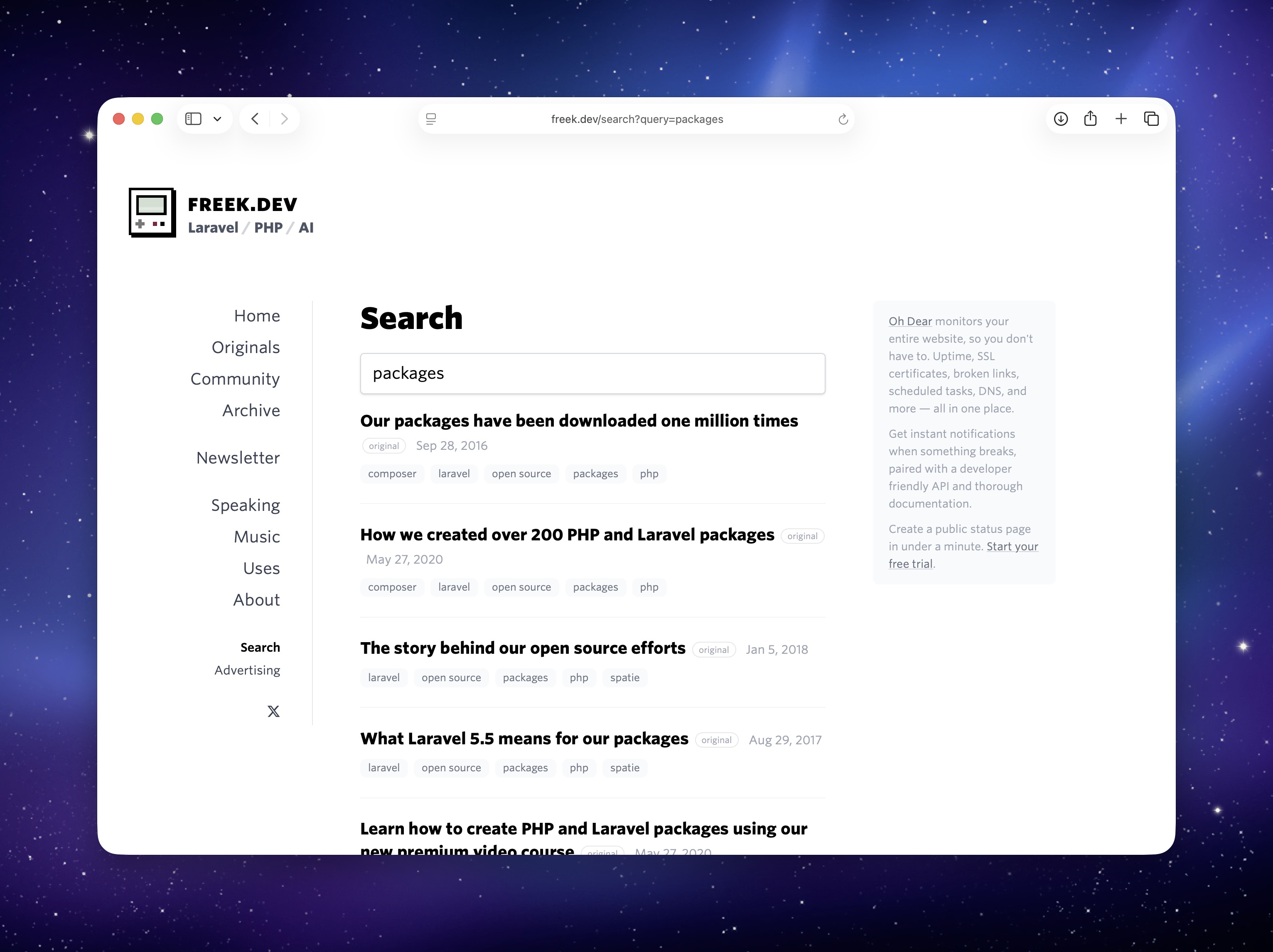
<p>We're using laravel-site-search in production on several of our own sites. The search on <a href="https://freek.dev/search">freek.dev</a>, the documentation search on <a href="https://ohdear.app/docs">Oh Dear</a>, and the documentation search on <a href="https://mailcoach.app/self-hosted/documentation">Mailcoach</a> are all powered by this package.</p>
<p><img src="https://freek.dev/admin-uploads/sTTvhmqjDnQbrtVUvZkQRqKiRhtgvLtumdc3MVvn.jpg" alt="" /></p>
<p>The source code of freek.dev is <a href="https://github.com/spatie/freek.dev">open source</a>, so you can see exactly how the package is integrated. The <a href="https://github.com/spatie/freek.dev/blob/main/resources/views/livewire/%E2%9A%A1search.blade.php">Livewire search component</a> handles querying and displaying results. The <a href="https://github.com/spatie/freek.dev/blob/main/app/Services/Search/SearchProfile.php">search profile</a> configures the crawler and determines which pages should be indexed. A custom <a href="https://github.com/spatie/freek.dev/blob/main/app/Services/Search/Indexer.php">indexer</a> cleans up page titles before storing them. And the <a href="https://github.com/spatie/freek.dev/blob/main/config/site-search.php">config file</a> ties it all together, specifying which CSS selectors and URLs to ignore during indexing.</p>
<h2 id="in-closing">In closing</h2>
<p>With v3, laravel-site-search no longer requires any external dependencies. Install it, point it at your site, and search. If you're using MySQL, PostgreSQL, SQLite, or MariaDB, you already have everything you need.</p>
<p>You can find the full documentation on <a href="https://spatie.be/docs/laravel-site-search">the documentation site</a>. The source code is available <a href="https://github.com/spatie/laravel-site-search">on GitHub</a>.</p>
<p>This is one of the many packages we've created at <a href="https://spatie.be">Spatie</a>. If you want to support our open source work, consider picking up one of our <a href="https://spatie.be/open-source/support-us">paid products</a>.</p>
]]>
            </summary>
                                    <updated>2026-03-12T13:52:50+01:00</updated>
        </entry>
            <entry>
            <title><![CDATA[★ How to easily access private properties and methods in PHP]]></title>
            <link rel="alternate" href="https://freek.dev/3048-how-to-easily-access-private-properties-and-methods-in-php" />
            <id>https://freek.dev/3048</id>
            <author>
                <name><![CDATA[Freek Van der Herten]]></name>
                <email><![CDATA[freek@spatie.be]]></email>

            </author>
            <summary type="html">
                <![CDATA[<p>Sometimes you need to access a private property or method on an object that isn't yours. Maybe you're writing a test and need to assert some internal state. Maybe you're building a package that needs to reach into another object's internals. Whatever the reason, PHP's visibility rules are standing in your way.</p>
<p>Our <a href="https://github.com/spatie/invade">spatie/invade</a> package provides a tiny <code>invade</code> function that lets you read, write, and call private members on any object.</p>
<p>You probably shouldn't reach for this package often. It's most useful in tests or when you're building a package that needs to integrate deeply with objects you don't control.</p>
<p>Let me walk you through how it works.</p>
<!--more-->
<h2 id="using-invade">Using invade</h2>
<p>Imagine you have a class with private members:</p>
<pre data-lang="php" class="notranslate"><span class="hl-keyword">class</span> <span class="hl-type">MyClass</span>
{
    <span class="hl-keyword">private</span> <span class="hl-type">string</span> <span class="hl-property">$privateProperty</span> = <span class="hl-value">'private value'</span>;

    <span class="hl-keyword">private</span> <span class="hl-keyword">function</span> <span class="hl-property">privateMethod</span>(): <span class="hl-type">string</span>
    {
        <span class="hl-keyword">return</span> <span class="hl-value">'private return value'</span>;
    }
}
</pre>
<p>If you try to access that private property from outside the class, PHP will stop you:</p>
<pre data-lang="php" class="notranslate"><span class="hl-variable">$myClass</span> = <span class="hl-keyword">new</span> <span class="hl-type">MyClass</span>();

<span class="hl-variable">$myClass</span>-&gt;<span class="hl-property">privateProperty</span>;
<span class="hl-comment">// Error: Cannot access private property MyClass::$privateProperty</span>
</pre>
<p>With <code>invade</code>, you can get around that. Install the package via composer:</p>
<pre data-lang="txt" class="notranslate">composer require spatie/invade
</pre>
<p>Now you can read that private property:</p>
<pre data-lang="php" class="notranslate"><span class="hl-comment">// returns 'private value'</span>
<span class="hl-property">invade</span>(<span class="hl-variable">$myClass</span>)-&gt;<span class="hl-property">privateProperty</span>;
</pre>
<p>You can set it too:</p>
<pre data-lang="php" class="notranslate"><span class="hl-property">invade</span>(<span class="hl-variable">$myClass</span>)-&gt;<span class="hl-property">privateProperty</span> = <span class="hl-value">'changed value'</span>;

<span class="hl-comment">// returns 'changed value'</span>
<span class="hl-property">invade</span>(<span class="hl-variable">$myClass</span>)-&gt;<span class="hl-property">privateProperty</span>;
</pre>
<p>And you can call private methods:</p>
<pre data-lang="php" class="notranslate"><span class="hl-comment">// returns 'private return value'</span>
<span class="hl-property">invade</span>(<span class="hl-variable">$myClass</span>)-&gt;<span class="hl-property">privateMethod</span>();
</pre>
<p>The API is clean and reads well. But the interesting part is what happens under the hood. Before we look at the package code, there's a PHP rule you need to know about first.</p>
<h2 id="how-it-works-under-the-hood">How it works under the hood</h2>
<p>Let me walk you through how the package works internally. We'll first look at the old approach using reflection, and then the current solution that uses closure binding.</p>
<h3 id="the-first-version-reflection">The first version: reflection</h3>
<p>In v1 of the package, we used PHP's Reflection API to access private members. Here's what the <code>Invader</code> class <a href="https://github.com/spatie/invade/blob/1.1.1/src/Invader.php">looked like</a>:</p>
<pre data-lang="php" class="notranslate"><span class="hl-keyword">class</span> <span class="hl-type">Invader</span>
{
    <span class="hl-keyword">public</span> <span class="hl-type">object</span> <span class="hl-property">$obj</span>;
    <span class="hl-keyword">public</span> <span class="hl-type">ReflectionClass</span> <span class="hl-property">$reflected</span>;

    <span class="hl-keyword">public</span> <span class="hl-keyword">function</span> <span class="hl-property">__construct</span>(<span class="hl-injection"><span class="hl-type">object</span> $obj</span>)
    {
        <span class="hl-variable">$this</span>-&gt;<span class="hl-property">obj</span> = <span class="hl-variable">$obj</span>;
        <span class="hl-variable">$this</span>-&gt;<span class="hl-property">reflected</span> = <span class="hl-keyword">new</span> <span class="hl-type">ReflectionClass</span>(<span class="hl-variable">$obj</span>);
    }

    <span class="hl-keyword">public</span> <span class="hl-keyword">function</span> <span class="hl-property">__get</span>(<span class="hl-injection"><span class="hl-type">string</span> $name</span>): <span class="hl-type">mixed</span>
    {
        <span class="hl-variable">$property</span> = <span class="hl-variable">$this</span>-&gt;<span class="hl-property">reflected</span>-&gt;<span class="hl-property">getProperty</span>(<span class="hl-variable">$name</span>);
        <span class="hl-variable">$property</span>-&gt;<span class="hl-property">setAccessible</span>(<span class="hl-keyword">true</span>);

        <span class="hl-keyword">return</span> <span class="hl-variable">$property</span>-&gt;<span class="hl-property">getValue</span>(<span class="hl-variable">$this</span>-&gt;<span class="hl-property">obj</span>);
    }
}
</pre>
<p>When you create an <code>Invader</code>, it wraps your object and creates a <code>ReflectionClass</code> for it. When you try to access a property like <code>invade($myClass)-&gt;privateProperty</code>, PHP triggers the <code>__get</code> magic method. It uses the reflection instance to find the property by name, calls <code>setAccessible(true)</code> on it, and then reads the value from the original object. The <code>setAccessible(true)</code> call tells PHP to skip the visibility check for that reflected property. Without it, trying to read a private property through reflection would throw an error, just like accessing it directly.</p>
<p>This worked fine, but it required creating a <code>ReflectionClass</code> instance and calling <code>setAccessible(true)</code> on every property or method you wanted to access. In v2, we replaced all of this with a much simpler approach using closures. To understand how, we first need to look at a lesser-known PHP visibility rule.</p>
<h3 id="private-visibility-is-scoped-to-the-class">Private visibility is scoped to the class</h3>
<p>In PHP, <code>private</code> visibility is scoped to the class, not to a specific object instance. Any code running inside a class can access the private properties and methods of any instance of that class.</p>
<p>Here's a concrete example:</p>
<pre data-lang="php" class="notranslate"><span class="hl-keyword">class</span> <span class="hl-type">Wallet</span>
{
    <span class="hl-keyword">public</span> <span class="hl-keyword">function</span> <span class="hl-property">__construct</span>(<span class="hl-injection">
        <span class="hl-keyword">private</span> <span class="hl-type">int</span> <span class="hl-property">$balance</span>
    </span>) {
    }

    <span class="hl-keyword">public</span> <span class="hl-keyword">function</span> <span class="hl-property">hasMoreThan</span>(<span class="hl-injection"><span class="hl-type">Wallet</span> $other</span>): <span class="hl-type">bool</span>
    {
        <span class="hl-comment">// This works: we can read $other's private $balance</span>
        <span class="hl-comment">// because we're inside the Wallet class scope</span>
        <span class="hl-keyword">return</span> <span class="hl-variable">$this</span>-&gt;<span class="hl-property">balance</span> &gt; <span class="hl-variable">$other</span>-&gt;<span class="hl-property">balance</span>;
    }
}

<span class="hl-variable">$mine</span> = <span class="hl-keyword">new</span> <span class="hl-type">Wallet</span>(100);
<span class="hl-variable">$yours</span> = <span class="hl-keyword">new</span> <span class="hl-type">Wallet</span>(50);

<span class="hl-comment">// returns true</span>
<span class="hl-variable">$mine</span>-&gt;<span class="hl-property">hasMoreThan</span>(<span class="hl-variable">$yours</span>);
</pre>
<p>Notice how <code>hasMoreThan</code> reads <code>$other-&gt;balance</code> directly, even though <code>$balance</code> is private. This compiles and runs without errors because the code is running inside the <code>Wallet</code> class. PHP doesn't care which instance the property belongs to. As long as you're in the right class scope, all private members of all instances of that class are accessible.</p>
<p>This is the foundation that makes v2 of the <code>invade</code> package work. If you can get your code to run inside the scope of the target class, you get access to its private members. PHP closures give us a way to do exactly that.</p>
<h3 id="how-closures-can-change-their-scope">How closures can change their scope</h3>
<p>PHP closures carry the scope of the class they were defined in. But the <code>Closure::call()</code> method lets you change that. It temporarily rebinds <code>$this</code> inside the closure to a different object, and it also changes the scope to the class of that object.</p>
<pre data-lang="php" class="notranslate"><span class="hl-variable">$readBalance</span> = <span class="hl-keyword">fn</span> () =&gt; <span class="hl-variable">$this</span>-&gt;<span class="hl-property">balance</span>;

<span class="hl-variable">$wallet</span> = <span class="hl-keyword">new</span> <span class="hl-type">Wallet</span>(100);
<span class="hl-comment">// returns 100</span>
<span class="hl-variable">$readBalance</span>-&gt;<span class="hl-property">call</span>(<span class="hl-variable">$wallet</span>);
</pre>
<p>Even though <code>$balance</code> is private, this works. The <code>-&gt;call($wallet)</code> method binds the closure to the <code>$wallet</code> object and puts it in the <code>Wallet</code> class scope. When PHP evaluates <code>$this-&gt;balance</code>, it sees that the code is running in the scope of <code>Wallet</code>, so it allows the access.</p>
<p>This is the entire trick that <code>invade</code> v2 is built on. Now let's look at the actual code.</p>
<h3 id="the-current-invader-class">The current Invader class</h3>
<p>When you call <code>invade($object)</code>, it returns an <code>Invader</code> instance that wraps your object. The <a href="https://github.com/spatie/invade/blob/main/src/Invader.php">current version</a> of the <code>Invader</code> class is surprisingly small:</p>
<pre data-lang="php" class="notranslate"><span class="hl-keyword">class</span> <span class="hl-type">Invader</span>
{
    <span class="hl-keyword">public</span> <span class="hl-keyword">function</span> <span class="hl-property">__construct</span>(<span class="hl-injection">
        <span class="hl-keyword">public</span> <span class="hl-type">object</span> <span class="hl-property">$obj</span>
    </span>) {
    }

    <span class="hl-keyword">public</span> <span class="hl-keyword">function</span> <span class="hl-property">__get</span>(<span class="hl-injection"><span class="hl-type">string</span> $name</span>): <span class="hl-type">mixed</span>
    {
        <span class="hl-keyword">return</span> (<span class="hl-keyword">fn</span> () =&gt; <span class="hl-variable">$this</span>-&gt;{<span class="hl-variable">$name</span>})-&gt;<span class="hl-property">call</span>(<span class="hl-variable">$this</span>-&gt;<span class="hl-property">obj</span>);
    }

    <span class="hl-keyword">public</span> <span class="hl-keyword">function</span> <span class="hl-property">__set</span>(<span class="hl-injection"><span class="hl-type">string</span> $name, <span class="hl-type">mixed</span> $value</span>): <span class="hl-type">void</span>
    {
        (<span class="hl-keyword">fn</span> () =&gt; <span class="hl-variable">$this</span>-&gt;{<span class="hl-variable">$name</span>} = <span class="hl-variable">$value</span>)-&gt;<span class="hl-property">call</span>(<span class="hl-variable">$this</span>-&gt;<span class="hl-property">obj</span>);
    }

    <span class="hl-keyword">public</span> <span class="hl-keyword">function</span> <span class="hl-property">__call</span>(<span class="hl-injection"><span class="hl-type">string</span> $name, <span class="hl-type">array</span> $params = []</span>): <span class="hl-type">mixed</span>
    {
        <span class="hl-keyword">return</span> (<span class="hl-keyword">fn</span> () =&gt; <span class="hl-variable">$this</span>-&gt;{<span class="hl-variable">$name</span>}(...<span class="hl-variable">$params</span>))-&gt;<span class="hl-property">call</span>(<span class="hl-variable">$this</span>-&gt;<span class="hl-property">obj</span>);
    }
}
</pre>
<p>That's the entire class. No reflection, no complex tricks. Just PHP magic methods and closures.</p>
<p>When you write <code>invade($myClass)-&gt;privateProperty</code>, the <a href="https://github.com/spatie/invade/blob/main/src/functions.php"><code>invade</code> function</a> creates a new <code>Invader</code> instance. PHP can't find <code>privateProperty</code> on the <code>Invader</code> class, so it triggers <code>__get('privateProperty')</code>. The <code>__get</code> method creates a short closure <code>fn () =&gt; $this-&gt;{$name}</code> and calls it with <code>-&gt;call($this-&gt;obj)</code>. As we just learned, this binds <code>$this</code> inside the closure to your original object and puts the closure in that object's class scope. PHP then evaluates <code>$this-&gt;privateProperty</code> inside the scope of <code>MyClass</code>, and the private access is allowed.</p>
<p>The <code>__set</code> method uses the same pattern, but assigns a value instead of reading one:</p>
<pre data-lang="php" class="notranslate">(<span class="hl-keyword">fn</span> () =&gt; <span class="hl-variable">$this</span>-&gt;{<span class="hl-variable">$name</span>} = <span class="hl-variable">$value</span>)-&gt;<span class="hl-property">call</span>(<span class="hl-variable">$this</span>-&gt;<span class="hl-property">obj</span>);
</pre>
<p>The <code>$value</code> variable is captured from the enclosing scope of the <code>__set</code> method, so it's available inside the closure.</p>
<p>For calling private methods, <code>__call</code> follows the same approach:</p>
<pre data-lang="php" class="notranslate"><span class="hl-keyword">return</span> (<span class="hl-keyword">fn</span> () =&gt; <span class="hl-variable">$this</span>-&gt;{<span class="hl-variable">$name</span>}(...<span class="hl-variable">$params</span>))-&gt;<span class="hl-property">call</span>(<span class="hl-variable">$this</span>-&gt;<span class="hl-property">obj</span>);
</pre>
<p>The closure calls the method by name, spreading the parameters. Since <code>-&gt;call()</code> binds the closure to the target object, PHP sees this as a call from within the class itself, and the private method becomes accessible.</p>
<h2 id="in-closing">In closing</h2>
<p>The <code>invade</code> package is a fun example of how PHP closures and scope binding can bypass visibility restrictions in a clean way. It's a small trick, but understanding why it works teaches you something interesting about how PHP handles class scope and closure binding.</p>
<p>The original idea for the <code>invade</code> function came from <a href="https://twitter.com/calebporzio">Caleb Porzio</a>, who first introduced it as a helper in Livewire to replace a more verbose <code>ObjectPrybar</code> class. We liked the concept so much that we turned it into its own package.</p>
<p>Just remember: use it sparingly. It works great in tests or when you're building a package that needs deep integration with objects you don't control. In your regular project code, you probably don't need invade.</p>
<p>You can find the package <a href="https://github.com/spatie/invade">on GitHub</a>. This is one of the many packages we've created at <a href="https://spatie.be/open-source">Spatie</a>. If you want to support our open source work, consider picking up <a href="https://spatie.be/open-source/support-us">one of our paid products</a>.</p>
]]>
            </summary>
                                    <updated>2026-03-12T11:39:39+01:00</updated>
        </entry>
            <entry>
            <title><![CDATA[★ Laravel Backup v10: serializable events, resilient multi-destination backups, and more]]></title>
            <link rel="alternate" href="https://freek.dev/3015-laravel-backup-v10-serializable-events-resilient-multi-destination-backups-and-more" />
            <id>https://freek.dev/3015</id>
            <author>
                <name><![CDATA[Freek Van der Herten]]></name>
                <email><![CDATA[freek@spatie.be]]></email>

            </author>
            <summary type="html">
                <![CDATA[<p>We just released v10 of <a href="https://spatie.be/docs/laravel-backup">laravel-backup</a>, our package that creates backups of your Laravel app. The backup is a zip file containing all files in the directories you specify, along with a dump of your database. You can store it on any of the filesystems Laravel supports, and you can even back up to multiple disks at once.</p>
<p>We originally created this package after <a href="https://freek.dev/374-today-digitalocean-lost-our-entire-server">DigitalOcean lost one of our servers</a>. That experience taught us the hard way that you should never rely solely on your hosting provider for backups. The package has been actively maintained ever since.</p>
<h2 id="taking-backups">Taking backups</h2>
<p>With the package installed, taking a backup is as simple as running:</p>
<pre data-lang="txt" class="notranslate">php artisan backup:run
</pre>
<p>This creates a zip of your configured files and databases and stores it on your configured disks. You can also back up just the database or just the files:</p>
<pre data-lang="txt" class="notranslate">php artisan backup:run --only-db
php artisan backup:run --only-files
</pre>
<p>Or target a specific disk:</p>
<pre data-lang="txt" class="notranslate">php artisan backup:run --only-to-disk=s3
</pre>
<p>In most setups you'll want to schedule this. In your <code>routes/console.php</code>:</p>
<pre data-lang="php" class="notranslate"><span class="hl-keyword">use</span> <span class="hl-type">Illuminate\Support\Facades\Schedule</span>;

<span class="hl-type">Schedule</span>::<span class="hl-property">command</span>(<span class="hl-value">'backup:run'</span>)-&gt;<span class="hl-property">daily</span>()-&gt;<span class="hl-property">at</span>(<span class="hl-value">'01:00'</span>);
</pre>
<h2 id="listing-and-monitoring-backups">Listing and monitoring backups</h2>
<p>To see an overview of all your backups, run:</p>
<pre data-lang="txt" class="notranslate">php artisan backup:list
</pre>
<p>This shows a table with the backup name, disk, date, and size for each backup.</p>
<p>The package also ships with a monitor that checks whether your backups are healthy. A backup is considered unhealthy when it's too old or when the total backup size exceeds a configured threshold.</p>
<pre data-lang="txt" class="notranslate">php artisan backup:monitor
</pre>
<p>You'll typically schedule the monitor to run daily:</p>
<pre data-lang="php" class="notranslate"><span class="hl-type">Schedule</span>::<span class="hl-property">command</span>(<span class="hl-value">'backup:monitor'</span>)-&gt;<span class="hl-property">daily</span>()-&gt;<span class="hl-property">at</span>(<span class="hl-value">'03:00'</span>);
</pre>
<p>When the monitor detects a problem, it fires an event that triggers notifications. Out of the box the package supports mail, Slack, Discord, and (new in v10) a generic webhook channel.</p>
<h2 id="cleaning-up-old-backups">Cleaning up old backups</h2>
<p>Over time backups pile up. The package includes a cleanup command that removes old backups based on a configurable retention strategy:</p>
<pre data-lang="txt" class="notranslate">php artisan backup:clean
</pre>
<p>The default strategy keeps all backups for a certain number of days, then keeps one daily backup, then one weekly backup, and so on. It will never delete the most recent backup. You'll want to schedule this alongside your backup command:</p>
<pre data-lang="php" class="notranslate"><span class="hl-type">Schedule</span>::<span class="hl-property">command</span>(<span class="hl-value">'backup:clean'</span>)-&gt;<span class="hl-property">daily</span>()-&gt;<span class="hl-property">at</span>(<span class="hl-value">'02:00'</span>);
</pre>
<h2 id="whats-new-in-v10">What's new in v10</h2>
<p>v10 is mostly about addressing long-standing community requests and cleaning up internals.</p>
<p>The biggest change is that all events now carry primitive data (<code>string $diskName</code>, <code>string $backupName</code>) instead of <code>BackupDestination</code> objects. This means events can now be used with queued listeners, which was previously impossible because those objects weren't serializable. If you have existing listeners, you'll need to update them to use <code>$event-&gt;diskName</code> instead of <code>$event-&gt;backupDestination-&gt;diskName()</code>.</p>
<p>Events and notifications are now decoupled. Events always fire, even when <code>--disable-notifications</code> is used. This fixes an issue where <code>BackupWasSuccessful</code> never fired when notifications were disabled, which also broke encryption since it depends on the <code>BackupZipWasCreated</code> event.</p>
<p>There's a new <code>continue_on_failure</code> config option for multi-destination backups. When enabled, a failure on one destination won't abort the entire backup. It fires a failure event for that destination and continues with the rest.</p>
<p>Other additions include a <code>verify_backup</code> config option that validates the zip archive after creation, a generic webhook notification channel for Mattermost/Teams/custom integrations, new command options (<code>--filename-suffix</code>, <code>--exclude</code>, <code>--destination-path</code>), and improved health checks that now report all failures instead of stopping at the first one.</p>
<p>On the internals side, the <code>ConsoleOutput</code> singleton has been replaced by a <code>backupLogger()</code> helper, encryption config now uses a proper enum, and <code>storage/framework</code> is excluded from backups by default.</p>
<p>The full list of breaking changes and migration instructions can be found in the <a href="https://github.com/spatie/laravel-backup/blob/main/UPGRADING.md">upgrade guide</a>.</p>
<h2 id="in-closing">In closing</h2>
<p>You can find the complete documentation at <a href="https://spatie.be/docs/laravel-backup">spatie.be/docs/laravel-backup</a> and the source code <a href="https://github.com/spatie/laravel-backup">on GitHub</a>.</p>
<p>This is one of the many packages we've created at <a href="https://spatie.be">Spatie</a>. If you want to support our open source work, consider picking up one of <a href="https://spatie.be/products">our paid products</a>.</p>
]]>
            </summary>
                                    <updated>2026-03-04T14:19:52+01:00</updated>
        </entry>
            <entry>
            <title><![CDATA[★ Laravel Sitemap v8 is here: automatic splitting, XSL stylesheets, and crawler v9]]></title>
            <link rel="alternate" href="https://freek.dev/3041-laravel-sitemap-v8-is-here-automatic-splitting-xsl-stylesheets-and-crawler-v9" />
            <id>https://freek.dev/3041</id>
            <author>
                <name><![CDATA[Freek Van der Herten]]></name>
                <email><![CDATA[freek@spatie.be]]></email>

            </author>
            <summary type="html">
                <![CDATA[<p>We just released v8 of <a href="https://spatie.be/docs/laravel-sitemap">Laravel Sitemap</a>. This package that can generate sitemaps by crawling your entire site or by manually adding URLs. This version upgrades the underlying crawler to v9, adds a couple of nice new features, and cleans up the internals.</p>
<p>Let me walk you through what the package can do and what's new in v8.</p>
<!--more-->
<h2 id="generating-a-sitemap-by-crawling">Generating a sitemap by crawling</h2>
<p>The simplest way to use the package is to point it at your site and let it crawl every page.</p>
<pre data-lang="php" class="notranslate"><span class="hl-keyword">use</span> <span class="hl-type">Spatie\Sitemap\SitemapGenerator</span>;

<span class="hl-type">SitemapGenerator</span>::<span class="hl-property">create</span>(<span class="hl-value">'https://example.com'</span>)-&gt;<span class="hl-property">writeToFile</span>(<span class="hl-variable">$path</span>);
</pre>
<p>That's it. The generator will follow all internal links and produce a complete <code>sitemap.xml</code>. You can filter which URLs end up in the sitemap using the <code>shouldCrawl</code> callback.</p>
<pre data-lang="php" class="notranslate"><span class="hl-type">SitemapGenerator</span>::<span class="hl-property">create</span>(<span class="hl-value">'https://example.com'</span>)
    -&gt;<span class="hl-property">shouldCrawl</span>(<span class="hl-keyword">function</span> (<span class="hl-injection"><span class="hl-type">string</span> $url</span>) {
        <span class="hl-keyword">return</span> ! <span class="hl-property">str_contains</span>(<span class="hl-property">parse_url</span>(<span class="hl-variable">$url</span>, <span class="hl-property">PHP_URL_PATH</span>) ?? <span class="hl-value">''</span>, <span class="hl-value">'/admin'</span>);
    })
    -&gt;<span class="hl-property">writeToFile</span>(<span class="hl-variable">$path</span>);
</pre>
<h2 id="creating-a-sitemap-manually">Creating a sitemap manually</h2>
<p>If you'd rather have full control, you can build the sitemap yourself.</p>
<pre data-lang="php" class="notranslate"><span class="hl-keyword">use</span> <span class="hl-type">Carbon\Carbon</span>;
<span class="hl-keyword">use</span> <span class="hl-type">Spatie\Sitemap\Sitemap</span>;
<span class="hl-keyword">use</span> <span class="hl-type">Spatie\Sitemap\Tags\Url</span>;

<span class="hl-type">Sitemap</span>::<span class="hl-property">create</span>()
    -&gt;<span class="hl-property">add</span>(<span class="hl-type">Url</span>::<span class="hl-property">create</span>(<span class="hl-value">'/home'</span>)
        -&gt;<span class="hl-property">setLastModificationDate</span>(<span class="hl-type">Carbon</span>::<span class="hl-property">yesterday</span>())
        -&gt;<span class="hl-property">setChangeFrequency</span>(<span class="hl-type">Url</span>::<span class="hl-property">CHANGE_FREQUENCY_YEARLY</span>)
        -&gt;<span class="hl-property">setPriority</span>(0.1))
    -&gt;<span class="hl-property">add</span>(<span class="hl-type">Url</span>::<span class="hl-property">create</span>(<span class="hl-value">'/contact'</span>))
    -&gt;<span class="hl-property">writeToFile</span>(<span class="hl-variable">$path</span>);
</pre>
<p>You can also combine both approaches: let the crawler do the heavy lifting, then add extra URLs on top.</p>
<pre data-lang="php" class="notranslate"><span class="hl-type">SitemapGenerator</span>::<span class="hl-property">create</span>(<span class="hl-value">'https://example.com'</span>)
    -&gt;<span class="hl-property">getSitemap</span>()
    -&gt;<span class="hl-property">add</span>(<span class="hl-type">Url</span>::<span class="hl-property">create</span>(<span class="hl-value">'/extra-page'</span>))
    -&gt;<span class="hl-property">writeToFile</span>(<span class="hl-variable">$path</span>);
</pre>
<h2 id="adding-models-directly">Adding models directly</h2>
<p>If your models implement the <code>Sitemapable</code> interface, you can add them to the sitemap directly.</p>
<pre data-lang="php" class="notranslate"><span class="hl-keyword">use</span> <span class="hl-type">Spatie\Sitemap\Contracts\Sitemapable</span>;
<span class="hl-keyword">use</span> <span class="hl-type">Spatie\Sitemap\Tags\Url</span>;

<span class="hl-keyword">class</span> <span class="hl-type">Post</span> <span class="hl-keyword">extends</span> <span class="hl-type">Model</span> <span class="hl-keyword">implements</span><span class="hl-type"> Sitemapable
</span>{
    <span class="hl-keyword">public</span> <span class="hl-keyword">function</span> <span class="hl-property">toSitemapTag</span>(): <span class="hl-type">Url</span> | string | array
    {
        <span class="hl-keyword">return</span> <span class="hl-property">route</span>(<span class="hl-value">'blog.post.show'</span>, <span class="hl-variable">$this</span>);
    }
}
</pre>
<p>Now you can pass a single model or an entire collection.</p>
<pre data-lang="php" class="notranslate"><span class="hl-type">Sitemap</span>::<span class="hl-property">create</span>()
    -&gt;<span class="hl-property">add</span>(<span class="hl-variable">$post</span>)
    -&gt;<span class="hl-property">add</span>(<span class="hl-type">Post</span>::<span class="hl-property">all</span>())
    -&gt;<span class="hl-property">writeToFile</span>(<span class="hl-variable">$path</span>);
</pre>
<h2 id="automatic-sitemap-splitting">Automatic sitemap splitting</h2>
<p>Large sites can easily exceed the 50,000 URL limit that the sitemap protocol allows per file. New in v8, you can call <code>maxTagsPerSitemap()</code> on your sitemap, and the package will automatically split it into multiple files with a sitemap index.</p>
<pre data-lang="php" class="notranslate"><span class="hl-type">Sitemap</span>::<span class="hl-property">create</span>()
    -&gt;<span class="hl-property">maxTagsPerSitemap</span>(10000)
    -&gt;<span class="hl-property">add</span>(<span class="hl-variable">$allUrls</span>)
    -&gt;<span class="hl-property">writeToFile</span>(<span class="hl-property">public_path</span>(<span class="hl-value">'sitemap.xml'</span>));
</pre>
<p>If your sitemap contains more than 10,000 URLs, this will write <code>sitemap_1.xml</code>, <code>sitemap_2.xml</code>, etc., and a <code>sitemap.xml</code> index file that references them all. If your sitemap stays under the limit, it just writes a single file as usual.</p>
<h2 id="xsl-stylesheet-support">XSL stylesheet support</h2>
<p>Sitemaps are XML files, and they look pretty rough when opened in a browser. Also new in v8, you can attach an XSL stylesheet to make them human-readable.</p>
<pre data-lang="php" class="notranslate"><span class="hl-type">Sitemap</span>::<span class="hl-property">create</span>()
    -&gt;<span class="hl-property">setStylesheet</span>(<span class="hl-value">'/sitemap.xsl'</span>)
    -&gt;<span class="hl-property">add</span>(<span class="hl-type">Post</span>::<span class="hl-property">all</span>())
    -&gt;<span class="hl-property">writeToFile</span>(<span class="hl-property">public_path</span>(<span class="hl-value">'sitemap.xml'</span>));
</pre>
<p>This works on both <code>Sitemap</code> and <code>SitemapIndex</code>. When combined with <code>maxTagsPerSitemap()</code>, the stylesheet is automatically applied to all split files and the index.</p>
<h2 id="in-closing">In closing</h2>
<p>Under the hood, we've upgraded the package to use <a href="https://freek.dev/3039-a-better-way-to-crawl-websites-with-php">spatie/crawler v9</a>.</p>
<p>You'll find the complete <a href="https://spatie.be/docs/laravel-sitemap">documentation on our docs site</a>. The package is available <a href="https://github.com/spatie/laravel-sitemap">on GitHub</a>.</p>
<p>This is one of the many packages we've created at <a href="https://spatie.be">Spatie</a>. If you want to support our open source work, consider picking up <a href="https://spatie.be/open-source/support-us">one of our paid products</a>.</p>
]]>
            </summary>
                                    <updated>2026-03-03T11:50:27+01:00</updated>
        </entry>
            <entry>
            <title><![CDATA[★ A better way to crawl websites with PHP]]></title>
            <link rel="alternate" href="https://freek.dev/3039-a-better-way-to-crawl-websites-with-php" />
            <id>https://freek.dev/3039</id>
            <author>
                <name><![CDATA[Freek Van der Herten]]></name>
                <email><![CDATA[freek@spatie.be]]></email>

            </author>
            <summary type="html">
                <![CDATA[<p>Our <a href="https://github.com/spatie/crawler">spatie/crawler</a>.  package is one of the first one I created. It allows you to crawl a website with PHP.  It is used extensively in <a href="https://ohdear.app">Oh Dear</a> and our <a href="https://spatie.be/docs/laravel-sitemap">laravel-sitemap</a> package.</p>
<p>Throughout the years, the API had accumulated some rough edges. With v9, we cleaned all of that up and added a bunch of features we've wanted for a long time.</p>
<p>Let me walk you through all of it!</p>
<!--more-->
<h2 id="using-the-crawler">Using the crawler</h2>
<p>The simplest way to crawl a site is to pass a URL to <code>Crawler::create()</code> and attach a callback via <code>onCrawled()</code>:</p>
<pre data-lang="php" class="notranslate"><span class="hl-keyword">use</span> <span class="hl-type">Spatie\Crawler\Crawler</span>;
<span class="hl-keyword">use</span> <span class="hl-type">Spatie\Crawler\CrawlResponse</span>;

<span class="hl-type">Crawler</span>::<span class="hl-property">create</span>(<span class="hl-value">'https://example.com'</span>)
    -&gt;<span class="hl-property">onCrawled</span>(<span class="hl-keyword">function</span> (<span class="hl-injection"><span class="hl-type">string</span> $url, <span class="hl-type">CrawlResponse</span> $response</span>) {
        <span class="hl-keyword">echo</span> <span class="hl-value">&quot;{$url}: {$response-&gt;status()}\n&quot;</span>;
    })
    -&gt;<span class="hl-property">start</span>();
</pre>
<p>The callable gets a <code>CrawlResponse</code> object. It has these methods</p>
<pre data-lang="php" class="notranslate"><span class="hl-variable">$response</span>-&gt;<span class="hl-property">status</span>();        <span class="hl-comment">// int</span>
<span class="hl-variable">$response</span>-&gt;<span class="hl-property">body</span>();          <span class="hl-comment">// string</span>
<span class="hl-variable">$response</span>-&gt;<span class="hl-property">header</span>(<span class="hl-value">'some-header'</span>);  <span class="hl-comment">// ?string</span>
<span class="hl-variable">$response</span>-&gt;<span class="hl-property">dom</span>();           <span class="hl-comment">// Symfony DomCrawler instance</span>
<span class="hl-variable">$response</span>-&gt;<span class="hl-property">isSuccessful</span>();  <span class="hl-comment">// bool</span>
<span class="hl-variable">$response</span>-&gt;<span class="hl-property">isRedirect</span>();    <span class="hl-comment">// bool</span>
<span class="hl-variable">$response</span>-&gt;<span class="hl-property">foundOnUrl</span>();    <span class="hl-comment">// ?string</span>
<span class="hl-variable">$response</span>-&gt;<span class="hl-property">linkText</span>();      <span class="hl-comment">// ?string</span>
<span class="hl-variable">$response</span>-&gt;<span class="hl-property">depth</span>();         <span class="hl-comment">// int</span>
</pre>
<p>The body is cached, so calling <code>body()</code> multiple times won't re-read the stream. And if you still need the raw PSR-7 response for some reason, <code>toPsrResponse()</code> has you covered.</p>
<p>You can control how many URLs are fetched at the same time with <code>concurrency()</code>, and set a hard cap with <code>limit()</code>:</p>
<pre data-lang="php" class="notranslate"><span class="hl-type">Crawler</span>::<span class="hl-property">create</span>(<span class="hl-value">'https://example.com'</span>)
    -&gt;<span class="hl-property">concurrency</span>(5)
    -&gt;<span class="hl-property">limit</span>(200) <span class="hl-comment">// will stop after crawling this amount of pages</span>
    -&gt;<span class="hl-property">onCrawled</span>(<span class="hl-keyword">function</span> (<span class="hl-injection"><span class="hl-type">string</span> $url, <span class="hl-type">CrawlResponse</span> $response</span>) {
        <span class="hl-comment">// ...</span>
    })
    -&gt;<span class="hl-property">start</span>();
</pre>
<p>There are a couple of other <code>on</code> closure callbacks you can use:</p>
<pre data-lang="php" class="notranslate"><span class="hl-type">Crawler</span>::<span class="hl-property">create</span>(<span class="hl-value">'https://example.com'</span>)
    -&gt;<span class="hl-property">onCrawled</span>(<span class="hl-keyword">function</span> (<span class="hl-injection"><span class="hl-type">string</span> $url, <span class="hl-type">CrawlResponse</span> $response, <span class="hl-type">CrawlProgress</span> $progress</span>) {
        <span class="hl-keyword">echo</span> <span class="hl-value">&quot;[{$progress-&gt;urlsProcessed}/{$progress-&gt;urlsFound}] {$url}\n&quot;</span>;
    })
    -&gt;<span class="hl-property">onFailed</span>(<span class="hl-keyword">function</span> (<span class="hl-injection"><span class="hl-type">string</span> $url, <span class="hl-type">RequestException</span> $e, <span class="hl-type">CrawlProgress</span> $progress</span>) {
        <span class="hl-keyword">echo</span> <span class="hl-value">&quot;Failed: {$url}\n&quot;</span>;
    })
    -&gt;<span class="hl-property">onFinished</span>(<span class="hl-keyword">function</span> (<span class="hl-injection"><span class="hl-type">FinishReason</span> $reason, <span class="hl-type">CrawlProgress</span> $progress</span>) {
        <span class="hl-keyword">echo</span> <span class="hl-value">&quot;Done: {$reason-&gt;name}\n&quot;</span>;
    })
    -&gt;<span class="hl-property">start</span>();
</pre>
<p>Every <code>on</code> callback now receives a <code>CrawlProgress</code> object that tells you exactly where you are in the crawl:</p>
<pre data-lang="php" class="notranslate"><span class="hl-variable">$progress</span>-&gt;<span class="hl-property">urlsProcessed</span>;  <span class="hl-comment">// how many URLs have been crawled</span>
<span class="hl-variable">$progress</span>-&gt;<span class="hl-property">urlsFailed</span>;     <span class="hl-comment">// how many failed</span>
<span class="hl-variable">$progress</span>-&gt;<span class="hl-property">urlsFound</span>;      <span class="hl-comment">// total discovered so far</span>
<span class="hl-variable">$progress</span>-&gt;<span class="hl-property">urlsPending</span>;    <span class="hl-comment">// still in the queue</span>
</pre>
<p>The <code>start()</code> method now returns a <code>FinishReason</code> enum, so you know exactly why the crawler stopped:</p>
<pre data-lang="php" class="notranslate"><span class="hl-variable">$reason</span> = <span class="hl-type">Crawler</span>::<span class="hl-property">create</span>(<span class="hl-value">'https://example.com'</span>)
    -&gt;<span class="hl-property">limit</span>(100)
    -&gt;<span class="hl-property">start</span>();

<span class="hl-comment">// $reason is one of: Completed, CrawlLimitReached, TimeLimitReached, Interrupted</span>
</pre>
<p>Each <code>CrawlResponse</code> also carries a <code>TransferStatistics</code> object with detailed timing data for the request:</p>
<pre data-lang="php" class="notranslate"><span class="hl-type">Crawler</span>::<span class="hl-property">create</span>(<span class="hl-value">'https://example.com'</span>)
    -&gt;<span class="hl-property">onCrawled</span>(<span class="hl-keyword">function</span> (<span class="hl-injection"><span class="hl-type">string</span> $url, <span class="hl-type">CrawlResponse</span> $response</span>) {
        <span class="hl-variable">$stats</span> = <span class="hl-variable">$response</span>-&gt;<span class="hl-property">transferStats</span>();

        <span class="hl-keyword">echo</span> <span class="hl-value">&quot;{$url}\n&quot;</span>;
        <span class="hl-keyword">echo</span> <span class="hl-value">&quot;  Transfer time: {$stats-&gt;transferTimeInMs()}ms\n&quot;</span>;
        <span class="hl-keyword">echo</span> <span class="hl-value">&quot;  DNS lookup: {$stats-&gt;dnsLookupTimeInMs()}ms\n&quot;</span>;
        <span class="hl-keyword">echo</span> <span class="hl-value">&quot;  TLS handshake: {$stats-&gt;tlsHandshakeTimeInMs()}ms\n&quot;</span>;
        <span class="hl-keyword">echo</span> <span class="hl-value">&quot;  Time to first byte: {$stats-&gt;timeToFirstByteInMs()}ms\n&quot;</span>;
        <span class="hl-keyword">echo</span> <span class="hl-value">&quot;  Download speed: {$stats-&gt;downloadSpeedInBytesPerSecond()} B/s\n&quot;</span>;
    })
    -&gt;<span class="hl-property">start</span>();
</pre>
<p>All timing methods return values in milliseconds. They return <code>null</code> when the stat is unavailable, for example <code>tlsHandshakeTimeInMs()</code> will be <code>null</code> for plain HTTP requests.</p>
<h3 id="throttling-the-crawl">Throttling the crawl</h3>
<p>I wanted the crawler to a well behaved piece of software. Using the crawler at full speed and with large concurrency could overload some servers. That's why throttling is a polished feature of the package.</p>
<p>We ship two throttling strategies. The first one is <code>FixedDelayThrottle</code> that can give a fixed delay between all requests.</p>
<pre data-lang="php" class="notranslate"><span class="hl-comment">// 200ms between requests</span>
<span class="hl-variable">$crawler</span>-&gt;<span class="hl-property">throttle</span>(<span class="hl-keyword">new</span> <span class="hl-type">FixedDelayThrottle</span>(200)); 
</pre>
<p><code>AdaptiveThrottle</code> is a strategy that adjusts the delay based on how fast the server responds. If the server responds fast, the minimum delay will be low. If the server responds slow, we'll automatically slow down crawling.</p>
<pre data-lang="php" class="notranslate"><span class="hl-variable">$crawler</span>-&gt;<span class="hl-property">throttle</span>(<span class="hl-keyword">new</span> <span class="hl-type">AdaptiveThrottle</span>(
    <span class="hl-property">minDelayMs</span>: 50,
    <span class="hl-property">maxDelayMs</span>: 5000,
));
</pre>
<h3 id="testing-with-fake">Testing with fake()</h3>
<p>Like Laravel's <code>HTTP</code> client, the crawler now has a <code>fake</code> to define which response should be returned for a request without making the actually request.</p>
<pre data-lang="php" class="notranslate"><span class="hl-type">Crawler</span>::<span class="hl-property">create</span>(<span class="hl-value">'https://example.com'</span>)
    -&gt;<span class="hl-property">fake</span>([
        <span class="hl-value">'https://example.com'</span> =&gt; <span class="hl-value">'&lt;html&gt;&lt;a href=&quot;/about&quot;&gt;About&lt;/a&gt;&lt;/html&gt;'</span>,
        <span class="hl-value">'https://example.com/about'</span> =&gt; <span class="hl-value">'&lt;html&gt;About page&lt;/html&gt;'</span>,
    ])
    -&gt;<span class="hl-property">onCrawled</span>(<span class="hl-keyword">function</span> (<span class="hl-injection"><span class="hl-type">string</span> $url, <span class="hl-type">CrawlResponse</span> $response</span>) {
        <span class="hl-comment">// your assertions here</span>
    })
    -&gt;<span class="hl-property">start</span>();
</pre>
<p>Using this faking helps to keep your tests executing fast.</p>
<h3 id="driver-based-javascript-rendering">Driver-based JavaScript rendering</h3>
<p>Like in our <a href="https://spatie.be/docs/laravel-pdf">Laravel PDF</a>, <a href="https://spatie.be/docs/laravel-screenshot">Laravel Screenshot</a>, and <a href="https://spatie.be/docs/laravel-og-image">Laravel OG Image</a> packages, <a href="https://spatie.be/docs/browsershot">Browsershot</a> is no longer a hard dependency. JavaScript rendering is now driver-based, so you can use Browsershot, a new Cloudflare renderer, or write your own:</p>
<pre data-lang="php" class="notranslate"><span class="hl-variable">$crawler</span>-&gt;<span class="hl-property">executeJavaScript</span>(<span class="hl-keyword">new</span> <span class="hl-type">CloudflareRenderer</span>(<span class="hl-variable">$endpoint</span>));
</pre>
<h2 id="in-closing">In closing</h2>
<p>I'm usually very humble, but think that in this case I can say that our crawler package is the best available crawler in the entire PHP ecosystem.</p>
<p>You can find the package <a href="https://github.com/spatie/crawler">on GitHub</a>. The full documentation is available <a href="https://spatie.be/docs/crawler">on our documentation site</a>.</p>
<p>This is one of the many packages we've created at <a href="https://spatie.be/open-source">Spatie</a>. If you want to support our open source work, consider picking up <a href="https://spatie.be/open-source/support-us">one of our paid products</a>.</p>
]]>
            </summary>
                                    <updated>2026-03-02T21:56:46+01:00</updated>
        </entry>
            <entry>
            <title><![CDATA[★ My Claude Code setup]]></title>
            <link rel="alternate" href="https://freek.dev/3026-my-claude-code-setup" />
            <id>https://freek.dev/3026</id>
            <author>
                <name><![CDATA[Freek Van der Herten]]></name>
                <email><![CDATA[freek@spatie.be]]></email>

            </author>
            <summary type="html">
                <![CDATA[<p>I've been using Claude Code as my daily driver for coding tasks. Over time, I've built up a pretty specific configuration that makes the whole experience better. I keep everything in my <a href="https://github.com/freekmurze/dotfiles">dotfiles repo</a> under <code>config/claude/</code>, so it's easy to sync across machines.</p>
<p>In this post I'll walk through my setup.</p>
<h2 id="global-instructions">Global instructions</h2>
<p>The first file worth mentioning is my <code>CLAUDE.md</code>. This contains global instructions that Claude Code reads at the start of every session, regardless of which project I'm working in. I've kept it fairly short. It tells Claude to be critical and not sycophantic, to follow our Spatie PHP guidelines, and to use <code>gh</code> for all GitHub operations.</p>
<p>That last one is more useful than you might think. Instead of Claude trying to hit the GitHub API directly with curl, it just uses the GitHub CLI, which is already authenticated and handles all the edge cases.</p>
<h2 id="settings-and-permissions">Settings and permissions</h2>
<p>My <code>settings.json</code> gives Claude Code broad permissions to run commands and edit files. I know some people prefer to keep things locked down, but I find the constant approval prompts break my flow. I also have thinking mode set to always on, which I've found leads to noticeably better results on complex tasks.</p>
<h2 id="the-status-line">The status line</h2>
<p>The most fun part of my setup is a custom status line. Claude Code lets you configure a shell script that renders at the bottom of the terminal. Mine shows two things: the name of the repo I'm working in, and the current context window usage as a percentage.</p>
<p>The script reads JSON from stdin that contains workspace info and context window statistics. It extracts the repo basename and calculates how much of the context window has been consumed. Then it color-codes the percentage: green when it's below 40%, yellow between 40% and 59%, and red at 60% or above. This gives me a quick visual indicator of when I should consider starting a fresh conversation.</p>
<p>The output looks something like <code>laravel-og-image | ctx: 27%</code>. Here's a screenshot of it in action while I was working on one of our packages:</p>
<p><img src="https://freek.dev/admin-uploads/Y7o8RUA1fzW9bZsO06lFOSUkkwdXMAyCv6qDAD9y.jpg" alt="" /></p>
<p>You can find the full script as <code>statusline.sh</code> in the dotfiles repo. It's a straightforward bash script, nothing fancy, but it's one of those small touches that makes the daily experience noticeably better.</p>
<h2 id="custom-agents">Custom agents</h2>
<p>Claude Code supports custom agents, which are essentially pre-configured personas with specific models and instructions. I have four of them.</p>
<p>The <code>laravel-simplifier</code> uses Opus and automatically refines code to be simpler and more readable. The <code>laravel-debugger</code> runs on Sonnet and is focused on tracking down bugs. The <code>laravel-feature-builder</code> uses Opus for building out new features. And the <code>task-planner</code> uses Opus to break down larger tasks into manageable steps.</p>
<p>Having these as separate agents means I can quickly switch context without re-explaining what I want Claude to focus on.</p>
<h2 id="skills-and-guidelines">Skills and guidelines</h2>
<p>My config includes a <code>laravel-php-guidelines.md</code> file with our comprehensive Spatie coding standards. This ensures that any code Claude writes follows our conventions from the start. No more correcting formatting or naming conventions after the fact.</p>
<p>Beyond that, I have over 40 skills configured, covering everything from PHP guidelines to marketing and SEO. Skills in Claude Code are reference documents that Claude can pull in when relevant. They keep the context window clean by only loading when needed.</p>
<h2 id="in-closing">In closing</h2>
<p>If you're using Claude Code, I'd encourage you to invest some time in your configuration. The defaults are fine for getting started, but a tailored setup makes a real difference in daily use. My entire configuration is public in my <a href="https://github.com/freekmurze/dotfiles">dotfiles repo</a> under <code>config/claude/</code>, so feel free to take a look and borrow whatever is useful to you.</p>
]]>
            </summary>
                                    <updated>2026-03-02T14:30:00+01:00</updated>
        </entry>
            <entry>
            <title><![CDATA[★ Generate OG images for your Laravel app]]></title>
            <link rel="alternate" href="https://freek.dev/3032-generate-og-images-for-your-laravel-app" />
            <id>https://freek.dev/3032</id>
            <author>
                <name><![CDATA[Freek Van der Herten]]></name>
                <email><![CDATA[freek@spatie.be]]></email>

            </author>
            <summary type="html">
                <![CDATA[<p>When you share a link on Twitter, Facebook, or LinkedIn, the platform shows a preview image. Getting those Open Graph images right usually means either using an external service or setting up a separate rendering pipeline. We just released <a href="https://github.com/spatie/laravel-og-image">laravel-og-image</a>, a package that lets you define your OG image as HTML right inside your Blade views. The package takes a screenshot of that HTML and serves it as the OG image. No external API needed, everything runs on your own server.</p>
<p>Let me walk you through what the package can do.</p>
<!--more-->
<h2 id="getting-started">Getting started</h2>
<p>Install the package via Composer:</p>
<pre data-lang="txt" class="notranslate">composer require spatie/laravel-og-image
</pre>
<p>The package uses <a href="https://github.com/spatie/laravel-screenshot">spatie/laravel-screenshot</a> under the hood, which requires Node.js and Chrome/Chromium on your server. If you prefer not to install those, you can use Cloudflare's Browser Rendering API instead (more on that later).</p>
<p>The package automatically registers middleware in the <code>web</code> group, so there's no manual configuration needed. Just drop the Blade component into your view:</p>
<pre data-lang="blade" class="notranslate">&lt;<span class="hl-keyword">x-og-image</span>&gt;
    &lt;<span class="hl-keyword">div</span> <span class="hl-property">class</span>=&quot;w-full h-full bg-blue-900 text-white flex items-center justify-center&quot;&gt;
        &lt;<span class="hl-keyword">h1</span> <span class="hl-property">class</span>=&quot;text-6xl font-bold&quot;&gt;{{ <span class="hl-variable">$post</span>-&gt;<span class="hl-property">title</span> }}&lt;/<span class="hl-keyword">h1</span>&gt;
    &lt;/<span class="hl-keyword">div</span>&gt;
&lt;/<span class="hl-keyword">x-og-image</span>&gt;
</pre>
<p>That's all you need. The component outputs a hidden <code>&lt;template&gt;</code> tag in the page body, and the middleware injects the <code>og:image</code>, <code>twitter:image</code>, and <code>twitter:card</code> meta tags into the <code>&lt;head&gt;</code>:</p>
<pre data-lang="html" class="notranslate">&lt;<span class="hl-keyword">head</span>&gt;
    <span class="hl-comment">&lt;!-- your existing head content --&gt;</span>
    &lt;<span class="hl-keyword">meta</span> <span class="hl-property">property</span>=&quot;og:image&quot; <span class="hl-property">content</span>=&quot;https://yourapp.com/og-image/a1b2c3d4e5f6.jpeg&quot;&gt;
    &lt;<span class="hl-keyword">meta</span> <span class="hl-property">name</span>=&quot;twitter:image&quot; <span class="hl-property">content</span>=&quot;https://yourapp.com/og-image/a1b2c3d4e5f6.jpeg&quot;&gt;
    &lt;<span class="hl-keyword">meta</span> <span class="hl-property">name</span>=&quot;twitter:card&quot; <span class="hl-property">content</span>=&quot;summary_large_image&quot;&gt;
&lt;/<span class="hl-keyword">head</span>&gt;
</pre>
<p>The image URL contains a hash of the HTML content. When you change the template, the hash changes, so crawlers automatically pick up the new image.</p>
<h2 id="how-it-works">How it works</h2>
<p>The clever bit is that your OG image template lives on the actual page, so it inherits your page's existing CSS, fonts, and Vite assets. No separate stylesheet configuration needed.</p>
<p>Here's what happens when a crawler requests the image:</p>
<ol>
<li>The request hits the package's controller at <code>/og-image/{hash}.jpeg</code></li>
<li>The controller looks up the original page URL from cache (stored there by the Blade component during rendering)</li>
<li>Chrome visits that page with <code>?ogimage</code> appended</li>
<li>The middleware detects the <code>?ogimage</code> parameter and replaces the response with a minimal HTML page: just the <code>&lt;head&gt;</code> (preserving all CSS and fonts) and the template content at 1200x630 pixels</li>
<li>Chrome takes a screenshot and saves it to disk</li>
<li>The image is served back to the crawler with <code>Cache-Control</code> headers</li>
</ol>
<p>Subsequent requests serve the image directly from disk. The route runs without sessions, CSRF, or cookies, and the content-hashed URLs play nicely with CDNs like Cloudflare.</p>
<p>You can preview any OG image by appending <code>?ogimage</code> to the page URL. This is really useful while designing your templates.</p>
<h2 id="using-a-blade-view">Using a Blade view</h2>
<p>Instead of writing the HTML inline, you can reference a separate Blade view:</p>
<pre data-lang="blade" class="notranslate">&lt;<span class="hl-keyword">x-og-image</span>
    <span class="hl-property">view</span>=&quot;og-image.post&quot;
    :<span class="hl-property">data</span>=&quot;['title' =&gt; $post-&gt;title, 'author' =&gt; $post-&gt;author-&gt;name]&quot;
/&gt;
</pre>
<p>The view receives the data array as variables:</p>
<pre data-lang="blade" class="notranslate"><span class="hl-comment">{{-- resources/views/og-image/post.blade.php --}}</span>
&lt;<span class="hl-keyword">div</span> <span class="hl-property">class</span>=&quot;w-full h-full bg-blue-900 text-white flex items-center justify-center p-16&quot;&gt;
    &lt;<span class="hl-keyword">div</span>&gt;
        &lt;<span class="hl-keyword">h1</span> <span class="hl-property">class</span>=&quot;text-6xl font-bold&quot;&gt;{{ <span class="hl-variable">$title</span> }}&lt;/<span class="hl-keyword">h1</span>&gt;
        &lt;<span class="hl-keyword">p</span> <span class="hl-property">class</span>=&quot;text-2xl mt-4&quot;&gt;by {{ <span class="hl-variable">$author</span> }}&lt;/<span class="hl-keyword">p</span>&gt;
    &lt;/<span class="hl-keyword">div</span>&gt;
&lt;/<span class="hl-keyword">div</span>&gt;
</pre>
<p>This is handy when you reuse the same layout across multiple pages or when the template gets complex enough that you want it in its own file.</p>
<h2 id="fallback-images">Fallback images</h2>
<p>Pages that don't use the <code>&lt;x-og-image&gt;</code> component won't get any OG image meta tags by default. You can register a fallback in your <code>AppServiceProvider</code>:</p>
<pre data-lang="php" class="notranslate"><span class="hl-keyword">use</span> <span class="hl-type">Illuminate\Http\Request</span>;
<span class="hl-keyword">use</span> <span class="hl-type">Spatie\OgImage\Facades\OgImage</span>;

<span class="hl-keyword">public</span> <span class="hl-keyword">function</span> <span class="hl-property">boot</span>(): <span class="hl-type">void</span>
{
    <span class="hl-type">OgImage</span>::<span class="hl-property">fallbackUsing</span>(<span class="hl-keyword">function</span> (<span class="hl-injection"><span class="hl-type">Request</span> $request</span>) {
        <span class="hl-keyword">return</span> <span class="hl-property">view</span>(<span class="hl-value">'og-image.fallback'</span>, [
            <span class="hl-value">'title'</span> =&gt; <span class="hl-property">config</span>(<span class="hl-value">'app.name'</span>),
            <span class="hl-value">'url'</span> =&gt; <span class="hl-variable">$request</span>-&gt;<span class="hl-property">url</span>(),
        ]);
    });
}
</pre>
<p>The closure receives the full <code>Request</code> object, so you can use route parameters and model bindings to customize the image. Return <code>null</code> to skip the fallback for specific requests. Pages that do have an explicit <code>&lt;x-og-image&gt;</code> component are never affected by the fallback.</p>
<h2 id="customizing-screenshots">Customizing screenshots</h2>
<p>You can configure the image size, format, quality, and storage disk via the <code>OgImage</code> facade in your <code>AppServiceProvider</code>:</p>
<pre data-lang="php" class="notranslate"><span class="hl-keyword">use</span> <span class="hl-type">Spatie\OgImage\Facades\OgImage</span>;

<span class="hl-type">OgImage</span>::<span class="hl-property">format</span>(<span class="hl-value">'webp'</span>)
    -&gt;<span class="hl-property">size</span>(1200, 630)
    -&gt;<span class="hl-property">disk</span>(<span class="hl-value">'s3'</span>, <span class="hl-value">'og-images'</span>);
</pre>
<p>By default, images are generated at 1200x630 with a device scale factor of 2, resulting in crisp 2400x1260 pixel images. You can also override the size per component:</p>
<pre data-lang="blade" class="notranslate">&lt;<span class="hl-keyword">x-og-image</span> :<span class="hl-property">width</span>=&quot;800&quot; :<span class="hl-property">height</span>=&quot;400&quot;&gt;
    &lt;<span class="hl-keyword">div</span>&gt;Custom size OG image&lt;/<span class="hl-keyword">div</span>&gt;
&lt;/<span class="hl-keyword">x-og-image</span>&gt;
</pre>
<p>If you don't want to install Node.js and Chrome on your server, you can use Cloudflare's Browser Rendering API instead:</p>
<pre data-lang="php" class="notranslate"><span class="hl-type">OgImage</span>::<span class="hl-property">useCloudflare</span>(
    <span class="hl-property">apiToken</span>: <span class="hl-property">env</span>(<span class="hl-value">'CLOUDFLARE_API_TOKEN'</span>),
    <span class="hl-property">accountId</span>: <span class="hl-property">env</span>(<span class="hl-value">'CLOUDFLARE_ACCOUNT_ID'</span>),
);
</pre>
<h2 id="pre-generating-images">Pre-generating images</h2>
<p>By default, images are generated lazily on the first crawler request. If you'd rather have them ready ahead of time, you can pre-generate them with an artisan command:</p>
<pre data-lang="txt" class="notranslate">php artisan og-image:generate https://yourapp.com/page1 https://yourapp.com/page2
</pre>
<p>Or programmatically, which is useful for generating the image right after publishing content:</p>
<pre data-lang="php" class="notranslate"><span class="hl-keyword">use</span> <span class="hl-type">Spatie\OgImage\Facades\OgImage</span>;

<span class="hl-keyword">class</span> <span class="hl-type">PublishPostAction</span>
{
    <span class="hl-keyword">public</span> <span class="hl-keyword">function</span> <span class="hl-property">execute</span>(<span class="hl-injection"><span class="hl-type">Post</span> $post</span>): <span class="hl-type">void</span>
    {
        <span class="hl-comment">// ... publish logic ...</span>

        <span class="hl-property">dispatch</span>(<span class="hl-keyword">function</span> (<span class="hl-injection">) use ($post</span>) {
            <span class="hl-type">OgImage</span>::<span class="hl-property">generateForUrl</span>(<span class="hl-variable">$post</span>-&gt;<span class="hl-property">url</span>);
        });
    }
}
</pre>
<h2 id="in-closing">In closing</h2>
<p>Our og image package is already running on the blog you're reading right now. You can see the <a href="https://github.com/spatie/freek.dev/pull/146/changes">pull request that added it to freek.dev</a> if you want a real-world example of how to integrate it. Try appending <code>?ogimage</code> to the URL of any post on this blog to see which image would be generated for that post.</p>
<p>With this package, your OG images are just Blade views. You design them with the same Tailwind classes, fonts, and assets you already use in the rest of your app. No separate rendering setup, no external API, no manual meta tag management.</p>
<p>You can find the full documentation on <a href="https://spatie.be/docs/laravel-og-image">our documentation site</a> and the source code <a href="https://github.com/spatie/laravel-og-image">on GitHub</a>.</p>
<p>The approach of using a <code>&lt;template&gt;</code> tag to define OG images inline with the page's own CSS is inspired by <a href="https://ogkit.dev">OGKit</a> by <a href="https://x.com/petersuhm">Peter Suhm</a>. If you'd rather not self-host the generation of OG images, definitely check out OGKit.</p>
<p>This is one of the many packages we have created at <a href="https://spatie.be">Spatie</a>. If you want to support our open source work, consider picking up <a href="https://spatie.be/open-source/support-us">one of our paid products</a>.</p>
]]>
            </summary>
                                    <updated>2026-02-26T01:01:01+01:00</updated>
        </entry>
            <entry>
            <title><![CDATA[★ Building a PHP CLI for humans and AI agents with almost no hand-written code]]></title>
            <link rel="alternate" href="https://freek.dev/3035-building-a-php-cli-for-humans-and-ai-agents-with-almost-no-hand-written-code" />
            <id>https://freek.dev/3035</id>
            <author>
                <name><![CDATA[Freek Van der Herten]]></name>
                <email><![CDATA[freek@spatie.be]]></email>

            </author>
            <summary type="html">
                <![CDATA[<p>We recently released the <a href="https://freek.dev/3033-introducing-the-flare-cli">Flare CLI</a>, a command-line tool to manage your errors and performance data. It also ships with an <a href="https://freek.dev/3034-let-your-ai-coding-agent-fix-your-errors-and-review-performance">agent skill</a> that lets AI coding agents use Flare on your behalf.</p>
<p>The CLI has dozens of commands and hundreds of options, yet we only wrote four commands by hand. Our <a href="https://github.com/spatie/laravel-openapi-cli">laravel-openapi-cli</a> package made this possible: point it at an OpenAPI spec, and it generates fully typed artisan commands for every endpoint automatically.</p>
<p>Here's how we put it all together.</p>
<p><img src="https://freek.dev/admin-uploads/x98yLDrhERYTvYAuMrS4oXuhgGrWzEAUHoFeYwQE.jpg" alt="" /></p>
<!--more-->
<h2 id="how-we-built-it">How we built it</h2>
<p>The Flare CLI combines <a href="https://laravel-zero.com">Laravel Zero</a> for the application skeleton, our <a href="https://github.com/spatie/laravel-openapi-cli">laravel-openapi-cli</a> package for automatic command generation, and an agent skill to make everything accessible to AI. Let's look at each piece.</p>
<h3 id="laravel-zero-as-the-foundation">Laravel Zero as the foundation</h3>
<p>The Flare CLI is built with <a href="https://laravel-zero.com">Laravel Zero</a>, which lets you create standalone PHP CLI applications using the Laravel framework components you already know. Routes become commands, service providers wire everything together, and you get dependency injection, configuration, and caching out of the box.</p>
<p>But the really interesting part is what generates the commands.</p>
<h3 id="generating-commands-from-an-openapi-spec">Generating commands from an OpenAPI spec</h3>
<p>The entire CLI is powered by our <a href="https://freek.dev/3024-turn-any-openapi-spec-into-laravel-artisan-commands">laravel-openapi-cli</a> package. This package reads an OpenAPI spec and generates artisan commands automatically. Each API endpoint gets its own command with typed options for path parameters, query parameters, and request bodies.</p>
<p>The core of the Flare CLI is this single registration in the <a href="https://github.com/spatie/flare-cli/blob/main/app/Providers/AppServiceProvider.php">AppServiceProvider</a>:</p>
<pre data-lang="php" class="notranslate"><span class="hl-type">OpenApiCli</span>::<span class="hl-property">register</span>(<span class="hl-property">specPath</span>: <span class="hl-value">'https://flareapp.io/downloads/flare-api.yaml'</span>)
    -&gt;<span class="hl-property">useOperationIds</span>()
    -&gt;<span class="hl-property">cache</span>(<span class="hl-property">ttl</span>: 60 * 60 * 24)
    -&gt;<span class="hl-property">auth</span>(<span class="hl-keyword">fn</span> () =&gt; <span class="hl-property">app</span>(<span class="hl-type">CredentialStore</span>::<span class="hl-keyword">class</span>)-&gt;<span class="hl-property">getToken</span>())
    -&gt;<span class="hl-property">onError</span>(<span class="hl-keyword">function</span> (<span class="hl-injection"><span class="hl-type">Response</span> $response, <span class="hl-type">Command</span> $command</span>) {
        <span class="hl-keyword">if</span> (<span class="hl-variable">$response</span>-&gt;<span class="hl-property">status</span>() === 401) {
            <span class="hl-variable">$command</span>-&gt;<span class="hl-property">error</span>(
                <span class="hl-value">'Your API token is invalid or expired. Run `flare login` to authenticate.'</span>,
            );

            <span class="hl-keyword">return</span> <span class="hl-keyword">true</span>;
        }

        <span class="hl-keyword">return</span> <span class="hl-keyword">false</span>;
    });
</pre>
<p>That's it. That one call registers the Flare OpenAPI spec and generates every single API command. The <code>useOperationIds()</code> method uses the operation IDs from the spec as command names, so <code>listProjects</code> becomes <code>list-projects</code>, <code>resolveError</code> becomes <code>resolve-error</code>, and so on. The spec is cached for 24 hours so the CLI doesn't need to fetch it on every invocation. Authentication is handled by pulling the token from the <a href="https://github.com/spatie/flare-cli/blob/main/app/Services/CredentialStore.php">CredentialStore</a>, and the <code>onError</code> callback provides a friendly message when the token is invalid.</p>
<h3 id="only-four-hand-written-commands">Only four hand-written commands</h3>
<p>If you browse the <a href="https://github.com/spatie/flare-cli/tree/main/app/Commands">app/Commands</a> directory, you'll find only four hand-written commands: <code>LoginCommand</code>, <code>LogoutCommand</code>, <code>InstallSkillCommand</code>, and <code>ClearCacheCommand</code>. Everything else, every single API command for errors, occurrences, projects, teams, and performance monitoring, is generated at runtime from the OpenAPI spec.</p>
<p>The <a href="https://github.com/spatie/flare-cli/blob/main/app/Services/CredentialStore.php">CredentialStore</a> is straightforward. It reads and writes a JSON file in the user's home directory:</p>
<pre data-lang="php" class="notranslate"><span class="hl-keyword">class</span> <span class="hl-type">CredentialStore</span>
{
    <span class="hl-keyword">private</span> <span class="hl-type">string</span> <span class="hl-property">$configPath</span>;

    <span class="hl-keyword">public</span> <span class="hl-keyword">function</span> <span class="hl-property">__construct</span>()
    {
        <span class="hl-variable">$home</span> = <span class="hl-variable">$_SERVER</span>[<span class="hl-value">'HOME'</span>] ?? <span class="hl-variable">$_SERVER</span>[<span class="hl-value">'USERPROFILE'</span>] ?? <span class="hl-value">''</span>;

        <span class="hl-variable">$this</span>-&gt;<span class="hl-property">configPath</span> = <span class="hl-value">&quot;{$home}/.flare/config.json&quot;</span>;
    }

    <span class="hl-keyword">public</span> <span class="hl-keyword">function</span> <span class="hl-property">getToken</span>(): <span class="hl-type">?string</span>
    {
        <span class="hl-keyword">if</span> (! <span class="hl-property">file_exists</span>(<span class="hl-variable">$this</span>-&gt;<span class="hl-property">configPath</span>)) {
            <span class="hl-keyword">return</span> <span class="hl-keyword">null</span>;
        }

        <span class="hl-variable">$data</span> = <span class="hl-property">json_decode</span>(<span class="hl-property">file_get_contents</span>(<span class="hl-variable">$this</span>-&gt;<span class="hl-property">configPath</span>), <span class="hl-keyword">true</span>);

        <span class="hl-keyword">return</span> <span class="hl-variable">$data</span>[<span class="hl-value">'token'</span>] ?? <span class="hl-keyword">null</span>;
    }

    <span class="hl-keyword">public</span> <span class="hl-keyword">function</span> <span class="hl-property">setToken</span>(<span class="hl-injection"><span class="hl-type">string</span> $token</span>): <span class="hl-type">void</span>
    {
        <span class="hl-variable">$this</span>-&gt;<span class="hl-property">ensureConfigDirectoryExists</span>();

        <span class="hl-variable">$data</span> = <span class="hl-variable">$this</span>-&gt;<span class="hl-property">readConfig</span>();
        <span class="hl-variable">$data</span>[<span class="hl-value">'token'</span>] = <span class="hl-variable">$token</span>;

        <span class="hl-property">file_put_contents</span>(
            <span class="hl-variable">$this</span>-&gt;<span class="hl-property">configPath</span>,
            <span class="hl-property">json_encode</span>(<span class="hl-variable">$data</span>, <span class="hl-property">JSON_PRETTY_PRINT</span> | <span class="hl-property">JSON_UNESCAPED_SLASHES</span>),
        );
    }
}
</pre>
<p>No database, no keychain integration, just a plain JSON file at <code>~/.flare/config.json</code>. Simple and portable.</p>
<h3 id="making-it-ai-friendly-with-an-agent-skill">Making it AI-friendly with an agent skill</h3>
<p>A CLI with consistent, predictable commands is already a great interface for AI agents. But to make it even easier, the Flare CLI ships with an <a href="https://flareapp.io/docs/flare/general/agent-skill">agent skill</a> that teaches agents how to use it:</p>
<pre data-lang="txt" class="notranslate">flare install-skill
</pre>
<p><img src="https://freek.dev/admin-uploads/aDotat5tGjMo7iijAvRjRDrkjoiFwpoc1TMz0yU5.jpg" alt="" /></p>
<p>The skill file gets added to your project directory and any compatible AI agent will automatically pick it up. It includes all available commands, their parameters, and step-by-step workflows for common tasks like error triage and performance investigation.</p>
<p><img src="https://freek.dev/admin-uploads/aXtffsGRoTTkQX5yKM4i1rUNVrEIHEiKhAvTb1CH.jpg" alt="" /></p>
<p>This is a pattern any API-driven service can follow: if you have an OpenAPI spec, you can use <a href="https://github.com/spatie/laravel-openapi-cli">laravel-openapi-cli</a> to generate a full CLI, add an agent skill file that describes how to use it, and your service instantly becomes accessible to both humans and AI agents.</p>
<h3 id="automatic-evolution">Automatic evolution</h3>
<p>The best part of this approach: when the Flare API evolves and new endpoints are added, the CLI picks them up automatically the next time it refreshes the spec. No code changes, no new releases needed for API additions.</p>
<h3 id="the-same-approach-powers-the-oh-dear-cli">The same approach powers the Oh Dear CLI</h3>
<p>We used the exact same technique to build the <a href="https://github.com/ohdearapp/ohdear-cli">Oh Dear CLI</a>. Oh Dear is our website monitoring service, and its CLI also uses <a href="https://github.com/spatie/laravel-openapi-cli">laravel-openapi-cli</a> to generate all commands from the Oh Dear OpenAPI spec. The result is a full-featured CLI for managing monitors, checking uptime, reviewing broken links, certificate health, and more.</p>
<p><img src="https://freek.dev/admin-uploads/ppu6YFcLOc9iY5nnywCRP0B5BeB5QRi6DHtZh38T.jpg" alt="" /></p>
<p>If you have a service with an OpenAPI spec, this pattern works out of the box. Point <code>laravel-openapi-cli</code> at your spec and you get a complete CLI for free.</p>
<h2 id="in-closing">In closing</h2>
<p>The combination of <a href="https://laravel-zero.com">Laravel Zero</a> for the application skeleton and <a href="https://github.com/spatie/laravel-openapi-cli">laravel-openapi-cli</a> for the command generation means the Flare CLI is mostly configuration and a handful of custom commands. If your service has an OpenAPI spec, you can build a similar CLI in an afternoon.</p>
<p>To see the CLI in action, check out the <a href="https://freek.dev/3033-introducing-the-flare-cli">introduction to the Flare CLI</a> for a full walkthrough of all available commands. We also wrote about <a href="https://freek.dev/3034-let-your-ai-coding-agent-fix-your-errors-and-review-performance">letting your AI coding agent use the CLI</a> to triage errors, investigate performance issues, and fix bugs for you.</p>
<p>The Flare CLI is currently in beta. My colleague <a href="https://alexvanderbist.com">Alex</a> did an excellent job creating it. If you run into anything or have feedback, reach out to us at support@flareapp.io.</p>
<p>You can find the source code <a href="https://github.com/spatie/flare-cli">on GitHub</a> and the full documentation on the <a href="https://flareapp.io/docs/flare/general/using-the-cli">Flare docs site</a>. The <a href="https://github.com/spatie/laravel-openapi-cli">laravel-openapi-cli</a> package that powers the command generation has its own <a href="https://spatie.be/docs/laravel-openapi-cli">documentation</a> as well.</p>
<p>Flare is one of our products at <a href="https://spatie.be">Spatie</a>. We invest a lot of what we earn into creating open source packages. If you want to support that work, consider checking out <a href="https://spatie.be/open-source/support-us">our paid products</a>.</p>
]]>
            </summary>
                                    <updated>2026-02-25T12:12:21+01:00</updated>
        </entry>
            <entry>
            <title><![CDATA[★ Let your AI coding agent fix your errors and review performance]]></title>
            <link rel="alternate" href="https://freek.dev/3034-let-your-ai-coding-agent-fix-your-errors-and-review-performance" />
            <id>https://freek.dev/3034</id>
            <author>
                <name><![CDATA[Freek Van der Herten]]></name>
                <email><![CDATA[freek@spatie.be]]></email>

            </author>
            <summary type="html">
                <![CDATA[<p>The <a href="https://github.com/spatie/flare-cli">Flare CLI</a> lets you <a href="https://freek.dev/3033-introducing-the-flare-cli">manage errors and performance monitoring from the terminal</a>. It was <a href="https://freek.dev/3035-why-a-cli-agent-skill-is-the-best-way-to-let-ai-use-your-service">built with almost no hand-written code</a>, generated from our OpenAPI spec. Having a CLI is useful on its own, but where it gets really interesting is when you let an AI coding agent use it.</p>
<p>The Flare CLI ships with an <a href="https://flareapp.io/docs/flare/general/agent-skill">agent skill</a> that teaches AI agents like Claude Code, Cursor, and Codex how to interact with Flare on your behalf. Let me show you how it works.</p>
<!--more-->
<h2 id="installing-the-skill">Installing the skill</h2>
<p>Install the skill in your project:</p>
<pre data-lang="txt" class="notranslate">flare install-skill
</pre>
<p><img src="https://freek.dev/admin-uploads/aDotat5tGjMo7iijAvRjRDrkjoiFwpoc1TMz0yU5.jpg" alt="" /></p>
<p>That's it. The skill file gets added to your project directory and any compatible AI agent will automatically pick it up.</p>
<p>From there, you can ask your agent things like &quot;show me the latest open errors&quot; or &quot;investigate the most recent RuntimeException and suggest a fix&quot; or &quot;show me the slowest routes in my app.&quot;</p>
<h2 id="what-the-agent-can-do">What the agent can do</h2>
<p>The skill includes detailed reference files with all available commands, their parameters, and step-by-step workflows for common tasks like error triage, debugging with local code, and performance investigation.</p>
<p>The agent knows how to fetch an error occurrence, find the application frames in the stack trace, cross-reference them with your local source files, check the event trail for clues, and present the AI-generated solutions.</p>
<p><img src="https://freek.dev/admin-uploads/aXtffsGRoTTkQX5yKM4i1rUNVrEIHEiKhAvTb1CH.jpg" alt="" /></p>
<h2 id="from-error-discovery-to-resolution">From error discovery to resolution</h2>
<p>In the following video, I look up the latest error on freek.dev using the CLI, ask the AI to fix it, use bash mode to run my deployment command, and then ask the AI to mark the error as resolved in Flare. The entire flow, from discovery to resolution, happens without leaving the terminal.</p>
<p><video controls width="100%"><source src="https://freek.dev/admin-uploads/fix-flare-error.mp4" type="video/mp4"></video></p>
<h2 id="ai-powered-performance-reviews">AI-powered performance reviews</h2>
<p>In this next video, the AI creates a performance report for mailcoach.app. I then ask it what I can improve, and it comes back with actionable suggestions based on the actual monitoring data:</p>
<p><video controls width="100%"><source src="https://freek.dev/admin-uploads/performance-review.mp4" type="video/mp4"></video></p>
<h2 id="why-the-skill-over-mcp">Why the skill over MCP</h2>
<p>We also offer an <a href="https://flareapp.io/docs/flare/general/our-mcp-server">MCP server</a> that gives AI agents access to the same data and actions. So why do we prefer the skill approach?</p>
<p>The skill is a single <code>flare install-skill</code> command and you're done. No per-client server configuration, no running a separate process, no dealing with transport protocols. It's just a file that lives in your project.</p>
<p>Skills are portable. They work with any agent that supports the <a href="https://skills.sh">skills.sh</a> standard. Move to a different AI tool tomorrow and the skill comes along. With MCP, you need to reconfigure the server connection for each client.</p>
<p>Skills also compose naturally with other skills. Your agent might already have skills for your database, your deployment pipeline, or your test suite. The Flare skill slots right in alongside those, and the agent can use them together. With MCP, each tool is a separate server with its own connection.</p>
<p>That said, the AI development landscape is evolving quickly. The MCP server is there if your agent or workflow works better with it.</p>
<h2 id="in-closing">In closing</h2>
<p>The combination of a CLI and an agent skill gives AI coding agents direct access to your error tracker and performance data. Instead of copy-pasting from a dashboard, your agent can fetch the data it needs, cross-reference it with your code, and propose fixes.</p>
<p>You can read about <a href="https://freek.dev/3033-introducing-the-flare-cli">installing and using the Flare CLI</a> for a full walkthrough of the available commands. And if you're curious how we built the CLI itself (spoiler: with almost no hand-written code), read about <a href="https://freek.dev/3035-why-a-cli-agent-skill-is-the-best-way-to-let-ai-use-your-service">why a CLI + agent skill is the best way to let AI use your service</a>.</p>
<p>The Flare CLI is currently in beta. If you run into anything or have feedback, reach out to us at support@flareapp.io.</p>
<p>You can find the source code <a href="https://github.com/spatie/flare-cli">on GitHub</a> and the full documentation on the <a href="https://flareapp.io/docs/flare/general/using-the-cli">Flare docs site</a>.</p>
<p>Flare is one of our products at <a href="https://spatie.be">Spatie</a>. We invest a lot of what we earn into creating open source packages. If you want to support that work, consider checking out <a href="https://spatie.be/open-source/support-us">our paid products</a>.</p>
]]>
            </summary>
                                    <updated>2026-02-25T12:11:49+01:00</updated>
        </entry>
            <entry>
            <title><![CDATA[★ Introducing the Flare CLI]]></title>
            <link rel="alternate" href="https://freek.dev/3033-introducing-the-flare-cli" />
            <id>https://freek.dev/3033</id>
            <author>
                <name><![CDATA[Freek Van der Herten]]></name>
                <email><![CDATA[freek@spatie.be]]></email>

            </author>
            <summary type="html">
                <![CDATA[<p>At <a href="https://flareapp.io">Flare</a>, we track errors and monitor performance for your applications. Until now, that meant opening the Flare dashboard in your browser whenever you wanted to check on things.</p>
<p>We just released the <a href="https://github.com/spatie/flare-cli">Flare CLI</a>, a command-line tool that lets you manage your errors, projects, and performance monitoring data directly from the terminal. It also ships with an agent skill that <a href="https://freek.dev/3034-let-your-ai-coding-agent-fix-your-errors-and-review-performance">lets AI coding agents like Claude Code and Cursor use Flare on your behalf</a>. And the fun part: the entire CLI was <a href="https://freek.dev/3035-why-a-cli-agent-skill-is-the-best-way-to-let-ai-use-your-service">built with almost no hand-written code</a>, generated from our OpenAPI spec.</p>
<p><img src="https://freek.dev/admin-uploads/x98yLDrhERYTvYAuMrS4oXuhgGrWzEAUHoFeYwQE.jpg" alt="" /></p>
<p>Let me walk you through how to install and use the CLI.</p>
<!--more-->
<h2 id="installation-and-authentication">Installation and authentication</h2>
<p>Install the CLI globally via Composer:</p>
<pre data-lang="txt" class="notranslate">composer global require spatie/flare-cli
</pre>
<p>Before you can do anything useful, you need to authenticate. Create an API token in <a href="https://flareapp.io/account/api-tokens">your Flare account settings</a> and run:</p>
<pre data-lang="txt" class="notranslate">flare login
</pre>
<p><img src="https://freek.dev/admin-uploads/As39QHAt0mKHjdSOAh4745qGV4X9SwUeIKzcy7od.jpg" alt="" /></p>
<p>After you've logged in you can start using the CLI. Every single Flare API endpoint has a corresponding CLI command.</p>
<h2 id="managing-projects-and-errors">Managing projects and errors</h2>
<p>Let's start with something simple, listing all projects.</p>
<pre data-lang="txt" class="notranslate">flare list-projects
</pre>
<p><img src="https://freek.dev/admin-uploads/TBltIqWczYdizdViQsgg8ofFXyTZ7EDas9R6wlNo.jpg" alt="" /></p>
<p>All of the commands accept a <code>--json</code> flag which will... output JSON. Handy if you want to parse the results.</p>
<p><img src="https://freek.dev/admin-uploads/o66Gpgi6bh6bkMBcpd99XRV2M0hflECnPrBPAcn1.jpg" alt="" /></p>
<p>Here's how to list errors in a project. You can filter by status, exception class, file, stage, log level, and date ranges:</p>
<pre data-lang="txt" class="notranslate">flare list-project-errors --project-id=123 \
  --filter-status=open \
  --filter-exception-class=RuntimeException \
  --sort=-last_seen_at
</pre>
<p>You can resolve, snooze, and unsnooze errors without ever leaving the terminal:</p>
<pre data-lang="txt" class="notranslate">flare resolve-error --error-id=456
flare snooze-error --error-id=456 \
  --field snooze_type=snooze_forever
</pre>
<h2 id="performance-monitoring">Performance monitoring</h2>
<p>The CLI also gives you access to all of Flare's performance monitoring data. Get a summary for a project, list the slowest routes, queries, or jobs, and drill down into traces:</p>
<pre data-lang="txt" class="notranslate">flare get-monitoring-summary --project-id=1234 --filter-interval=7d
</pre>
<p>This outputs performance data, slow routes, queries, and more.</p>
<p><img src="https://freek.dev/admin-uploads/GlAo94OiXR0RCkRu6YQNzJGFGLfzPB5Oa7hHuI6q.jpg" alt="" /></p>
<p><img src="https://freek.dev/admin-uploads/TMV6P7lPq4y2AjTWJG5Ieeps8j6TSjZ9AWaU6mKO.jpg" alt="" /></p>
<p>There are more CLI commands to dig even deeper into all of this performance data, down to the tracing level. You'll find all of the possible commands in <a href="https://flareapp.io/docs/flare/general/using-the-cli">our docs</a>.</p>
<h2 id="in-closing">In closing</h2>
<p>The Flare CLI is currently in beta. My colleague <a href="https://alexvanderbist.com">Alex</a> did an excellent job creating it. If you run into anything or have feedback, reach out to us at support@flareapp.io.</p>
<p>Want know why we built this CLI? Then read this post on <a href="https://freek.dev/3034-let-your-ai-coding-agent-fix-your-errors-and-review-performance">letting your AI coding agent use the Flare CLI</a> to triage errors, investigate performance issues, and even fix bugs for you.</p>
<p>And if you're curious about the technical side, read about <a href="https://freek.dev/3035-why-a-cli-agent-skill-is-the-best-way-to-let-ai-use-your-service">how we built this CLI with almost no hand-written code</a>.</p>
<p>You can find the source code <a href="https://github.com/spatie/flare-cli">on GitHub</a> and the full documentation on the <a href="https://flareapp.io/docs/flare/general/using-the-cli">Flare docs site</a>.</p>
<p>Flare is one of our products at <a href="https://spatie.be">Spatie</a>. We invest a lot of what we earn into creating open source packages. If you want to support that work, consider checking out <a href="https://spatie.be/open-source/support-us">our paid products</a>.</p>
]]>
            </summary>
                                    <updated>2026-02-25T12:10:49+01:00</updated>
        </entry>
            <entry>
            <title><![CDATA[★ Adding a custom status line to Claude Code]]></title>
            <link rel="alternate" href="https://freek.dev/3028-adding-a-custom-status-line-to-claude-code" />
            <id>https://freek.dev/3028</id>
            <author>
                <name><![CDATA[Freek Van der Herten]]></name>
                <email><![CDATA[freek@spatie.be]]></email>

            </author>
            <summary type="html">
                <![CDATA[<p>Claude Code has a nice little feature called the <a href="https://docs.anthropic.com/en/docs/claude-code/statusline">status line</a> that lets you add a custom bar at the bottom of the terminal. I use it to show the current repo name and how much of the context window I've used.</p>
<p><img src="https://freek.dev/admin-uploads/Bv7xLVxKEAlKKCWUm0vMYTDUqIb18Bwhl705rJXP.jpg" alt="" /></p>
<p>To set this up, first create a script at <code>~/.claude/statusline.sh</code>:</p>
<pre data-lang="txt" class="notranslate">#!/bin/bash

# Read JSON input once
input=$(cat)

# Extract current directory
cwd=$(echo &quot;$input&quot; | jq -r '.workspace.current_dir')

# Extract context percentage
ctx_pct=$(echo &quot;$input&quot; | jq -r '.context_window.used_percentage // 0' | cut -d. -f1)

# Git information
if git -C &quot;$cwd&quot; rev-parse --git-dir &gt; /dev/null 2&gt;&amp;1; then
  # Get repo name (just the directory name)
  repo_name=$(basename &quot;$cwd&quot;)

  # Color the context percentage based on usage
  if [ &quot;$ctx_pct&quot; -ge 60 ]; then
    ctx_color='\033[01;31m' # red
  elif [ &quot;$ctx_pct&quot; -ge 40 ]; then
    ctx_color='\033[01;33m' # yellow
  else
    ctx_color='\033[01;32m' # green
  fi

  printf '\033[01;36m%s\033[00m | ctx: %b%s%%\033[00m' \
    &quot;$repo_name&quot; &quot;$ctx_color&quot; &quot;$ctx_pct&quot;
else
  printf '\033[01;36m%s\033[00m | ctx: %s%%' &quot;$cwd&quot; &quot;$ctx_pct&quot;
fi
</pre>
<p>Make it executable with <code>chmod +x ~/.claude/statusline.sh</code>.</p>
<p>Then, in your <code>~/.claude/settings.json</code>, add this:</p>
<pre data-lang="json" class="notranslate"><span class="hl-property">{</span>
  <span class="hl-keyword">&quot;statusLine&quot;</span>: <span class="hl-property">{</span>
    <span class="hl-keyword">&quot;type&quot;</span>: <span class="hl-value">&quot;command&quot;</span>,
    <span class="hl-keyword">&quot;command&quot;</span>: <span class="hl-value">&quot;~/.claude/statusline.sh&quot;</span>
  <span class="hl-property">}</span>
<span class="hl-property">}</span>
</pre>
<p>Claude Code pipes a JSON object with context about the current session into your script via stdin. The script reads that, pulls out the directory and context percentage, and formats it with some ANSI colors: green when you're under 40%, yellow up to 60%, and red above that.</p>
<p>You can find these files, along with the rest of my Claude Code config, in <a href="https://github.com/freekmurze/dotfiles/tree/main/config/claude">my dotfiles repo</a>.</p>
]]>
            </summary>
                                    <updated>2026-02-24T20:00:00+01:00</updated>
        </entry>
            <entry>
            <title><![CDATA[★ A clean API for reading PHP attributes]]></title>
            <link rel="alternate" href="https://freek.dev/3030-a-clean-api-for-reading-php-attributes" />
            <id>https://freek.dev/3030</id>
            <author>
                <name><![CDATA[Freek Van der Herten]]></name>
                <email><![CDATA[freek@spatie.be]]></email>

            </author>
            <summary type="html">
                <![CDATA[<p>PHP 8.0 introduced attributes, and they're a great way to add structured metadata to classes, methods, properties, constants, and parameters. The concept is solid, but the reflection API you need to actually read them is surprisingly verbose. What should be a simple one-liner ends up being multiple lines of boilerplate every time. And if you want to find all usages of an attribute across an entire class, you're looking at deeply nested loops.</p>
<p>We just released <a href="https://github.com/spatie/php-attribute-reader">spatie/php-attribute-reader</a>, a package that gives you a clean, static API for all of that. Let me walk you through what it can do.</p>
<!--more-->
<h2 id="using-attribute-reader">Using attribute reader</h2>
<p>Imagine you have a controller with a <code>Route</code> attribute and you want to get the attribute instance. With native PHP, that looks like this:</p>
<pre data-lang="php" class="notranslate"><span class="hl-variable">$reflection</span> = <span class="hl-keyword">new</span> <span class="hl-type">ReflectionClass</span>(<span class="hl-type">MyController</span>::<span class="hl-keyword">class</span>);
<span class="hl-variable">$attributes</span> = <span class="hl-variable">$reflection</span>-&gt;<span class="hl-property">getAttributes</span>(<span class="hl-type">Route</span>::<span class="hl-keyword">class</span>, <span class="hl-type">ReflectionAttribute</span>::<span class="hl-property">IS_INSTANCEOF</span>);

<span class="hl-variable">$route</span> = <span class="hl-keyword">null</span>;
<span class="hl-keyword">if</span> (<span class="hl-property">count</span>(<span class="hl-variable">$attributes</span>) &gt; 0) {
    <span class="hl-variable">$route</span> = <span class="hl-variable">$attributes</span>[0]-&gt;<span class="hl-property">newInstance</span>();
}
</pre>
<p>Five lines, and you still need to handle the case where the attribute isn't there. With the package, it becomes:</p>
<pre data-lang="php" class="notranslate"><span class="hl-keyword">use</span> <span class="hl-type">Spatie\Attributes\Attributes</span>;

<span class="hl-variable">$route</span> = <span class="hl-type">Attributes</span>::<span class="hl-property">get</span>(<span class="hl-type">MyController</span>::<span class="hl-keyword">class</span>, <span class="hl-type">Route</span>::<span class="hl-keyword">class</span>);
</pre>
<p>One line. Returns <code>null</code> if the attribute isn't present, no exception handling needed.</p>
<p>It gets worse with native reflection when you want to read attributes from a method. Say you want the <code>Route</code> attribute from a controller's <code>index</code> method:</p>
<pre data-lang="php" class="notranslate"><span class="hl-variable">$reflection</span> = <span class="hl-keyword">new</span> <span class="hl-type">ReflectionMethod</span>(<span class="hl-type">MyController</span>::<span class="hl-keyword">class</span>, <span class="hl-value">'index'</span>);
<span class="hl-variable">$attributes</span> = <span class="hl-variable">$reflection</span>-&gt;<span class="hl-property">getAttributes</span>(<span class="hl-type">Route</span>::<span class="hl-keyword">class</span>, <span class="hl-type">ReflectionAttribute</span>::<span class="hl-property">IS_INSTANCEOF</span>);

<span class="hl-variable">$route</span> = <span class="hl-keyword">null</span>;
<span class="hl-keyword">if</span> (<span class="hl-property">count</span>(<span class="hl-variable">$attributes</span>) &gt; 0) {
    <span class="hl-variable">$route</span> = <span class="hl-variable">$attributes</span>[0]-&gt;<span class="hl-property">newInstance</span>();
}
</pre>
<p>Same boilerplate, different reflection class. The package handles all targets with dedicated methods:</p>
<pre data-lang="php" class="notranslate"><span class="hl-type">Attributes</span>::<span class="hl-property">onMethod</span>(<span class="hl-type">MyController</span>::<span class="hl-keyword">class</span>, <span class="hl-value">'index'</span>, <span class="hl-type">Route</span>::<span class="hl-keyword">class</span>);
<span class="hl-type">Attributes</span>::<span class="hl-property">onProperty</span>(<span class="hl-type">User</span>::<span class="hl-keyword">class</span>, <span class="hl-value">'email'</span>, <span class="hl-type">Column</span>::<span class="hl-keyword">class</span>);
<span class="hl-type">Attributes</span>::<span class="hl-property">onConstant</span>(<span class="hl-type">Status</span>::<span class="hl-keyword">class</span>, <span class="hl-value">'ACTIVE'</span>, <span class="hl-type">Label</span>::<span class="hl-keyword">class</span>);
<span class="hl-type">Attributes</span>::<span class="hl-property">onParameter</span>(<span class="hl-type">MyController</span>::<span class="hl-keyword">class</span>, <span class="hl-value">'show'</span>, <span class="hl-value">'id'</span>, <span class="hl-type">FromRoute</span>::<span class="hl-keyword">class</span>);
</pre>
<p>Where things really get gnarly with native reflection is when you want to find every occurrence of an attribute across an entire class. Think about a form class where multiple properties have a <code>Validate</code> attribute. With plain PHP, you'd need something like:</p>
<pre data-lang="php" class="notranslate"><span class="hl-variable">$results</span> = [];
<span class="hl-variable">$class</span> = <span class="hl-keyword">new</span> <span class="hl-type">ReflectionClass</span>(<span class="hl-type">MyForm</span>::<span class="hl-keyword">class</span>);

<span class="hl-keyword">foreach</span> (<span class="hl-variable">$class</span>-&gt;<span class="hl-property">getProperties</span>() <span class="hl-keyword">as</span> <span class="hl-variable">$property</span>) {
    <span class="hl-keyword">foreach</span> (<span class="hl-variable">$property</span>-&gt;<span class="hl-property">getAttributes</span>(<span class="hl-type">Validate</span>::<span class="hl-keyword">class</span>, <span class="hl-type">ReflectionAttribute</span>::<span class="hl-property">IS_INSTANCEOF</span>) <span class="hl-keyword">as</span> <span class="hl-variable">$attr</span>) {
        <span class="hl-variable">$results</span>[] = [<span class="hl-value">'attribute'</span> =&gt; <span class="hl-variable">$attr</span>-&gt;<span class="hl-property">newInstance</span>(), <span class="hl-value">'target'</span> =&gt; <span class="hl-variable">$property</span>];
    }
}

<span class="hl-keyword">foreach</span> (<span class="hl-variable">$class</span>-&gt;<span class="hl-property">getMethods</span>() <span class="hl-keyword">as</span> <span class="hl-variable">$method</span>) {
    <span class="hl-keyword">foreach</span> (<span class="hl-variable">$method</span>-&gt;<span class="hl-property">getAttributes</span>(<span class="hl-type">Validate</span>::<span class="hl-keyword">class</span>, <span class="hl-type">ReflectionAttribute</span>::<span class="hl-property">IS_INSTANCEOF</span>) <span class="hl-keyword">as</span> <span class="hl-variable">$attr</span>) {
        <span class="hl-variable">$results</span>[] = [<span class="hl-value">'attribute'</span> =&gt; <span class="hl-variable">$attr</span>-&gt;<span class="hl-property">newInstance</span>(), <span class="hl-value">'target'</span> =&gt; <span class="hl-variable">$method</span>];
    }
    <span class="hl-keyword">foreach</span> (<span class="hl-variable">$method</span>-&gt;<span class="hl-property">getParameters</span>() <span class="hl-keyword">as</span> <span class="hl-variable">$parameter</span>) {
        <span class="hl-keyword">foreach</span> (<span class="hl-variable">$parameter</span>-&gt;<span class="hl-property">getAttributes</span>(<span class="hl-type">Validate</span>::<span class="hl-keyword">class</span>, <span class="hl-type">ReflectionAttribute</span>::<span class="hl-property">IS_INSTANCEOF</span>) <span class="hl-keyword">as</span> <span class="hl-variable">$attr</span>) {
            <span class="hl-variable">$results</span>[] = [<span class="hl-value">'attribute'</span> =&gt; <span class="hl-variable">$attr</span>-&gt;<span class="hl-property">newInstance</span>(), <span class="hl-value">'target'</span> =&gt; <span class="hl-variable">$parameter</span>];
        }
    }
}

<span class="hl-keyword">foreach</span> (<span class="hl-variable">$class</span>-&gt;<span class="hl-property">getReflectionConstants</span>() <span class="hl-keyword">as</span> <span class="hl-variable">$constant</span>) {
    <span class="hl-keyword">foreach</span> (<span class="hl-variable">$constant</span>-&gt;<span class="hl-property">getAttributes</span>(<span class="hl-type">Validate</span>::<span class="hl-keyword">class</span>, <span class="hl-type">ReflectionAttribute</span>::<span class="hl-property">IS_INSTANCEOF</span>) <span class="hl-keyword">as</span> <span class="hl-variable">$attr</span>) {
        <span class="hl-variable">$results</span>[] = [<span class="hl-value">'attribute'</span> =&gt; <span class="hl-variable">$attr</span>-&gt;<span class="hl-property">newInstance</span>(), <span class="hl-value">'target'</span> =&gt; <span class="hl-variable">$constant</span>];
    }
}
</pre>
<p>That's a lot of code for a pretty common operation. With the package, it collapses to:</p>
<pre data-lang="php" class="notranslate"><span class="hl-variable">$results</span> = <span class="hl-type">Attributes</span>::<span class="hl-property">find</span>(<span class="hl-type">MyForm</span>::<span class="hl-keyword">class</span>, <span class="hl-type">Validate</span>::<span class="hl-keyword">class</span>);

<span class="hl-keyword">foreach</span> (<span class="hl-variable">$results</span> <span class="hl-keyword">as</span> <span class="hl-variable">$result</span>) {
    <span class="hl-variable">$result</span>-&gt;<span class="hl-property">attribute</span>; <span class="hl-comment">// The instantiated attribute</span>
    <span class="hl-variable">$result</span>-&gt;<span class="hl-property">target</span>;    <span class="hl-comment">// The Reflection object</span>
    <span class="hl-variable">$result</span>-&gt;<span class="hl-property">name</span>;      <span class="hl-comment">// e.g. 'email', 'handle.request'</span>
}
</pre>
<p>All attributes come back as instantiated objects, child classes are matched automatically via <code>IS_INSTANCEOF</code>, and missing targets return <code>null</code> instead of throwing.</p>
<h2 id="in-closing">In closing</h2>
<p>We're already using this package in several of our other packages, including <a href="https://github.com/spatie/laravel-responsecache">laravel-responsecache</a>, <a href="https://github.com/spatie/laravel-event-sourcing">laravel-event-sourcing</a>, and <a href="https://github.com/spatie/laravel-markdown">laravel-markdown</a>. It cleans up a lot of the attribute-reading boilerplate that had accumulated in those codebases.</p>
<p>You can find the full documentation <a href="https://spatie.be/docs/php-attribute-reader/v1/introduction">on our docs site</a> and the source code <a href="https://github.com/spatie/php-attribute-reader">on GitHub</a>. This is one of the many packages we've created. If you want to support our open source work, consider picking up <a href="https://spatie.be/open-source/support-us">one of our paid products</a>.</p>
]]>
            </summary>
                                    <updated>2026-02-23T08:41:50+01:00</updated>
        </entry>
            <entry>
            <title><![CDATA[★ Turn any OpenAPI spec into Laravel artisan commands]]></title>
            <link rel="alternate" href="https://freek.dev/3024-turn-any-openapi-spec-into-laravel-artisan-commands" />
            <id>https://freek.dev/3024</id>
            <author>
                <name><![CDATA[Freek Van der Herten]]></name>
                <email><![CDATA[freek@spatie.be]]></email>

            </author>
            <summary type="html">
                <![CDATA[<p>We just published a new package called <a href="https://spatie.be/docs/laravel-openapi-cli/v1/introduction">Laravel OpenAPI CLI</a> that turns any OpenAPI spec into dedicated Laravel artisan commands. Each endpoint gets its own command with typed options for path parameters, query parameters and request bodies.</p>
<p>Let me walk you through what the package can do.</p>
<!--more-->
<h2 id="why-this-package-exists">Why this package exists</h2>
<p>Many APIs publish an OpenAPI spec, but interacting with them from the command line usually means writing curl commands or building custom HTTP clients. This package reads the spec and generates artisan commands automatically, so you can start querying any API without writing boilerplate.</p>
<p>Combined with <a href="https://laravel-zero.com">Laravel Zero</a>, this is a great way to build standalone CLI tools for any API.</p>
<h2 id="registering-a-spec">Registering a spec</h2>
<p>After installing the package via Composer, you register an OpenAPI spec in a service provider:</p>
<pre data-lang="php" class="notranslate"><span class="hl-keyword">use</span> <span class="hl-type">Spatie\OpenApiCli\Facades\OpenApiCli</span>;

<span class="hl-type">OpenApiCli</span>::<span class="hl-property">register</span>(<span class="hl-value">'https://api.bookstore.io/openapi.yaml'</span>, <span class="hl-value">'bookstore'</span>)
    -&gt;<span class="hl-property">baseUrl</span>(<span class="hl-value">'https://api.bookstore.io'</span>)
    -&gt;<span class="hl-property">bearer</span>(<span class="hl-property">env</span>(<span class="hl-value">'BOOKSTORE_TOKEN'</span>))
    -&gt;<span class="hl-property">banner</span>(<span class="hl-value">'Bookstore API v2'</span>)
    -&gt;<span class="hl-property">cache</span>(<span class="hl-property">ttl</span>: 600)
    -&gt;<span class="hl-property">followRedirects</span>()
    -&gt;<span class="hl-property">yamlOutput</span>()
    -&gt;<span class="hl-property">showHtmlBody</span>()
    -&gt;<span class="hl-property">useOperationIds</span>()
    -&gt;<span class="hl-property">onError</span>(<span class="hl-keyword">function</span> (<span class="hl-injection"><span class="hl-type">Response</span> $response, <span class="hl-type">Command</span> $command</span>) {
        <span class="hl-keyword">return</span> <span class="hl-keyword">match</span> (<span class="hl-variable">$response</span>-&gt;<span class="hl-property">status</span>()) {
            429 =&gt; <span class="hl-variable">$command</span>-&gt;<span class="hl-property">warn</span>(<span class="hl-value">'Rate limited. Retry after '</span>.<span class="hl-variable">$response</span>-&gt;<span class="hl-property">header</span>(<span class="hl-value">'Retry-After'</span>).<span class="hl-value">'s.'</span>),
            <span class="hl-keyword">default</span> =&gt; <span class="hl-keyword">false</span>,
        };
    });
</pre>
<p>That single registration gives you a full set of commands. For a spec with <code>GET /books</code>, <code>POST /books</code>, <code>GET /books/{book_id}/reviews</code> and <code>DELETE /books/{book_id}</code>, you get:</p>
<ul>
<li><code>bookstore:get-books</code></li>
<li><code>bookstore:post-books</code></li>
<li><code>bookstore:get-books-reviews</code></li>
<li><code>bookstore:delete-books</code></li>
<li><code>bookstore:list</code></li>
</ul>
<h2 id="using-the-commands">Using the commands</h2>
<p>You can list all available endpoints:</p>
<pre data-lang="txt" class="notranslate">php artisan bookstore:list
</pre>
<p>By default, responses are rendered as human-readable tables:</p>
<pre data-lang="txt" class="notranslate">php artisan bookstore:get-books --limit=2
</pre>
<p>This will output a nicely formatted table:</p>
<pre data-lang="txt" class="notranslate"># Data

| id | title                    | author          |
|----|--------------------------|-----------------|
| 1  | The Great Gatsby         | F. Fitzgerald   |
| 2  | To Kill a Mockingbird    | Harper Lee      |

# Meta

total: 2
</pre>
<p>You can also get YAML output:</p>
<pre data-lang="txt" class="notranslate">php artisan bookstore:get-books --limit=2 --yaml
</pre>
<p>This will output YAML instead:</p>
<pre data-lang="yaml" class="notranslate"><span class="hl-keyword">data</span><span class="hl-property">:</span>
  <span class="hl-property">-</span>
    <span class="hl-keyword">id</span><span class="hl-property">:</span> 1
    <span class="hl-keyword">title</span><span class="hl-property">:</span> '<span class="hl-value">The Great Gatsby</span>'
    <span class="hl-keyword">author</span><span class="hl-property">:</span> '<span class="hl-value">F. Fitzgerald</span>'
  <span class="hl-property">-</span>
    <span class="hl-keyword">id</span><span class="hl-property">:</span> 2
    <span class="hl-keyword">title</span><span class="hl-property">:</span> '<span class="hl-value">To Kill a Mockingbird</span>'
    <span class="hl-keyword">author</span><span class="hl-property">:</span> '<span class="hl-value">Harper Lee</span>'
<span class="hl-keyword">meta</span><span class="hl-property">:</span>
  <span class="hl-keyword">total</span><span class="hl-property">:</span> 2
</pre>
<p>Path parameters, query parameters and request body fields are all available as command options. The package reads them from the spec, so you get proper validation and help text for free.</p>
<h2 id="in-closing">In closing</h2>
<p>We are already using this package internally to build another package that we will share very soon. Stay tuned!</p>
<p>You can find the full documentation on <a href="https://spatie.be/docs/laravel-openapi-cli">our documentation site</a> and the source code <a href="https://github.com/spatie/laravel-openapi-cli">on GitHub</a>.</p>
<p>This is one of the many packages we have created at <a href="https://spatie.be">Spatie</a>. If you want to support our open source work, consider picking up <a href="https://spatie.be/open-source/support-us">one of our paid products</a>.</p>
]]>
            </summary>
                                    <updated>2026-02-20T09:50:00+01:00</updated>
        </entry>
            <entry>
            <title><![CDATA[★ A Laravel package to serve markdown to AI agents]]></title>
            <link rel="alternate" href="https://freek.dev/3016-a-laravel-package-to-serve-markdown-to-ai-agents" />
            <id>https://freek.dev/3016</id>
            <author>
                <name><![CDATA[Freek Van der Herten]]></name>
                <email><![CDATA[freek@spatie.be]]></email>

            </author>
            <summary type="html">
                <![CDATA[<p>We just published a new package called <a href="https://spatie.be/docs/laravel-markdown-response/v1/introduction">Laravel Markdown Response</a> that lets your Laravel app serve markdown versions of your HTML pages. Your existing controllers and views stay exactly the same.</p>
<p>Let me walk you through what the package can do.</p>
<!--more-->
<h2 id="why-this-package-is-needed">Why this package is needed</h2>
<p>AI agents are consuming more and more web content. When they fetch a regular HTML page, they have to process all the navigation, scripts, styling, and other noise that has nothing to do with the actual content. That extra HTML markup translates to a lot of wasted tokens.</p>
<p>Markdown strips all of that away, leaving just the content itself. Fewer tokens means faster processing, lower costs, and more room in the context window for what actually matters.</p>
<h2 id="using-the-package">Using the package</h2>
<p>After installing the package via Composer, you add the <code>ProvideMarkdownResponse</code> middleware to any routes you want to make available as markdown.</p>
<pre data-lang="php" class="notranslate"><span class="hl-keyword">use</span> <span class="hl-type">Spatie\MarkdownResponse\Middleware\ProvideMarkdownResponse</span>;

<span class="hl-type">Route</span>::<span class="hl-property">middleware</span>(<span class="hl-type">ProvideMarkdownResponse</span>::<span class="hl-keyword">class</span>)-&gt;<span class="hl-property">group</span>(<span class="hl-keyword">function</span> () {
    <span class="hl-type">Route</span>::<span class="hl-property">get</span>(<span class="hl-value">'/about'</span>, [<span class="hl-type">PageController</span>::<span class="hl-keyword">class</span>, <span class="hl-value">'show'</span>]);
    <span class="hl-type">Route</span>::<span class="hl-property">get</span>(<span class="hl-value">'/posts/{post}'</span>, [<span class="hl-type">PostController</span>::<span class="hl-keyword">class</span>, <span class="hl-value">'show'</span>]);
});
</pre>
<p>That's it. When an AI agent visits <code>/about</code>, or when a user visits <code>/about.md</code>, they receive a clean markdown version of the page instead of HTML.</p>
<p>The package detects markdown requests through three mechanisms: <code>Accept: text/markdown</code> headers, <code>.md</code> URL suffixes, and known AI bot user agents like GPTBot and ClaudeBot. You don't need to configure any of this, it works out of the box.</p>
<p>Converted responses are cached by default, so repeated requests skip the conversion entirely. This means the performance impact on your application is minimal.</p>
<p>You can also convert HTML to markdown directly using the <code>Markdown</code> facade.</p>
<pre data-lang="php" class="notranslate"><span class="hl-keyword">use</span> <span class="hl-type">Spatie\MarkdownResponse\Facades\Markdown</span>;

<span class="hl-variable">$markdown</span> = <span class="hl-type">Markdown</span>::<span class="hl-property">convert</span>(<span class="hl-variable">$html</span>);
</pre>
<p>The package also ships with testing helpers that follow Laravel's standard fake/assert pattern.</p>
<pre data-lang="php" class="notranslate"><span class="hl-keyword">use</span> <span class="hl-type">Spatie\MarkdownResponse\Facades\Markdown</span>;

<span class="hl-property">it</span>(<span class="hl-value">'converts the about page to markdown'</span>, <span class="hl-keyword">function</span> () {
    <span class="hl-type">Markdown</span>::<span class="hl-property">fake</span>();

    <span class="hl-variable">$this</span>-&gt;<span class="hl-property">get</span>(<span class="hl-value">'/about.md'</span>)-&gt;<span class="hl-property">assertOk</span>();

    <span class="hl-type">Markdown</span>::<span class="hl-property">assertConverted</span>();
});
</pre>
<h2 id="in-closing">In closing</h2>
<p>We already use this package on <a href="https://spatie.be">spatie.be</a> to serve markdown versions of our pages to AI agents. So:</p>
<ul>
<li>serves HTML: <a href="https://spatie.be/docs/laravel-markdown-response/v1/basic-usage/serve-markdown-to-ai-agents">https://spatie.be/docs/laravel-markdown-response/v1/basic-usage/serve-markdown-to-ai-agents</a></li>
<li>serves markdown: <a href="https://spatie.be/docs/laravel-markdown-response/v1/basic-usage/serve-markdown-to-ai-agents.md">https://spatie.be/docs/laravel-markdown-response/v1/basic-usage/serve-markdown-to-ai-agents.md</a></li>
</ul>
<p>If you want to see all the ways you can serve markdown to AI agents (global middleware, controller attributes, route exclusions), check out <a href="https://spatie.be/docs/laravel-markdown-response/v1/basic-usage/serve-markdown-to-ai-agents">this page in our docs</a>.</p>
<p>You can find the full documentation on <a href="https://spatie.be/docs/laravel-markdown-response">our documentation site</a> and the source code <a href="https://github.com/spatie/laravel-markdown-response">on GitHub</a>.</p>
<p>This is one of the many packages we've created at <a href="https://spatie.be">Spatie</a>. If you want to support our open source work, consider picking up <a href="https://spatie.be/open-source/support-us">one of our paid products</a>.</p>
]]>
            </summary>
                                    <updated>2026-02-18T11:17:26+01:00</updated>
        </entry>
            <entry>
            <title><![CDATA[★ How to set up PHP autoformatting in Zed using Pint and PHP CS Fixer]]></title>
            <link rel="alternate" href="https://freek.dev/3014-how-to-set-up-php-autoformatting-in-zed-using-pint-and-php-cs-fixer" />
            <id>https://freek.dev/3014</id>
            <author>
                <name><![CDATA[Freek Van der Herten]]></name>
                <email><![CDATA[freek@spatie.be]]></email>

            </author>
            <summary type="html">
                <![CDATA[<p>I only switched to <a href="https://zed.dev">Zed</a> last week (you can see my full setup on my <a href="https://freek.dev/uses">uses page</a>), so I'm still learning the ropes. One thing I ran into is that its external formatter configuration is global. You configure one formatter command for PHP, and that's what gets used in every project you open.</p>
<p>The problem is that not all of my projects use the same formatter. Some use <a href="https://laravel.com/docs/pint">Pint</a>, some use <a href="https://github.com/PHP-CS-Fixer/PHP-CS-Fixer">PHP-CS-Fixer</a> directly. My Zed config originally pointed to <code>./vendor/bin/pint</code>, which meant it silently did nothing in projects that don't have Pint installed.</p>
<p>Let me walk you through how I solved this.</p>
<!--more-->
<h2 id="the-wrapper-script">The wrapper script</h2>
<p>Zed's external formatter pipes your buffer content to stdin and expects formatted output on stdout. Tools like <code>pint</code> and <code>php-cs-fixer</code> don't work that way, they modify files in place. So you need a wrapper script to bridge the two.</p>
<p>The solution is a small bash script that bridges the gap. I used AI to help me build it. I put it at <code>~/bin/php-format</code>.</p>
<pre data-lang="txt" class="notranslate">#!/bin/bash

FILE=&quot;$1&quot;
GLOBAL_PINT=&quot;$HOME/.composer/vendor/bin/pint&quot;

find_project_root() {
    local dir=&quot;$1&quot;
    while [ &quot;$dir&quot; != &quot;/&quot; ]; do
        if [ -f &quot;$dir/composer.json&quot; ]; then
            echo &quot;$dir&quot;
            return
        fi
        dir=&quot;$(dirname &quot;$dir&quot;)&quot;
    done
}

PROJECT_ROOT=$(find_project_root &quot;$(dirname &quot;$FILE&quot;)&quot;)

TEMP=$(mktemp /tmp/php-format.XXXXXX.php)
cat &gt; &quot;$TEMP&quot;

if [ -n &quot;$PROJECT_ROOT&quot; ] &amp;&amp; [ -f &quot;$PROJECT_ROOT/vendor/bin/pint&quot; ]; then
    &quot;$PROJECT_ROOT/vendor/bin/pint&quot; &quot;$TEMP&quot; &gt; /dev/null 2&gt;&amp;1
elif [ -n &quot;$PROJECT_ROOT&quot; ] &amp;&amp; [ -f &quot;$PROJECT_ROOT/vendor/bin/php-cs-fixer&quot; ]; then
    cd &quot;$PROJECT_ROOT&quot;
    ./vendor/bin/php-cs-fixer fix --allow-risky=yes &quot;$TEMP&quot; &gt; /dev/null 2&gt;&amp;1
else
    &quot;$GLOBAL_PINT&quot; &quot;$TEMP&quot; &gt; /dev/null 2&gt;&amp;1
fi

cat &quot;$TEMP&quot;
rm -f &quot;$TEMP&quot;
</pre>
<p>The script walks up from the buffer path to find the project root (by looking for <code>composer.json</code>), writes stdin to a temp file, runs the right formatter, and outputs the result. It tries project-local Pint first, then PHP-CS-Fixer, and falls back to a globally installed Pint for projects without a formatter.</p>
<p>Don't forget to make it executable:</p>
<pre data-lang="txt" class="notranslate">chmod +x ~/bin/php-format
</pre>
<p>You'll also need Pint installed globally for the fallback to work:</p>
<pre data-lang="txt" class="notranslate">composer global require laravel/pint
</pre>
<h2 id="the-zed-configuration">The Zed configuration</h2>
<p>In your Zed settings (<code>~/.config/zed/settings.json</code>), configure PHP to use the wrapper script as its formatter:</p>
<pre data-lang="json" class="notranslate"><span class="hl-property">{</span>
    <span class="hl-keyword">&quot;languages&quot;</span>: <span class="hl-property">{</span>
        <span class="hl-keyword">&quot;PHP&quot;</span>: <span class="hl-property">{</span>
            <span class="hl-keyword">&quot;formatter&quot;</span>: <span class="hl-property">{</span>
                <span class="hl-keyword">&quot;external&quot;</span>: <span class="hl-property">{</span>
                    <span class="hl-keyword">&quot;command&quot;</span>: <span class="hl-value">&quot;/path/to/your/home/bin/php-format&quot;</span>,
                    <span class="hl-keyword">&quot;arguments&quot;</span>: <span class="hl-property">[</span><span class="hl-value">&quot;{buffer_path}&quot;</span><span class="hl-property">]</span>
                <span class="hl-property">}</span>
            <span class="hl-property">}</span>
        <span class="hl-property">}</span>
    <span class="hl-property">}</span>
<span class="hl-property">}</span>
</pre>
<p>Replace <code>/path/to/your/home</code> with your actual home directory. Unfortunately, Zed doesn't expand <code>~</code> in the command path.</p>
<p>With <code>format_on_save</code> set to <code>&quot;on&quot;</code> in your Zed settings, this runs automatically every time you save a PHP file. You can also trigger it manually with whatever keybinding you've set for <code>editor::Format</code> (I use <code>Cmd+Alt+L</code>).</p>
<h2 id="getting-the-files-from-my-dotfiles">Getting the files from my dotfiles</h2>
<p>I keep both the wrapper script and my Zed configuration in my <a href="https://github.com/freekmurze/dotfiles">dotfiles repo on GitHub</a>. You can find the <a href="https://github.com/freekmurze/dotfiles/blob/main/bin/php-format">php-format script</a> in the <code>bin</code> directory and my full <a href="https://github.com/freekmurze/dotfiles/blob/main/config/zed/settings.json">Zed settings</a> under <code>config/zed</code>. Feel free to grab them and adjust to your own setup.</p>
<h2 id="in-closing">In closing</h2>
<p>It's a simple script, but it solves an annoying problem. Now I can open any PHP project in Zed and formatting just works, regardless of whether the project uses Pint or PHP-CS-Fixer.</p>
]]>
            </summary>
                                    <updated>2026-02-17T13:56:04+01:00</updated>
        </entry>
    </feed>